Participant
June 14, 2022
Question

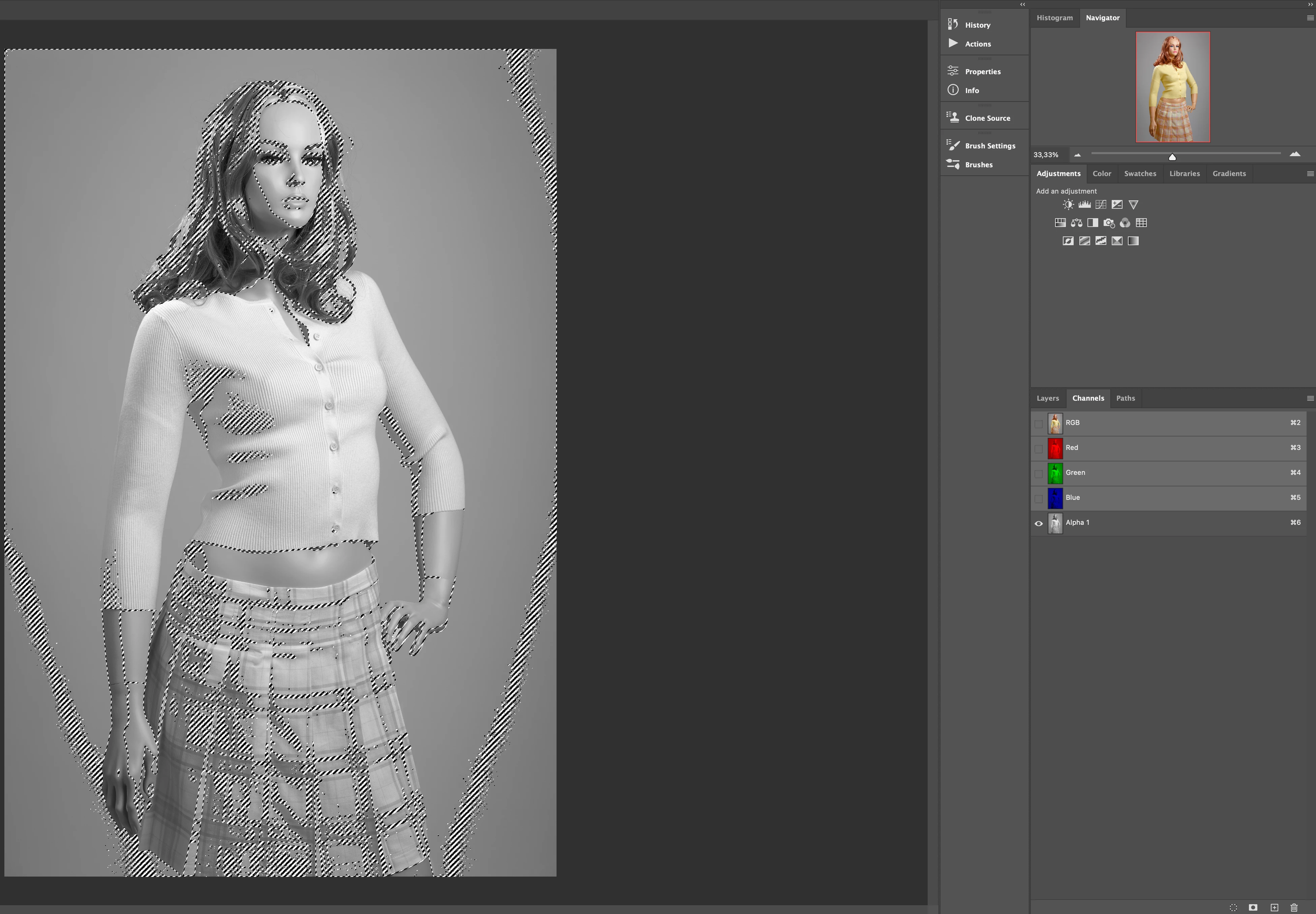
Channels in Photoshop - shift + cmd + option not working for brighest highlight?

  • June 14, 2022
  • 3 replies
  • 426 views

Hi

I have a problem in Photoshop when I go into Channels to create different Luminosity Masks. Highlight selection works fine when I use "cmd" on RGB and select save selection as channel. But, when I then have to make a selection of the brightest highlights on this channel using cmd + option + shift, then nothing happens. Shortcuts do not work. I have searched on youtube but without success. Anyone can help?
macOS Monterey
Photoshop 23.3.2
This topic has been closed for replies.

3 replies

D Fosse
Community Expert
Community Expert
June 16, 2022

Ctrl-clicking RGB (or ctrl+alt+2) will give you the luminosity mask.


That mask can be modified with any pixel tool; Curves, Levels, Threshold, whatever you want.


Edit - Oh, OK, substitute ctrl/cmd etc...

Participant
June 16, 2022

Now I have it. click cmd on the RGB and save the highlight selection channel. Stand on that channel and click cmd. Hold down Shift + cmd + option and at the same time click on the highlight channel. Then the darkest channel appears. Then only the brightest highlight is selected. That's what I wanted .... thanks for your help. Have a nice day!

Participant
June 16, 2022

Hi. Thank you for your message. I want to make luminosity masks for color grading. Watching a video on youtube and will do the same. She discusses the Luminosity topic 2 minutes inside the video if you have time to see the shortcut keys she uses.
Sincerely, Christian

https://youtu.be/JPtfKJ6Cli8

c.pfaffenbichler
Community Expert
Community Expert
June 16, 2022

If you mean Inverting a Selection that is triggered (by default) by cmd-shift-I, see the menu 

Select > Inverse 

If you just want to load a Channel as a Selection then just cmd-click the Channel’s icon. 


The person in the tutorial seems to keep calling Channels »Layers«, so there might be some liberty with nomenclature in the voice-over. 

c.pfaffenbichler
Community Expert
Community Expert
June 16, 2022

I don’t understand your process. 


cmd-alt-shift-clicking the Channel icon would intersect an existing Selection with the one saved in the Channel. 

What exactly are you tring to achieve?