Clarifying & establishing my screen resolution
- I am experiencing different image preview sizes when the image is displayed at 100% view in different apps (Photoshop, Topaz labs products...).
- And also I want to establish my true screen res in Photoshop prefs (reason explained below).
In order to resolve the issue, I need to start by knowing the screen resolution of my late 2017 5k retina iMac.
In SystemPrefs>Displays> I select Scaled & hover over Default - "looks like 2560 x1440px" is displayed under the screen icon.
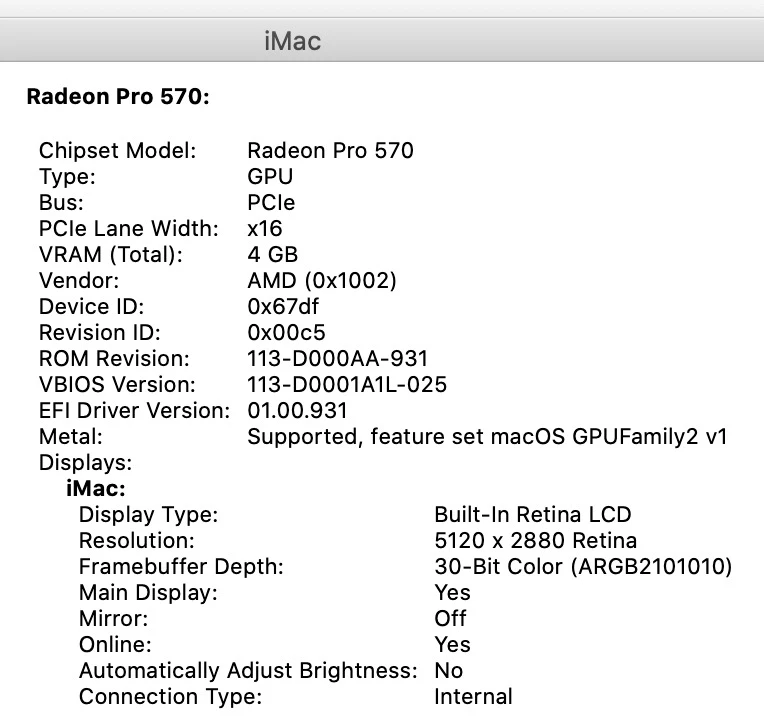
However, under apple menu>About this Mac>Displays> it says - Built in Retina display 27- inch 5120 x 2880, Radeon Pro 570 4GB Graphics
In Photoshop Prefs>Units & Rulers> the screen resolution can be manually entered and as I learned on a different forum, & it can be calculated by dividing the display resolution width in pixels by the actual physical display width in inches. For example 5120px/23.375 in = 219 ppi
This is important if one wants to display 'actual print size' - for example, for a 10 inch wide print to display at 10 in on screen (as measured with a ruler).
Can anyone explain the resolution discrepancy in Sys Prefs>Displays vs the resolution reported in About this Mac (screenshot below) and also suggest why different apps (Photoshop 2020, Topaz labs products...) are displaying an image at different sizes when 100% view is selected ?
Thanks
 AdChoices