Participating Frequently
December 21, 2019
Question

cleaning image

  • December 21, 2019
  • 3 replies
  • 550 views

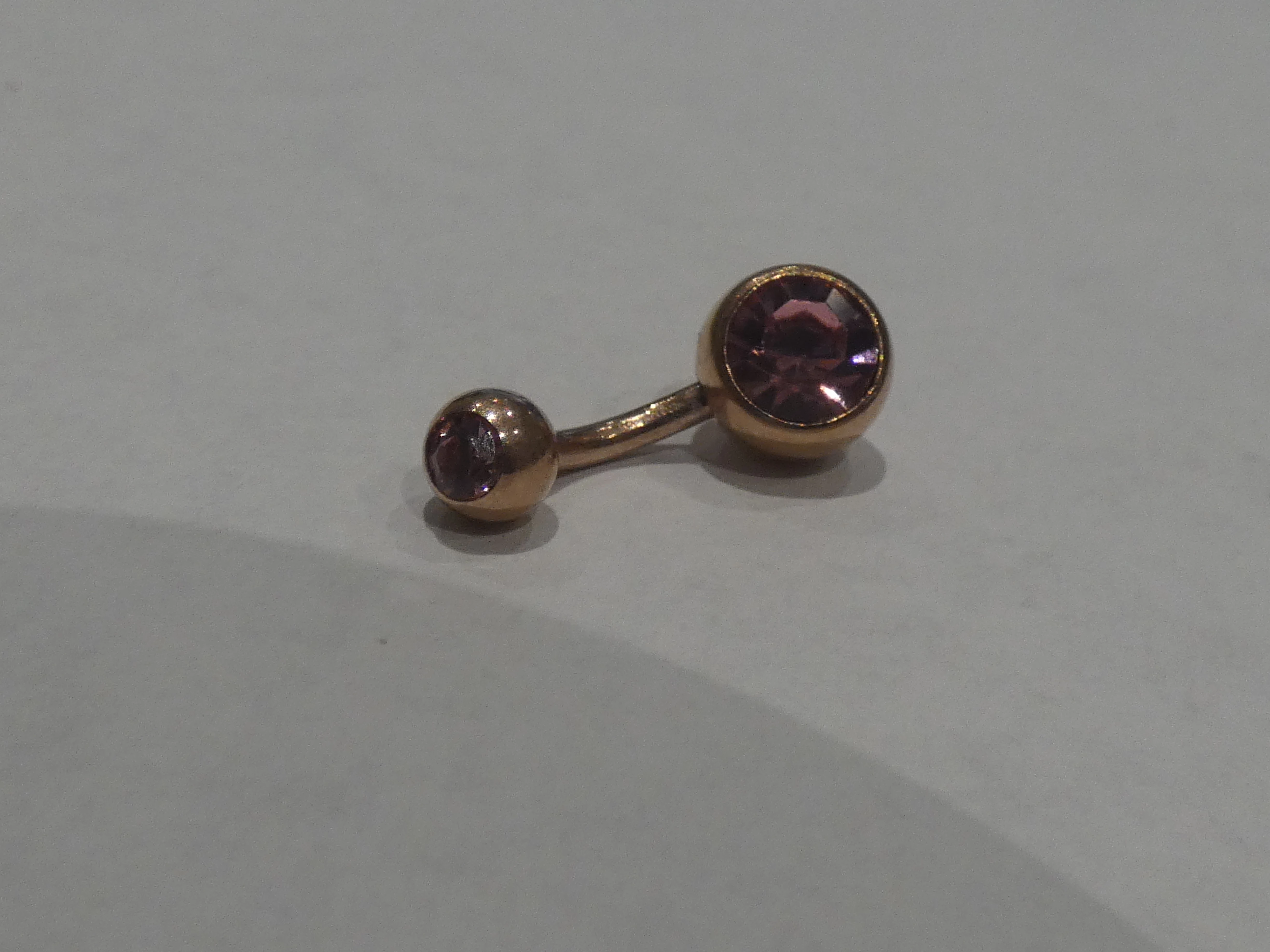
Hi can anyone tell me the best way to clean up the attached image and give it that nice airbrushed look i tried reducing the noise but it looked terrible, i am a total novice, thanks in advance.

This topic has been closed for replies.

3 replies

D Fosse
Community Expert
Community Expert
December 21, 2019

OK. Here's a very simple example that I can probably show without violating any copyrights:

As you can see, the shape and surface are defined by light and dark. This was lit by a large softbox above the camera, while the room was kept dark - hence the gradient into dark when the surface angle shifts.


This is what a softbox looks like. The important thing is that the light source is entirely diffused over a large area, while still having a clearly defined (rectangular) shape. Here the main goal was to eliminate shadows on the wall:


Note the soft shadows here:


You don't need to use an array of studio flash units. It's perfectly possible to improvise simple setups. What I'm trying to show here is the principle. But also to point out that the majority of the images you see, were in fact done with rather complicated setups. It's not as easy as it looks.

D Fosse
Community Expert
Community Expert
December 21, 2019

I'm going to be brutally honest here. Brace yourself  😉


Everything is wrong with this shot. The lighting is horrible, the viewpoint/angle is visually confusing - and the exposure is at least three full stops underexposed.


No Photoshop wizardry can change the lighting. What you need for this kind of thing is a flash with a large soft box attached to diffuse the light. Then carefully set up the surrounding so that you get a nice play of light and dark that accentuates the shape of the object.


You can probably improvise an ad-hoc lighting setup using sheets of thin paper or fabric to diffuse the light. But diffused light is absolutely critical for a good result. At the same time, it should be played against black surroundings for a nice and crisp high contrast effect.


This isn't easy and it's not supposed to be. Those images that you see around you are taken by skilled photographers who know what they're doing, and have the right kind of equipment for this. This has to be set up correctly from the start. When done properly, very little extra Photoshop work is necessary. It should basically look good out of the camera.

Participating Frequently
December 21, 2019

thanks for the input, i kind of knew it wasnt a good shot, so as an absolute beginner i bought a PANASONIC - Lumix DC-FZ82EB-K Bridge Camera and a small LED light box, are these enough to get a decent macro shot and if so how is best to get it ? ive been trying with the auto macro focus but just cant get it right, again any advice is greatly appreciated.

Silkrooster
Legend
December 21, 2019

The fastest way is to use the quick selection tool and move the object to a new layer. Then you can fill the background with any color or gradient you want for a clean look. If you prefer you could add in a little noise to make it a bit more natural looking.

Participating Frequently
December 21, 2019

if i change the background is there then a way i can clean the belly bar as it looks dirty, its meant to be rose gold with light pink gems but it looks more like dirty rust.

barbara_a7746676
Community Expert
Community Expert
December 21, 2019

After selecting the belly bar, do a Hue/Saturation adjustment. A curves adjustment would also help in order to lighten it up.