
Participating Frequently
March 12, 2018
Answered

Cleaning up a Bitmap image...what are my options?

  • March 12, 2018
  • 4 replies
  • 6166 views

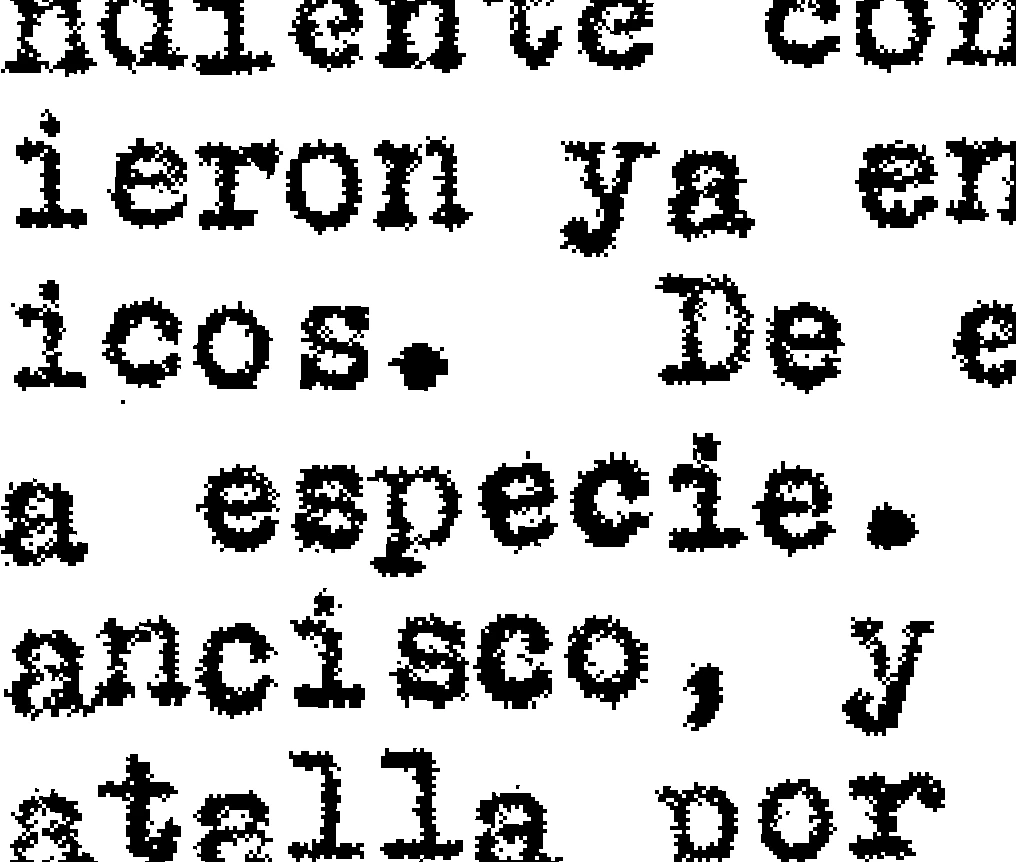
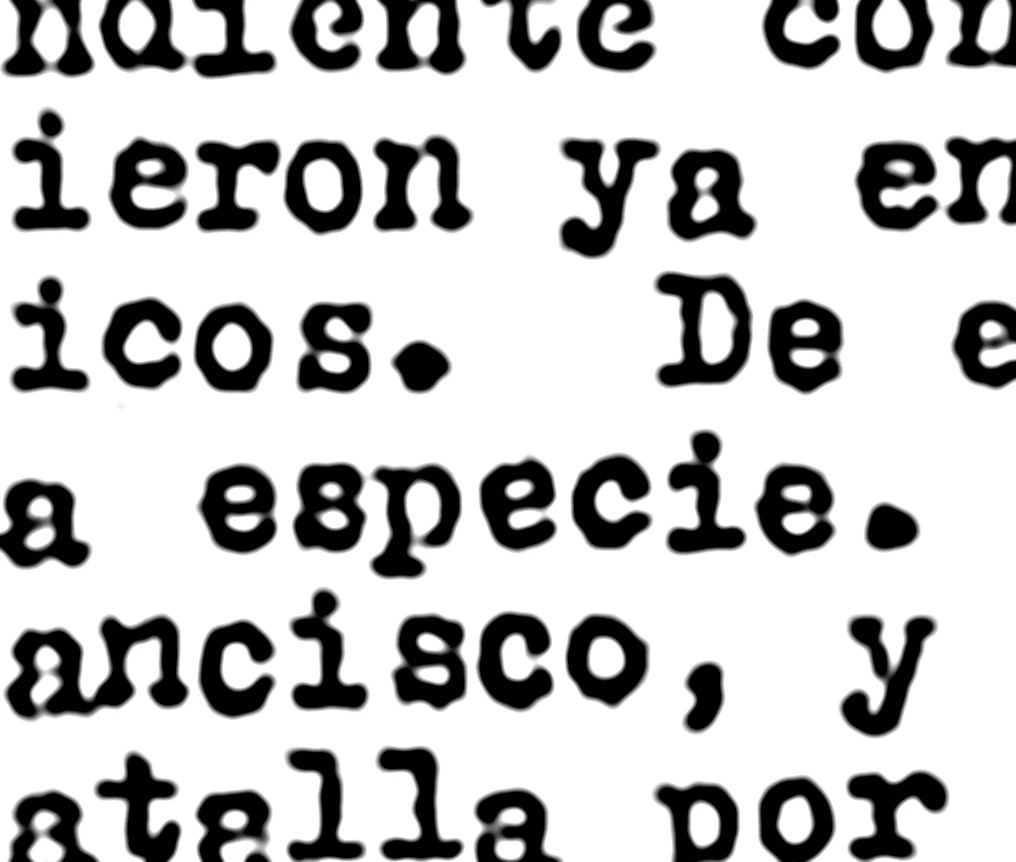
I have a bunch of historical documents that were scanned as bitmaps, and saved to a PDF. The text is fuzzy, and the client has asked me to clean them up. If this was grayscale, I'd be able to, but does anyone have a great workaround for cleaning up Bitmap images? I've tried Levels, Curves, Auto Contrast, Sharpening...which would all work to some degree if the document were anything BUT bitmap. What am I missing?!

Thanks, geniuses.
    This topic has been closed for replies.
    Correct answer edgrimley

    Blurred first then used  Unsharp Mask. Better but far from good.

    4 replies

    Kukurykus
    Legend
    March 12, 2018

    There is similar topic in Photoshop Scripting section. That won't give you what you want, but I see it is somehow related as was made to clean old documents. Last version of script is not posted as a whole but in 3 parts, so do not think that correct solution have everything there should be. If later someone wants to have a script as a whole let me know so I post it in one piece: How to remove small black dots from text page - selecting pixel radius via script

    edgrimleyCorrect answer
    Participating Frequently
    March 12, 2018

    Blurred first then used  Unsharp Mask. Better but far from good.

    Participating Frequently
    March 12, 2018

    This is the best I've found as well. Yours is a bit better than mine with that method. Do you remember what your settings were?

    c.pfaffenbichler
    Community Expert
    Community Expert
    March 12, 2018

    As I mentioned earlier: Garbage in, garbage out.

    Derek Cross
    Community Expert
    Community Expert
    March 12, 2018

    Might be better to consider re-scanning using OCR, you will then have proper searchable, useable, readable digital text.

    c.pfaffenbichler
    Community Expert
    Community Expert
    March 12, 2018

    No argument there, but as the OP mentioned

    historical documents that were scanned as bitmaps

    I suspect the actual pages might not be at their disposal at all.

    c.pfaffenbichler
    Community Expert
    Community Expert
    March 12, 2018

    You need to convert them to grayscale to apply any (Smart) Filters (in this case maybe Dust&Scratches), then you should (in my opinion) save those layered Files and save bitmap copies off them.

    But as always: Garbage in, garbage out.

    Participating Frequently
    March 12, 2018

    Thanks. I forgot to mention that I had converted them to grayscale to work with them. It's just that with bitmap, it's already either black or white...so nothing is really changing that much!

    c.pfaffenbichler
    Community Expert
    Community Expert
    March 12, 2018

    So you need to use a meaningful Filter like Dust&Scratches.

    so nothing is really changing that much!

    For the Adjustments you mentioned probably »not al all«, don’t forget to view the results at View > 100%.