
Known Participant
February 28, 2020
Answered

Clear selection in Photoshop

  • February 28, 2020
  • 1 reply
  • 558 views
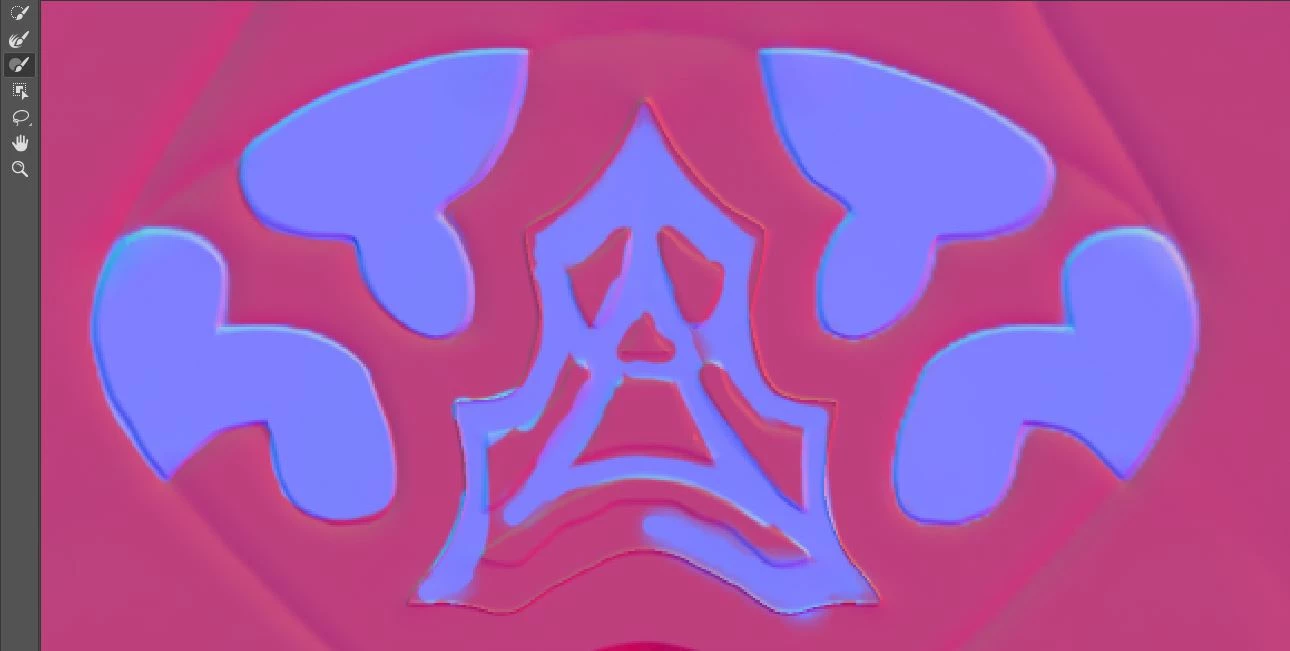
I am creating an ID map for use in the substance painter.

I want to select a pattern accurately.


All the tools on the left have been used.
However, the selection could not be made exactly.

How can I specify the selection exactly?


{Thread renamed by moderator}
 

This topic has been closed for replies.
Correct answer Sahil.Chawla

Hi there,

To make a precise selection in Photoshop, you should use the pen tool. Please have a look at this video and see if it helps: https://www.youtube.com/watch?v=5kAQUNFZJXY

Regards,
Sahil

1 reply

Sahil.Chawla
Adobe Employee
Sahil.ChawlaCorrect answer
Adobe Employee
February 28, 2020

Hi there,

To make a precise selection in Photoshop, you should use the pen tool. Please have a look at this video and see if it helps: https://www.youtube.com/watch?v=5kAQUNFZJXY

Regards,
Sahil

TAKI1111Author
Known Participant
March 2, 2020

Thank you for your reply.

The video you taught me was a plus.