

Click & drag delay in Photoshop when using Huion Kamvas display tablet
Click & drag delay in Photoshop when using Huion Kamvas display tablet.
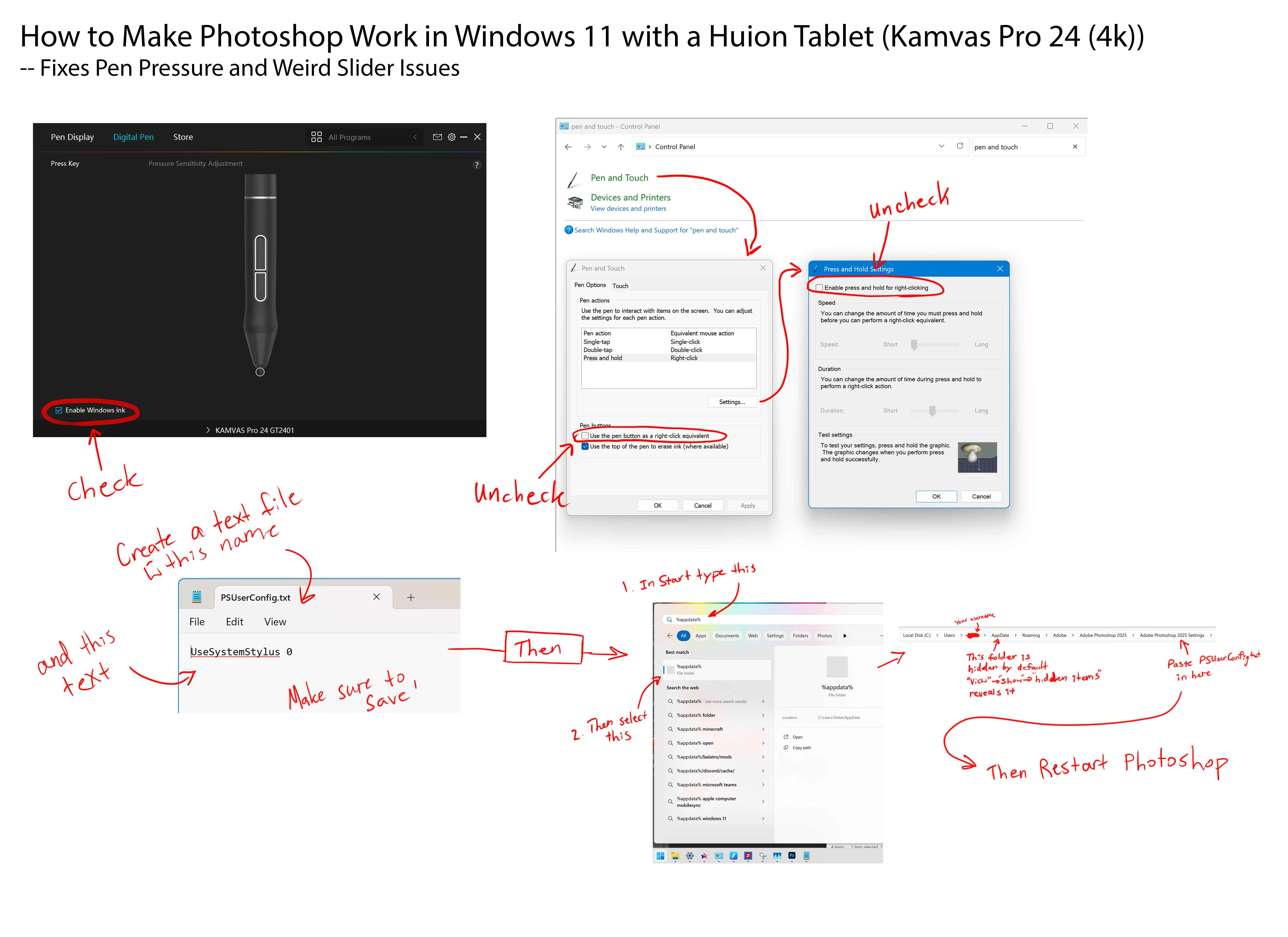
Using Windows 10, PS 2025, Huion Kamvas Plus 22" (GS2202).
Drawing works fine, but when I try to do the following actions there is a significant delay:
- Using sliders such as hue/saturation. When I click & drag the slider to make a subtle change, it does nothing. But when I drag it out really far, it starts working.
- Using transform tool. When I click & drag the edge of the transform box to make a subtle change, it does nothing. But when I drag it out really far, it starts working.
- When I try to turn on/off layers too quickly, it will turn off/on multiple layers at once. This is a weird one.
As you can imagine, as an artist these issues really impede my process!
Any tips or suggestions?
Thank You -M-
 AdChoices