
Participating Frequently
October 1, 2020
Question

clicking on and off the red mask does not work

  • October 1, 2020
  • 5 replies
  • 782 views

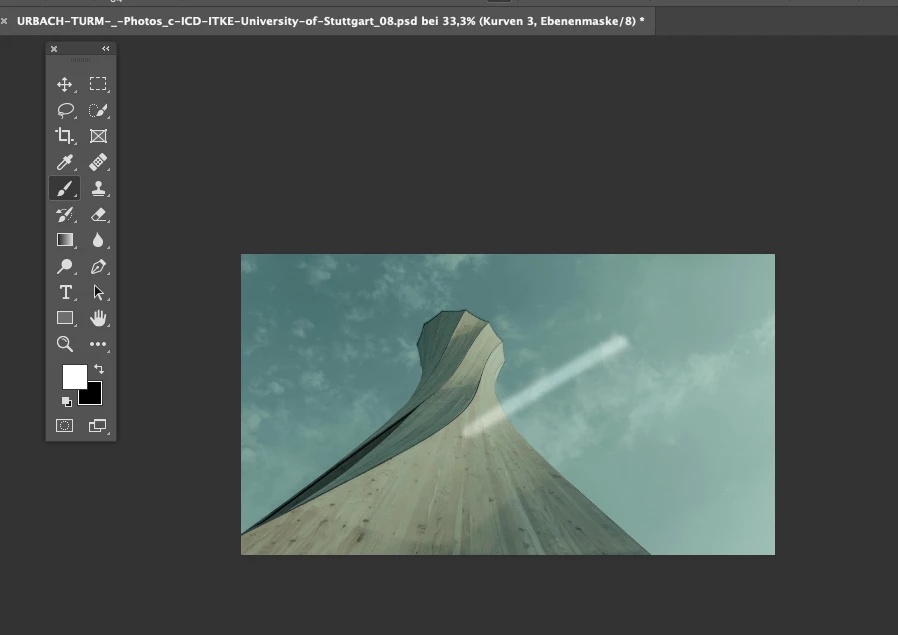
1_ When retouching i normaly use the brush in the mask like this.

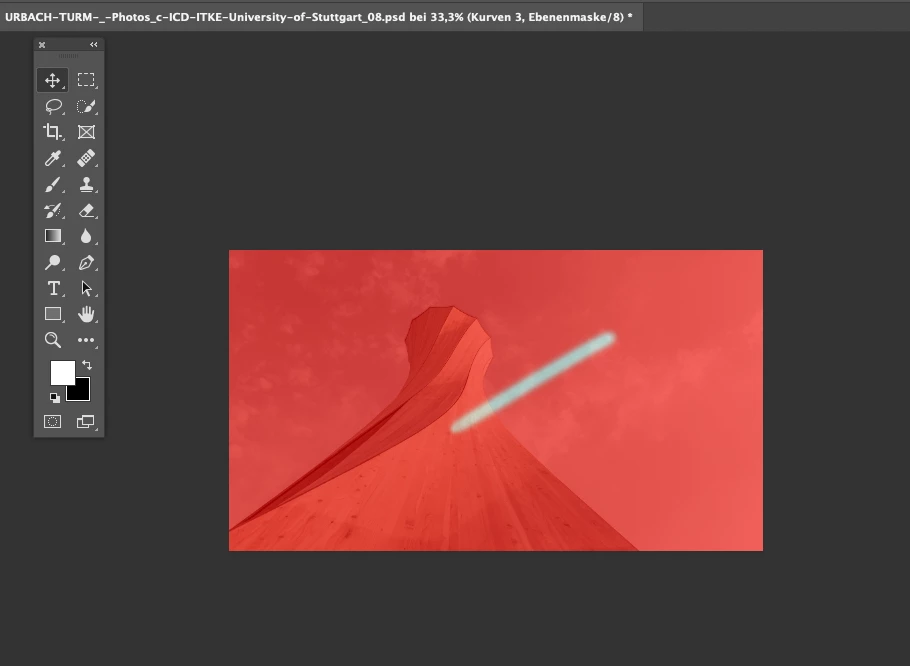
2_ Sometimes i use the red mask when its difficult.

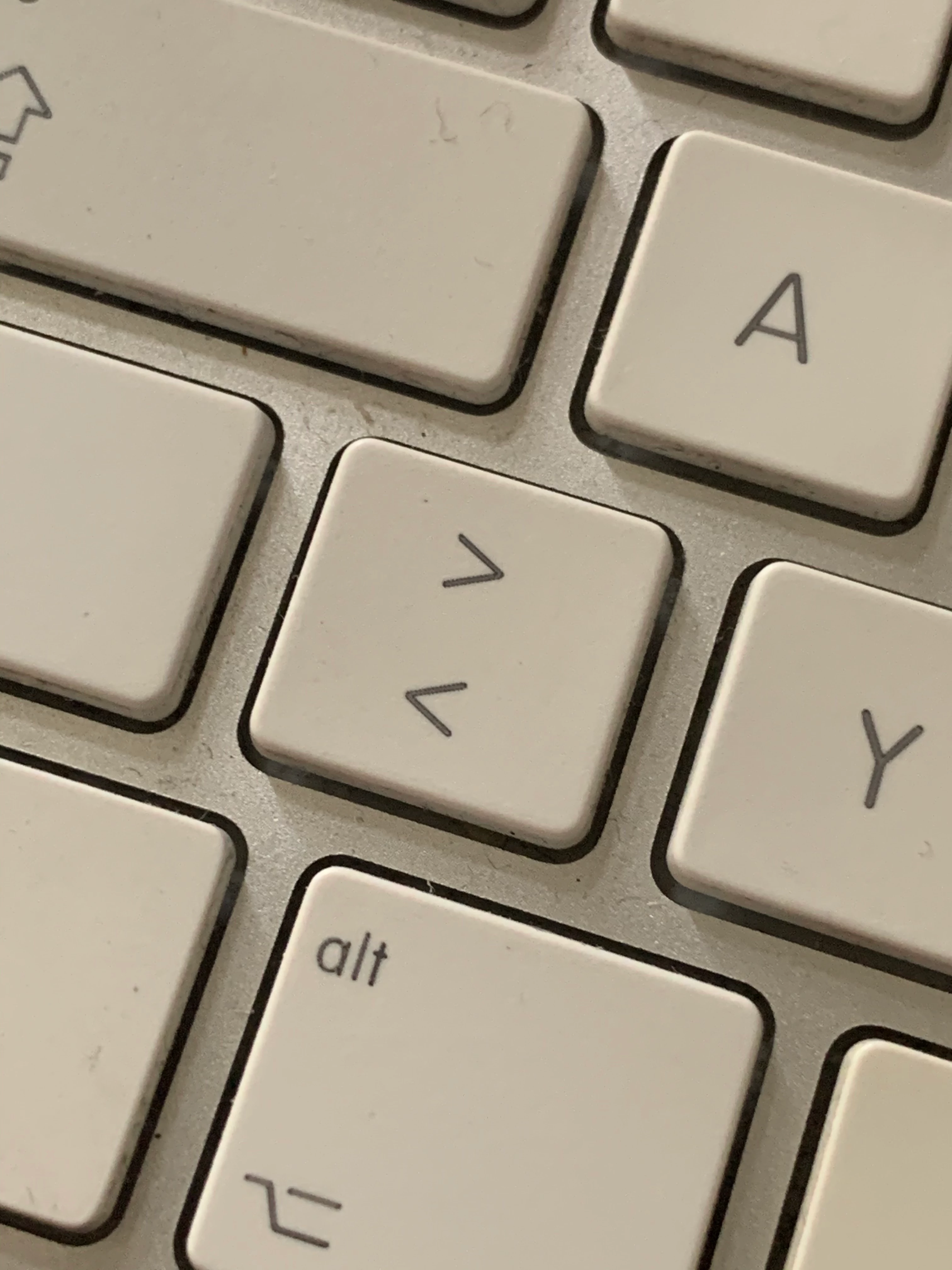
3_ I use this button to switch the red mask on and of.

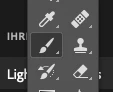
4_ I do it when the the brush tool is selected


Now it´s not working anymore. Any idea how i can fix that?


1___
 

2___
 

3___
 

4___
This topic has been closed for replies.

5 replies

pixxxelschubser
Community Expert
Community Expert
October 2, 2020

Ok.

Versuchen wir einmal etwas Licht ins Dunkel zu bekommen.

😉


1) Mit welcher Photoshopversion arbeitest du gerade?


2) Kann es sein, das du (manchmal) mit dem Pinsel in der Maske malen möchtest, nachdem du mit dem Shortcut [<] auf die (standardmäßig) rote „Teil-Überlagerung der aktiven Maske über dem Bild“ gewechselst hast?


Der „lange Weg“ dorthin funktioniert über Rechtsklick auf die Miniatur der Ebenenmaske deiner Einstellungsebene, dann Klicken auf „Auswählen und maskieren …“ und anschließend in der sich öffnenden Eigenschaften-Registerkarte im oberen Bereich den Ansichtsmodus: „Überlagerung“ durch Klick auf den Pfeil neben der Miniatur „Ansicht“ einschaltest.


Da ich selbst relativ selten auf diese Art und Weise arbeite, weiß ich nicht, wie das Verhalten früher war - bzw. ob es früher überhaupt anders war.


Das nachfolgende habe ich nur unter Windows und Photoshop 21.1.2 getestet. Sollte aber unter MacOS genauso funktionieren.


Was definitiv nicht funktioniert: solange das Pinsel-Werkzeug aktiv ist, per Shortcut [<] in diesen „Überlagerungsmodus“ zu wechseln. Was hingegen funktioniert: Per [V] kurzzeitig auf das Verschieben-Werkzeug wechseln, danach mit [<] direkt in den „Überlagerungsmodus“ zu wechseln und gleich anschließend per [B] wieder auf das Pinsel-Werkzeug zurückzuschalten. Jetzt kannst du mit dem Pinsel in der Maske malen und hast gleichzeitig die (standardmäßig) „rote Überlagerung der Maske über deinem Bild“.


---------------------------------


Solltest du allerdings (was ich eigentlich nicht glaube) das Erstellen einer Auswahl im Maskierungsmodus [Q] meinen, dann melde dich einfach noch einmal.

Bernd5CAAAuthor
Participating Frequently
October 3, 2020

Vielen Dank für Deine Hilfe. Mit diesen shortcuts ist das Umstellen wunderbar einfach und nicht so Zeitintensiv.


Legend
October 1, 2020
Actually, turning on/off the mask visibility is done with the "\" key. Or I do not understand what the problem is.
 
In the Keyboard shortcuts settings, does enabling "Use Legacy Channel Shortcuts" solve your problem?


jane-e
Community Expert
Community Expert
October 1, 2020

"does enabling "Use Legacy Channel Shortcuts" solve your problem?"


No, whatever the problem is that will not help.


The legacy shortcuts for channels start with Cmd+~ for RBG, then Cmd+1 for Red, etc. When they changed these shortcuts to standardize among the various applications, Cmd+1 became 100% view and Cmd+2 became RBG. Using the very old legacy shortcuts for channels won't solve any glitches.


~ Jane


EDIT: Two legacy shortcuts corrected.

Legend
October 1, 2020
Well I do not know.
Here is some unsolved problem with ~ and \
 
I also did not understand what the problem is there.
 
pixxxelschubser
Community Expert
Community Expert
October 1, 2020

Versuche bitte das „Fehlverhalten“ auf Deutsch zu beschreiben. Mir ist auch noch nicht klar, worin überhaupt dein Problem besteht.


Zum Thema Video: eigentlich solltest du die Möglichkeit haben, über den Button [Video einbetten] in der Menüleite deines Antwortfensters ein Video direkt in der Antwort zu einzubetten. Falls das nicht funktioniert, dann nutze einfach Anbieter wie Youtube oder Vimeo, lade dort das Video hoch und verlinke es in deiner Antwort.

Bernd5CAAAuthor
Participating Frequently
October 2, 2020

Leider kann man nur Videos über youtube einbetten, deshalb versuche ich es anders.

Danke in jedem Fall schonmal für Dein Hilfe Angebot.


Eigentlich ist das was ich meine denkbar einfach. Um das Problem nachzuvollziehen sollten wir es vielleicht die Schritte die dorthin führen nachmachen. Aber vorher erkläre ich es einfach noch einmal.


Das rote auf dem Bild ist keine Maske sonder ein visuelle Hilfe die anzeigt welche stellen schon ausgewählt/ausgespart sind.  


Hier nun die Schritte die zu meinem problem führen.

1. Offnen einer einstellungsebene mit Maske

2. Anwenden: Partielles anwenden von z.B. Farbton Sättigung

3. Diese Taste drücken

4. Dann sieht das Bild so aus. ( Das rote ist nur eine visuelle Anzeige der Maske)


Ich hoffe das hilft, danke.


pixxxelschubser
Community Expert
Community Expert
October 1, 2020

Nicht ganz.

Du benutzt die Ebenenmaske einer Einstellungsebene - und nicht die Ebenenmaske einer Pixelebene.


----------------

Not quite.

You are using the layer mask of an adjustment layer - not the layer mask of a pixel layer.

jane-e
Community Expert
Community Expert
October 1, 2020

Hi


1_ When retouching i normaly use the brush in the mask like this.

In this step, what kind of mask are you using? Quick mask? Layer mask? An alpha channel? We can't see your Layers and Channels panels, so we can't tell. Since the paint is going on your image, though, the most likely cause is that the image is selected and not the mask. Check that.


2_ Sometimes i use the red mask when its difficult.

There are multiple ways the mask can be red. You might be using Quick Mask, or you might be working in Channels with both the Layers and the Alpha Channel visible. Seeing your Layers and Channels menu would be helpful. I think, though, that possibly "Ebenenmaske" in the tab might mean "Quick Mask". 


3_ I use this button to switch the red mask on and off.

I think that's a German keyboard because of the reference to "Stuttgart". If you are talking about Quick Mask, we would use "Q" or use the tool in the Toolbox with the rectangle and the circle inside. I don't see that tool in your image. It looks like it's working correctly here, though. When you are in QuickMask, painting with Black will be red, and you are painting with White. If you think it's not working, please clarify.


4_ I do it when the the brush tool is selected

You can use QuickMask with other tools as well, such as the selection tools and Pen tool.


Can you clarify what you are trying to do and show these panels:

  • Layers
  • Channels
  • options panel for the Brush


~ Jane

Bernd5CAAAuthor
Participating Frequently
October 1, 2020

1_

I am using the Ebenenmasken. And sometimes when it is not easy to see were i allready have been with the brush i use the red mask to see that. 


Do the screenshots help to understand what i mean?


Thanks

Bernd

jane-e
Community Expert
Community Expert
October 1, 2020

Hi

Again, please clarify what you are trying to do so we can better assist. You might start, for instance with a combination of Select Subject and Select and Mask to get a good selection, including the hair.


Once your selection is good, choose whichever Adjustment layer you need and make the changes in Properties.

If this doesn't answer your question, please clarify what you are trying to do.

~ Jane