Answered
Clipping Mask doesn't work with Artboard in PS CC 2015.1.2. How to enable?
So I have this set up. And the image have to be behind Rectangle 1 but over background Layer 1. But for some reason it is not. How to make it work as expected?
So I have this set up. And the image have to be behind Rectangle 1 but over background Layer 1. But for some reason it is not. How to make it work as expected?
If you're trying to clip the image to Rectangle 1, the image has to be on top of the rectangle. Currently it appears that you've clipped the image to layer 1(which is the size of the artboard), and the placed a white square on top of it. You say the image has to be behind Rectangle 1 but as long as you have it set up the way you do, Rectangle 1 isn't going to allow you to see the image unless you hide the layer or set it to 0 opacity.
I suspect your layer panel should look more like this: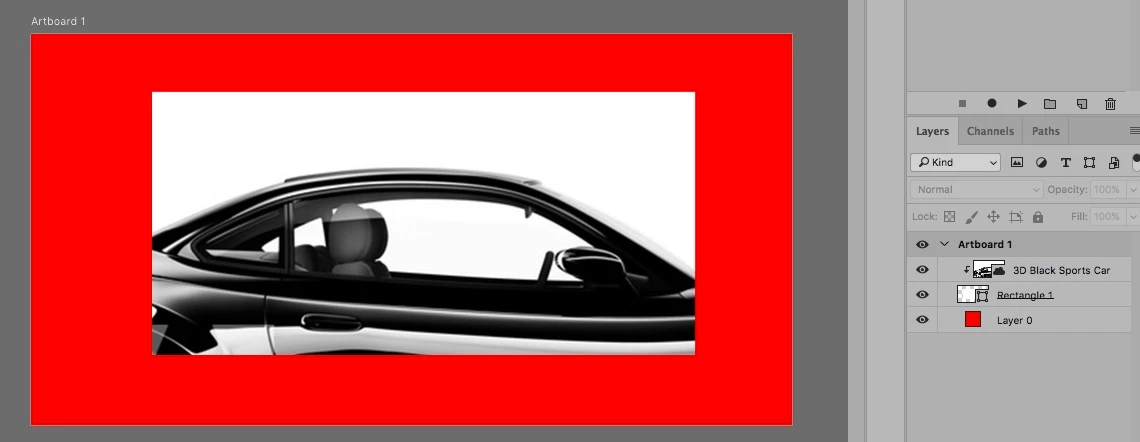
Already have an account? Login
Enter your E-mail address. We'll send you an e-mail with instructions to reset your password.
 AdChoices