Participant
December 21, 2023
Answered

Clipping mask fills outline, not inside

  • December 21, 2023
  • 1 reply
  • 676 views

Hi,


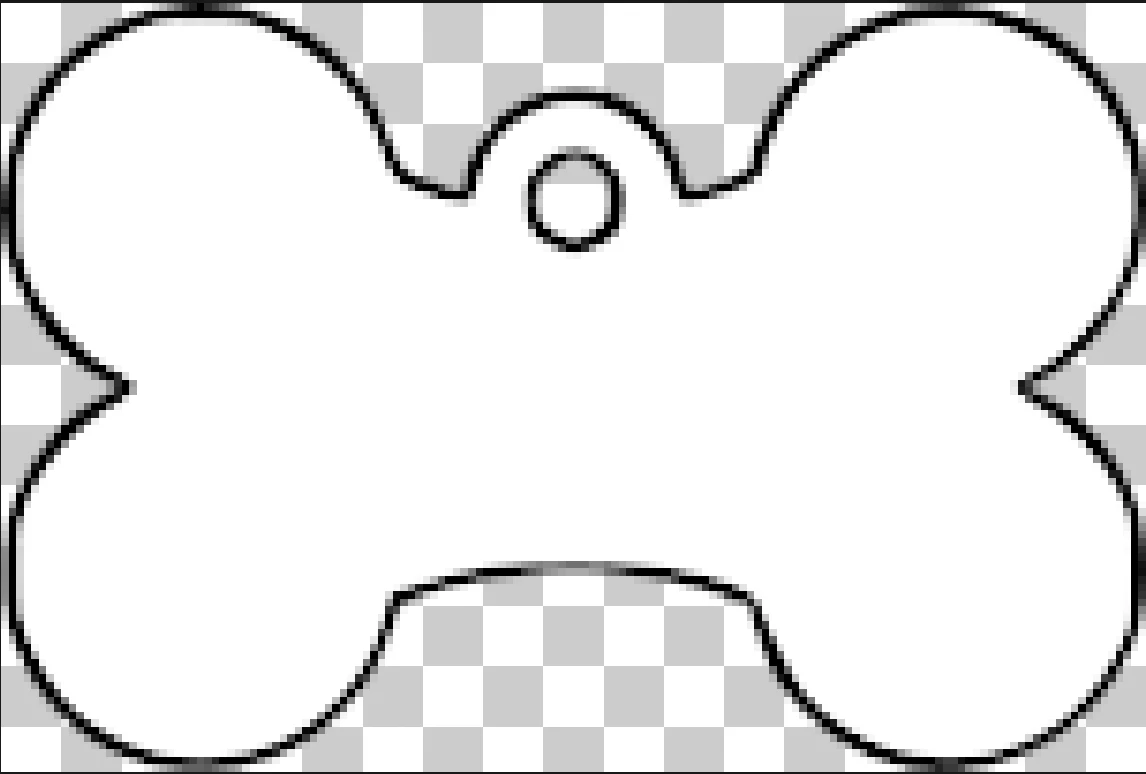
I'm coming back to PS after many (many) years away.   I have a number of shapes (not PS shapes, but pngs exported from a vector editing program) which I would like to fill with wooden texture backgrounds.


I've been through a number of tutorials that show how this should work, but when I do it the outline of my image gets filled with the image, not the inside.


pet-tags.png here is the 'shape' I want to fill, and blank.png is the texture I want to fill it with, but when I try I get the effect shown in filled-outline.png.


My ideal scenario is that I fill the shape with the wood texture and am then able ot remove the black outline from the pet-tags.png.


Can anyone help?
This topic has been closed for replies.
Correct answer didiermazier

Hi

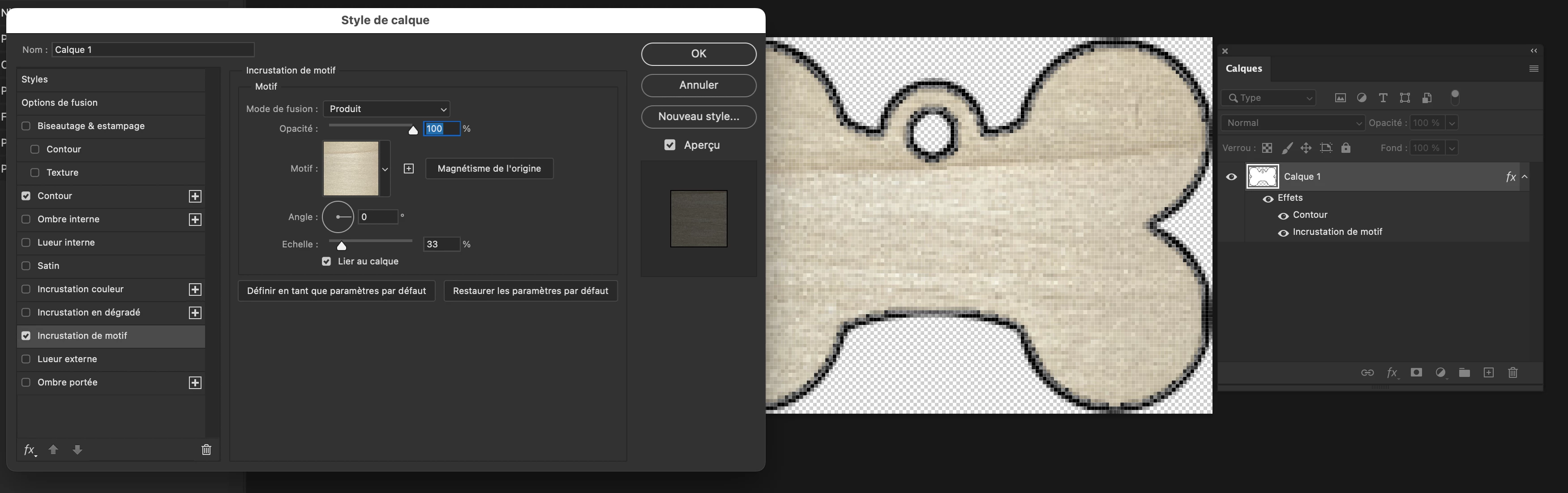
First fill the shape with any color (white OK)

Then use the wood picture as a pattern and add a pattern overlay to the picture and a stroke

But the size is very very small and it would be better to have a larger wood image to make the pattern (since you always can reduce it) in order not to get a repeated squares filling.

Also it would be better to have a little extra margin around the shape

1 reply

didiermazier
Community Expert
didiermazierCommunity ExpertCorrect answer
Community Expert
December 21, 2023

Hi

First fill the shape with any color (white OK)

Then use the wood picture as a pattern and add a pattern overlay to the picture and a stroke

But the size is very very small and it would be better to have a larger wood image to make the pattern (since you always can reduce it) in order not to get a repeated squares filling.

Also it would be better to have a little extra margin around the shape

Participant
December 21, 2023

That's wonderful.  Thank you @didiermazier for taking the time to help!

didiermazier
Community Expert
Community Expert
December 22, 2023

We are here to help… feel welcome