
Participant
June 20, 2022
Answered

Clipping mask no longer transparent

  • June 20, 2022
  • 3 replies
  • 689 views

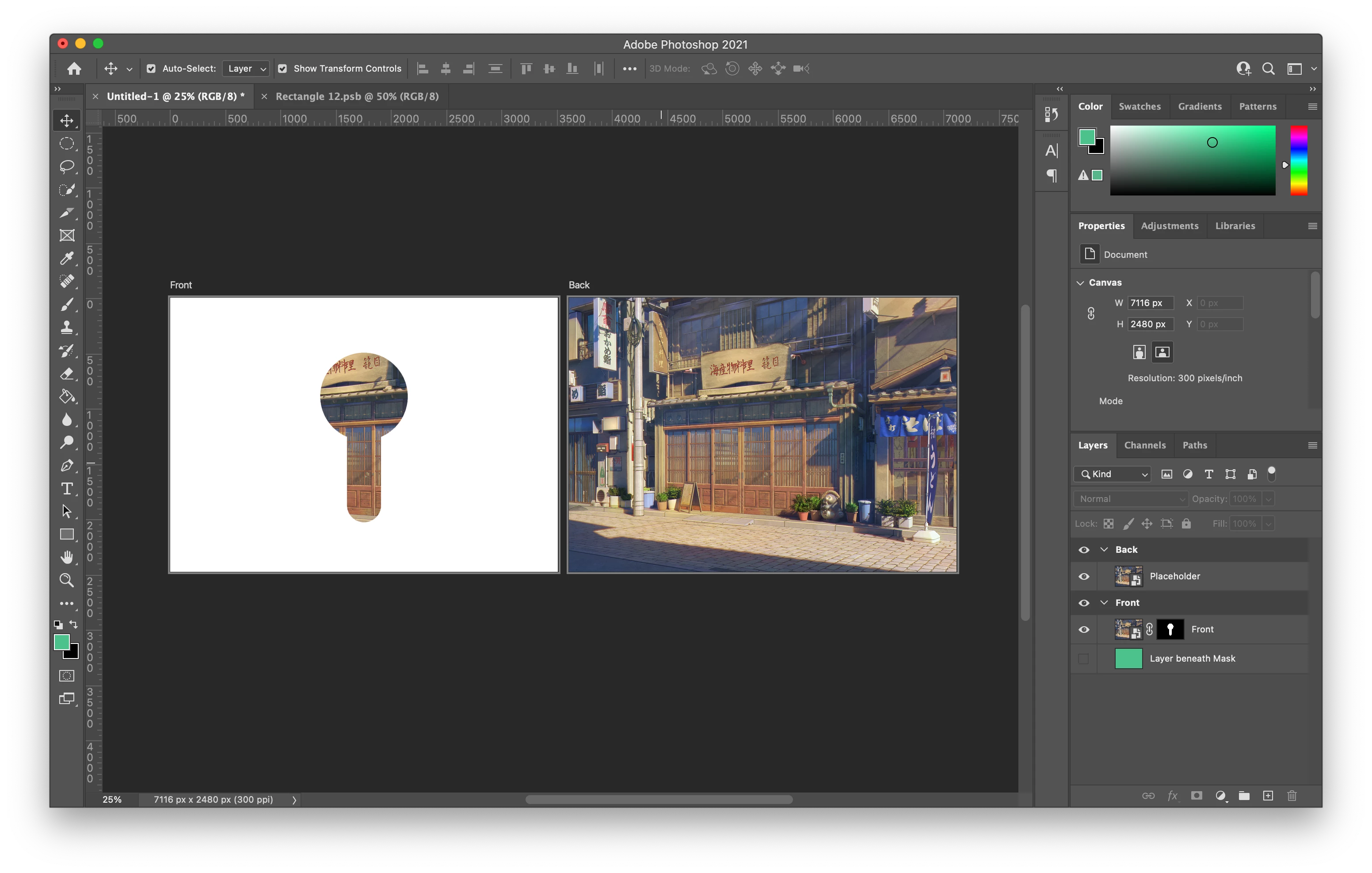
When I apply a clipping mask or select and mask, the mask is not transparent and is the solid colour white. It does not export as a transparent png either. If I add a layer beneath it, it behaves as if it's transparent. 


As you can see from the two images, in the 1st screenshot the layer mask is white, and in the second the layer mask behaves as it should and shows the layer underneath. 


Does anyone know how to fix this? Your help is much appreciated!


This topic has been closed for replies.
Correct answer Quan028

I fixed the issue, I had not changed the default artboard layer to be transparent.

3 replies

JohanElzenga
Community Expert
Community Expert
June 20, 2022

Please do not crosspost in two forums. I merged your posts for this reason.


-- Johan W. Elzenga
Quan028AuthorCorrect answer
Participant
June 20, 2022

I fixed the issue, I had not changed the default artboard layer to be transparent.

Quan028Author
Participant
June 20, 2022

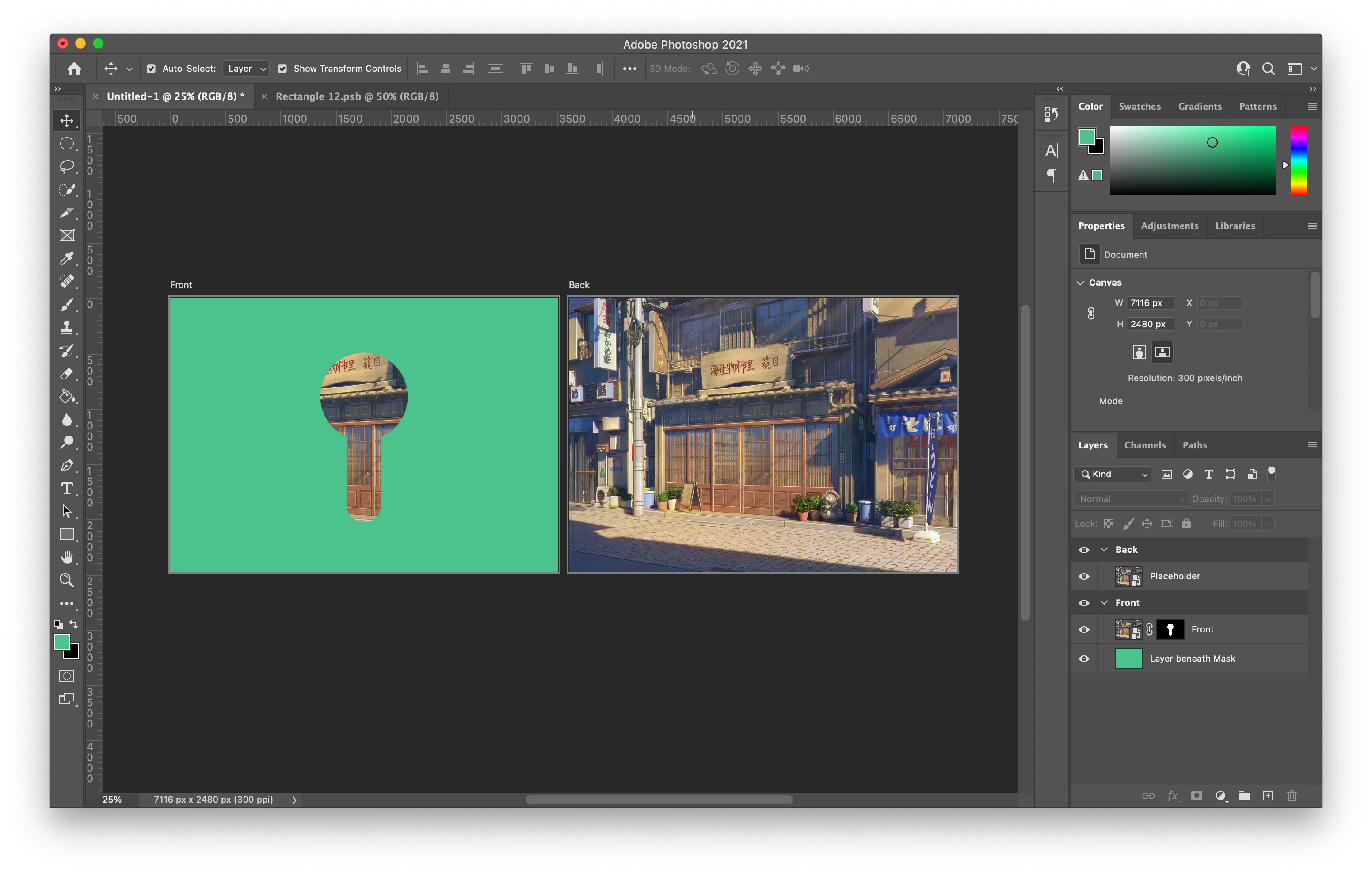
When I apply a clipping mask or select and mask, the mask is not transparent and is the solid colour white. It does not export as a transparent png either. If I add a layer beneath it, it behaves as if it's transparent. 


As you can see from the two images, in the 1st screenshot the layer mask is white, and in the 2nd the layer mask behaves as it should and shows the layer beneath.  My version of photoshop is 22.5.1


Does anyone know how to fix this? Your help is much appreciated!
Quan028Author
Participant
June 20, 2022

I fixed the issue, I had not changed the default artboard layer to be transparent.