

bartonlew
Legend
July 28, 2022
Answered

clone stamp not working

  • July 28, 2022
  • 2 replies
  • 849 views

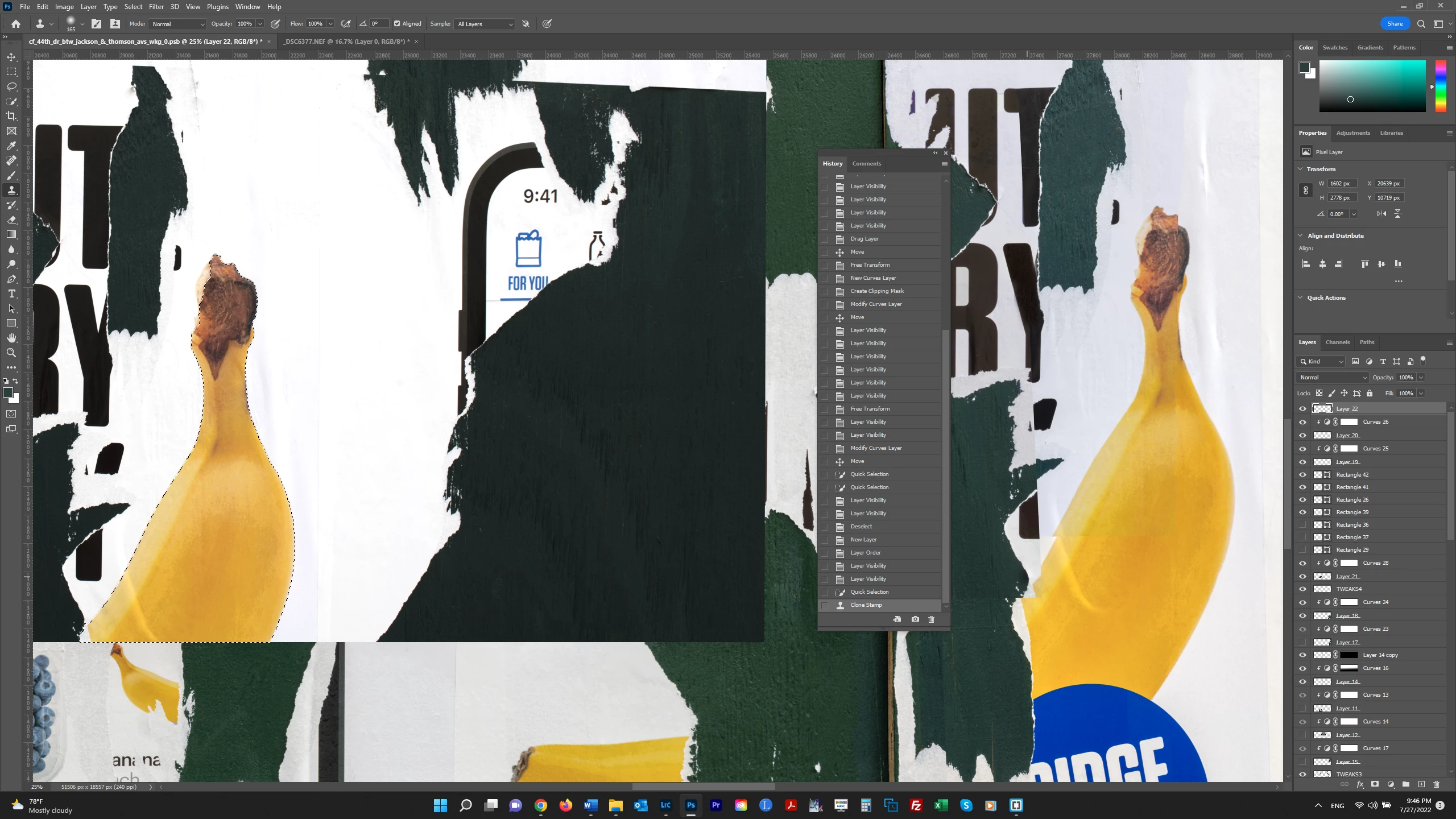
Can someone please explain what I am doing wrong?  In the screenshot below, I have selected the banana on the left.  I want to clone stamp that selection onto the banana on the right.  I created a layer on which to do this as my very top layer.  When I am on that Layer (Layer 22), and clone stamp inside the selection, then paint over the banana on the right, nothing happens.  Shouldn't the banana selection be appearing where I am stamping?  Thanks.   


This topic has been closed for replies.
Correct answer Bojan Živković11378569

Have you tried to duplicate selected banana (Ctrl + J) then to drag it where you want?

2 replies

Participant
December 5, 2023

For me it was the clipppet


jane-e
Community Expert
Community Expert
July 28, 2022

@bartonlew 

When you have an active selection, the clone stamp only works inside the selection. Deselect and try again.


https://helpx.adobe.com/photoshop/how-to/clone-stamp-remove-object.html


https://helpx.adobe.com/photoshop/using/retouching-repairing-images.html


Jane


bartonlew
bartonlewAuthor
Legend
July 28, 2022

Thank you.  The problem is, I want to only copy the banana in the source layer, not the white area outside of it.  As you can see in the screenshot below, while the banana matches in both layers, the white area in the source layer is brighter than in the target layer.  That is why I made a selection of the banana, hoping to copy it only.  Is there a way to do that?  Thank you.


Bojan Živković11378569
Community Expert
Community Expert
July 28, 2022

Have you tried to duplicate selected banana (Ctrl + J) then to drag it where you want?