

bartonlew
Legend
March 31, 2021
Question

clone stamping within a selection to another Layer

  • March 31, 2021
  • 1 reply
  • 1747 views

I wonder if someone can help me.

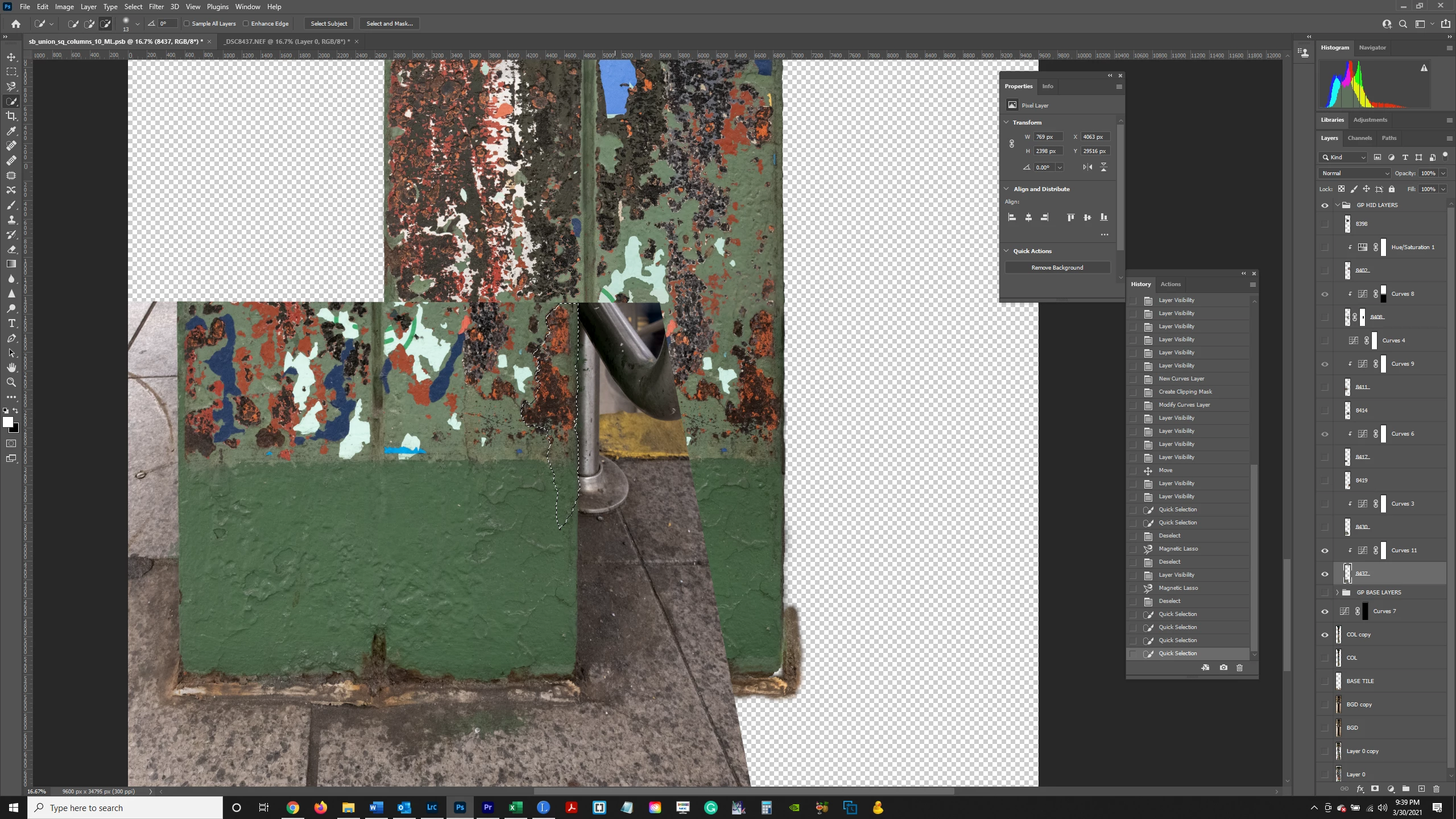
Marching ants don't show up in a screenshot but here's what I want to do:  In the image below, Layer "8437" is selected.  I made a selection of the right hand side of the column, excluding the background.  I wanted to clone stamp the right edge of the column onto the right edge of the "COL copy" Layer immediately below it.  I made the selection so I wouldn't take anything else but the column when clone stamping onto the column in the COL copy Layer.

But it isn't working.  Nothing happens (no clone stamping) when I stamp onto the COL copy Layer.  So you can't make a selection of something and then clone stamp from inside the selection?  Any other way to achieve this?  Thanks.

Thanks.


This topic has been closed for replies.

1 reply

Bojan Živković11378569
Community Expert
Community Expert
March 31, 2021

I can not see numbers and layers clearly. It is possible to limit cloning to only inside selection. Select what you want to clone, activate layer to which you want to clone, ensure that All Layers or Current and Below is selected from Sample drop down list in the Options bar and start painting.

bartonlew
bartonlewAuthor
Legend
March 31, 2021

Hi, thank you, but what I am asking for is actually the reverse.  I want to limit the cloning inside the source - that is, I want to make a selection, and clone from within the selection going up to the edge of the selection and not including the area outside the selection.  When I do this, nothing appears on the target layer where I am trying to clone onto.  So I think it may be the case that you can't make a selection and clone using the selection as a source.   

Bojan Živković11378569
Community Expert
Community Expert
March 31, 2021

Perhaps I do not understand what is your request. Hovewer, you can limit painting, cloning... to inside selection if you have one active. If you do not see anything that is because one layer covers another with the same content or you have wrongly set Clone Tool.


By the way, if you want to clone inside selection to another layer and to limit to the same selection then use Ctrl+J after creating selection then move layer where you want as needed. You do not need to waste time cloning if you want to copy content inside selection to another layer.