Participant
November 20, 2018
Answered

Color Changes in Photoshop vs Lightroom

  • November 20, 2018
  • 1 reply
  • 577 views

Hi!

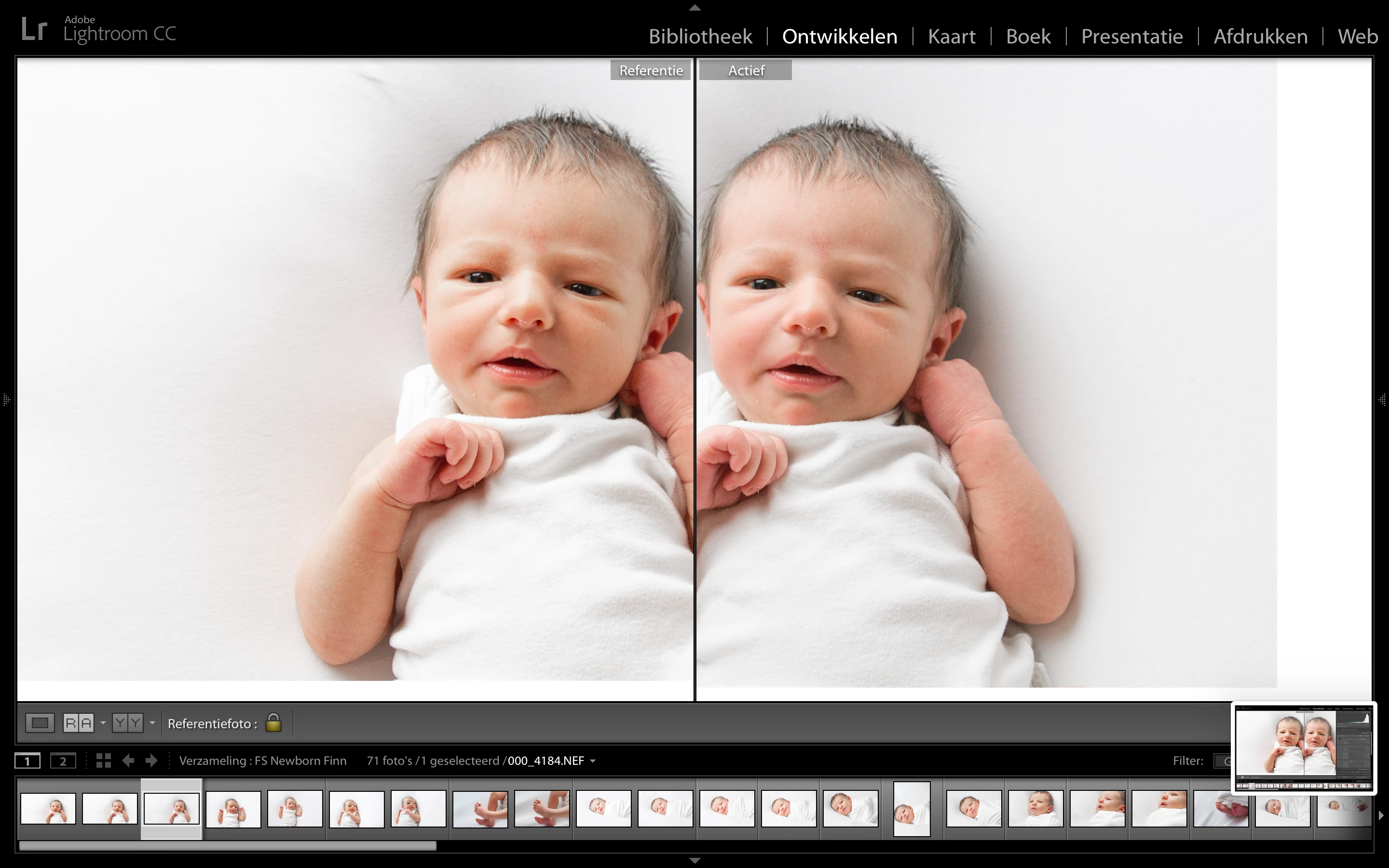
If I open a picture in photoshop from lightroom the color changes. When I open a photo from Lightroom in PS, it has more contrast and brightness than before. When I switch back to LR, the photo stays in 'PS-mode'.

I've already checked a lot of Q&A about this topic, but none of the tips work.

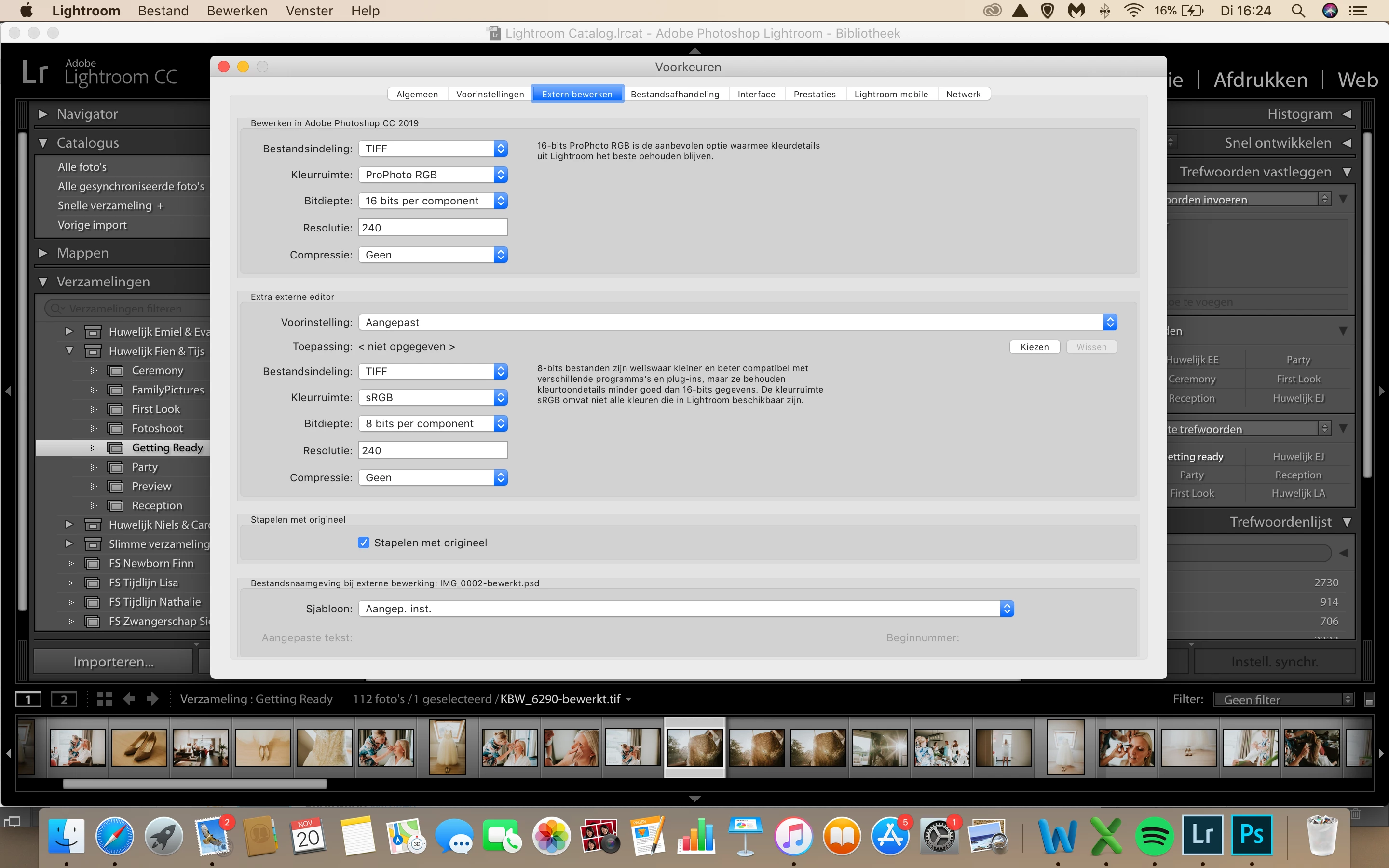
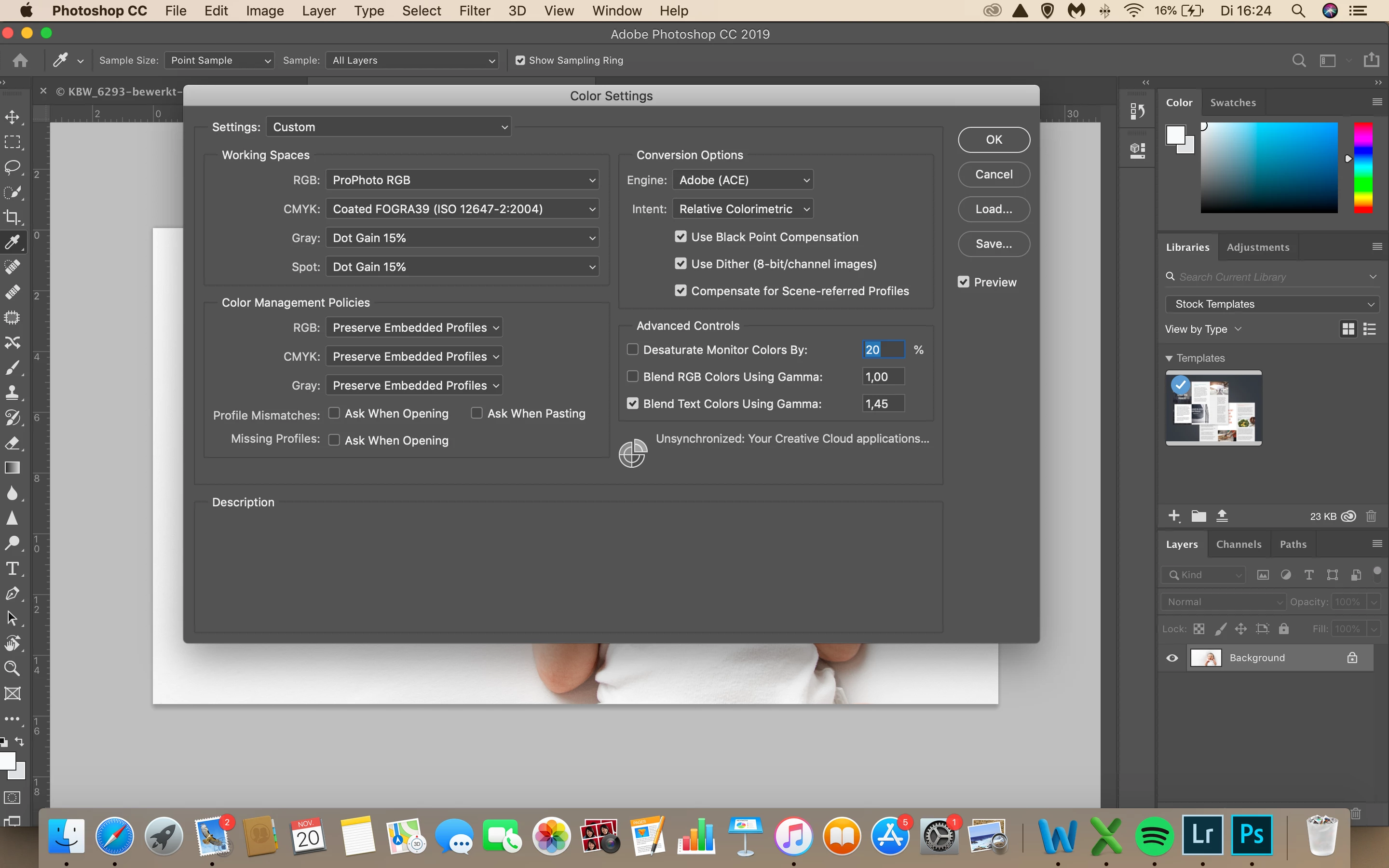
I checked recently if everything is OK with my color settings and working space.

Everything is on ProPhoto RGB.

Who can help me?

This topic has been closed for replies.
Correct answer D Fosse

Yes, that's CC2015, a very old version and you've missed several updates. I don't know why your CC app isn't reporting them.

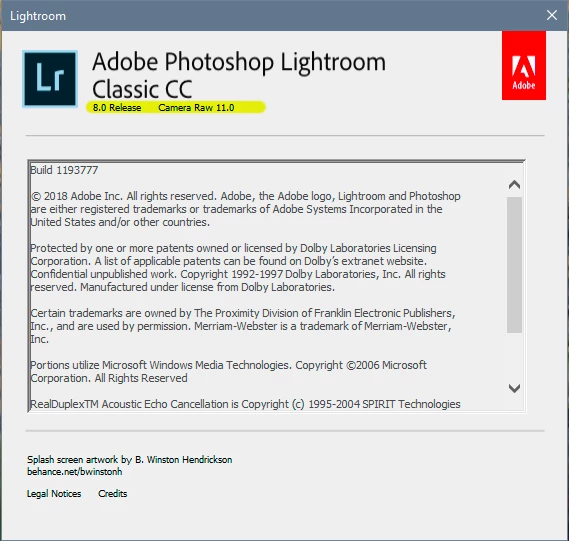
The current version is called 8.0:

1 reply

D Fosse
Community Expert
Community Expert
November 20, 2018

Make sure both Photoshop/ACR and Lightroom are updated to the current version. Sometimes the CC app doesn't report available updates, and you're stuck on an old version. Check the actual version numbers. It should be ACR 11.0 and Lightroom 8.0.

A while ago there was a complete overhaul to camera profiles, with a new default profile. This is a problem if Lightroom uses one profile, and then the file is passed to ACR with the same settings - but using a different camera profile.

Just to dispel a myth - there is no particular need to use ProPhoto as working RGB in Photoshop. It will display correctly whatever profile is used - and in any case the embedded profile will override the working space.

Participant
November 20, 2018

This is my system info from lightroom...

Participant
November 20, 2018

Yes, that's CC2015, a very old version and you've missed several updates. I don't know why your CC app isn't reporting them.

The current version is called 8.0:


Thank you so much!

It's OK now!