
Color changes when importing from Lightroom
I'm getting a weird color shift when I bring my images into Photoshop (19.1.5) from Lightroom Classic CC (7.4 with ACR 10.4). I've seen a lot of different people reporting similar problems, but most of these people have issues with profile mismatches. I believe my profiles are all set up correctly. Both Photoshop and Lightroom are set to use ProPhoto as their working color space.
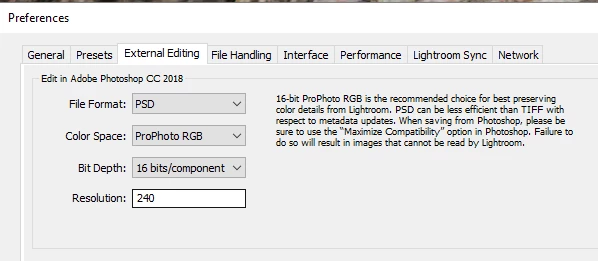
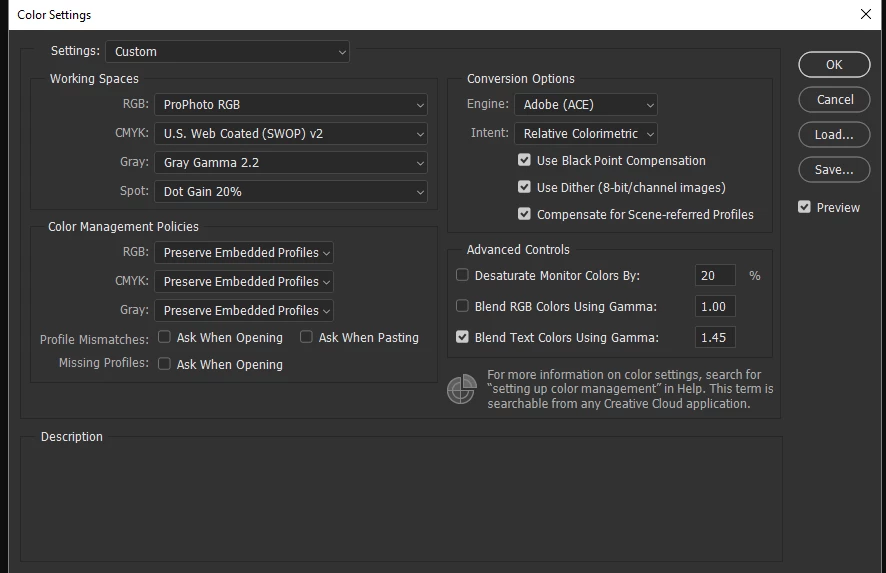
My workflow is to edit the Canon .CR2 file in the Develop module, then CTRL-E to open it in Photoshop for final edits. Lately, I've been noticing a color shift in some of my images. The example below is pretty severe. You can see the Photoshop version is very green compared to the Lightroom preview.
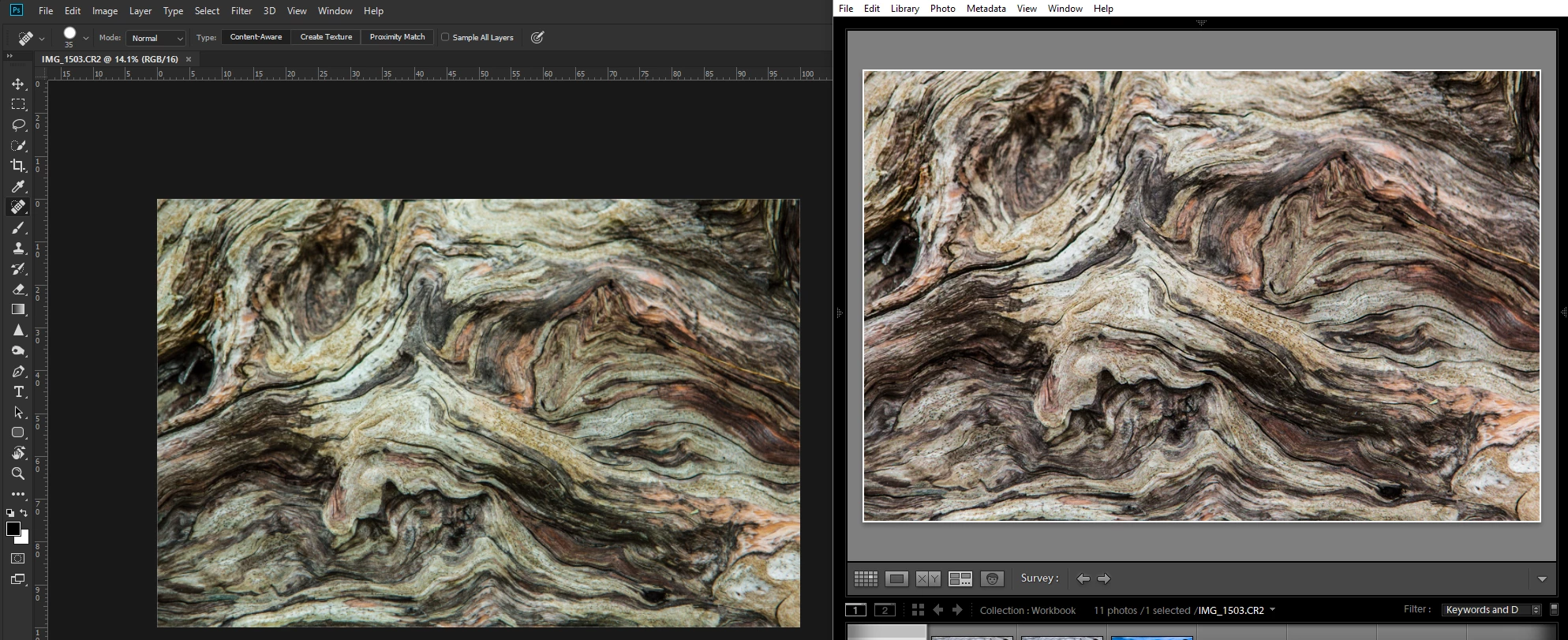
When I save the image as a .PSD in Photoshop, it shows up with the altered colors when previewed in Lightroom, so it seems that Photoshop is actually changing the colors when it originally imports the image.
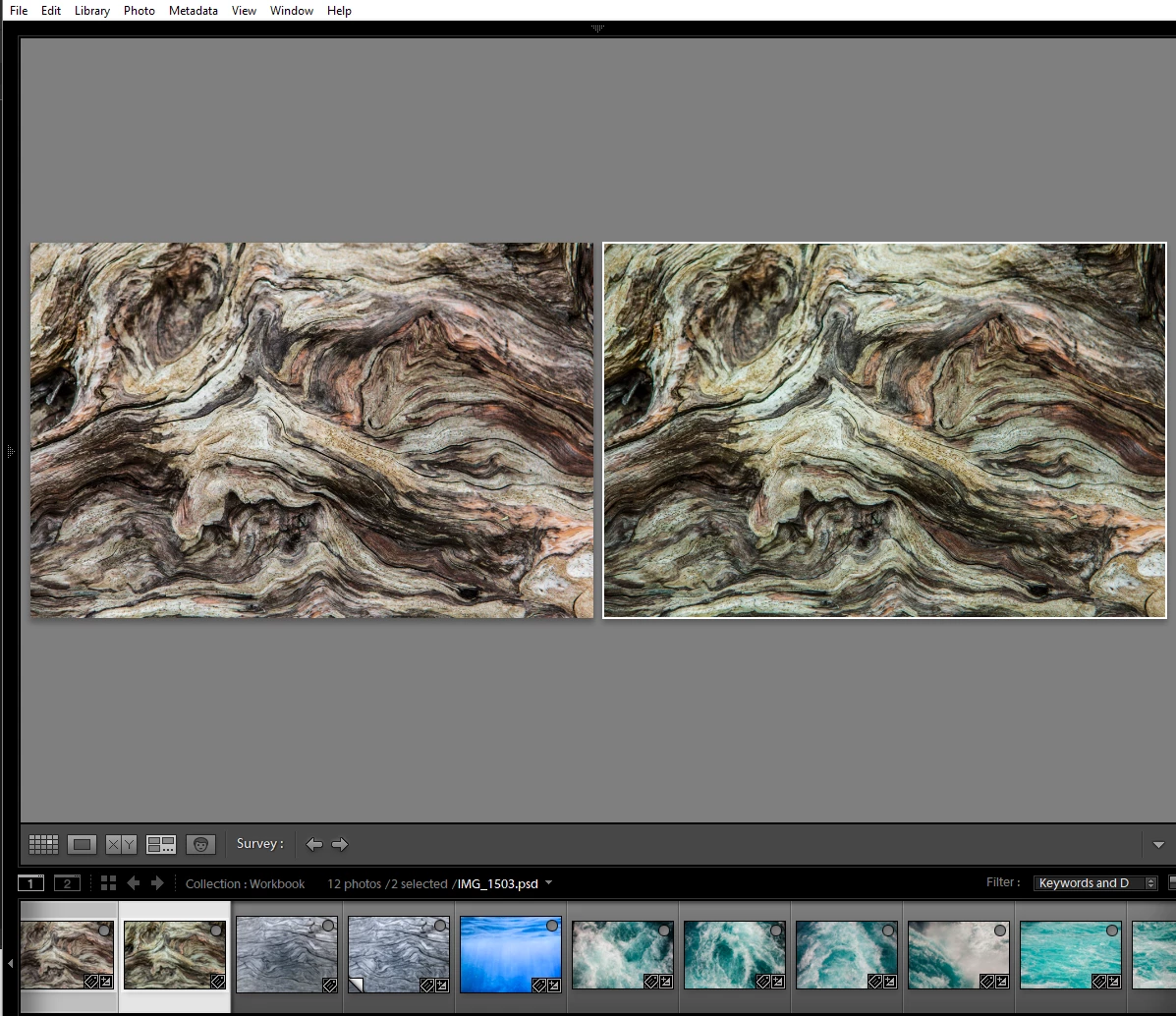
I've even tried opening the image up in ACR directly by double-clicking on the .CR2 file from Windows Explorer. ACR shows the settings are exactly the same as Lightroom, but the colors are interpreted totally differently.
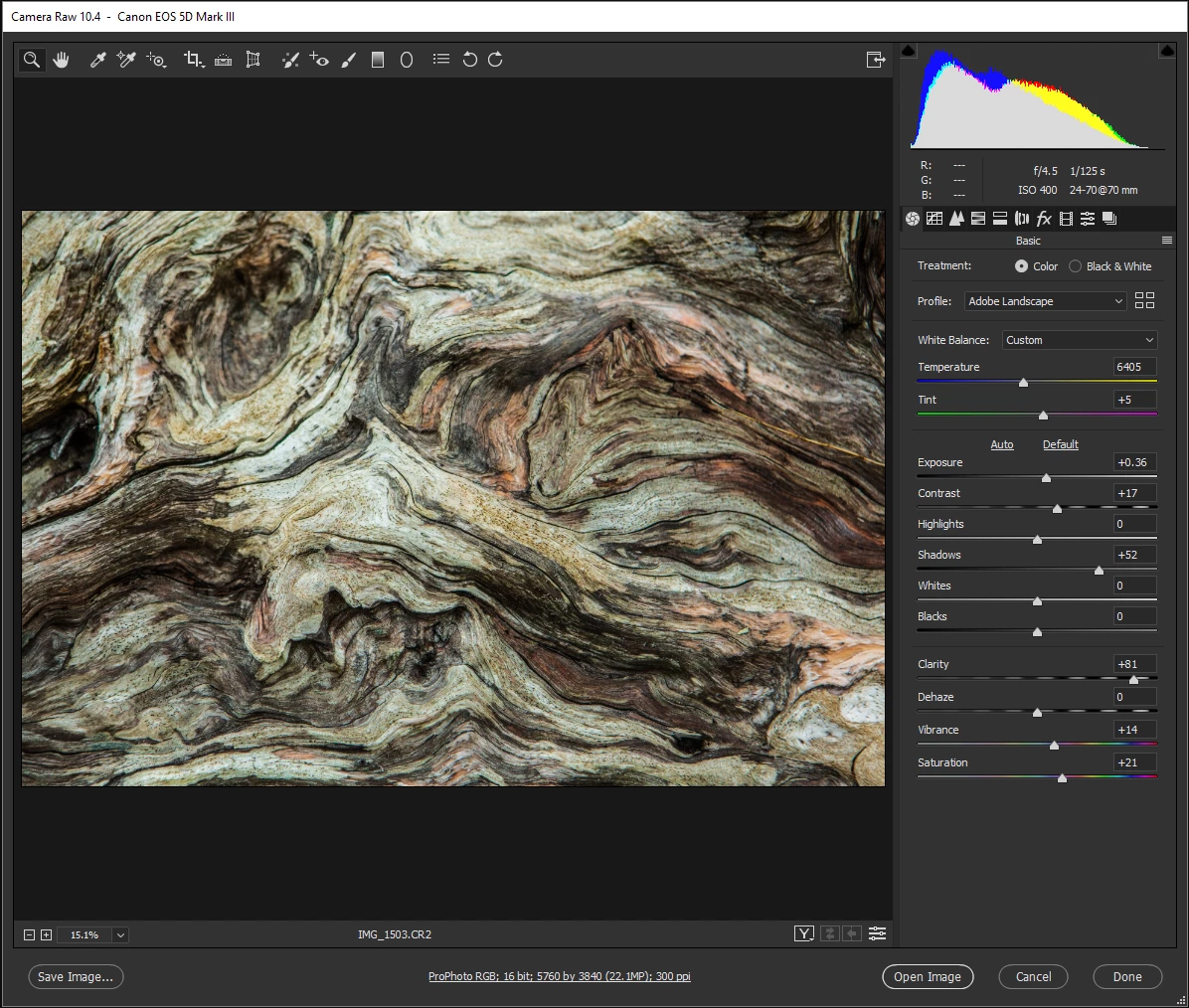
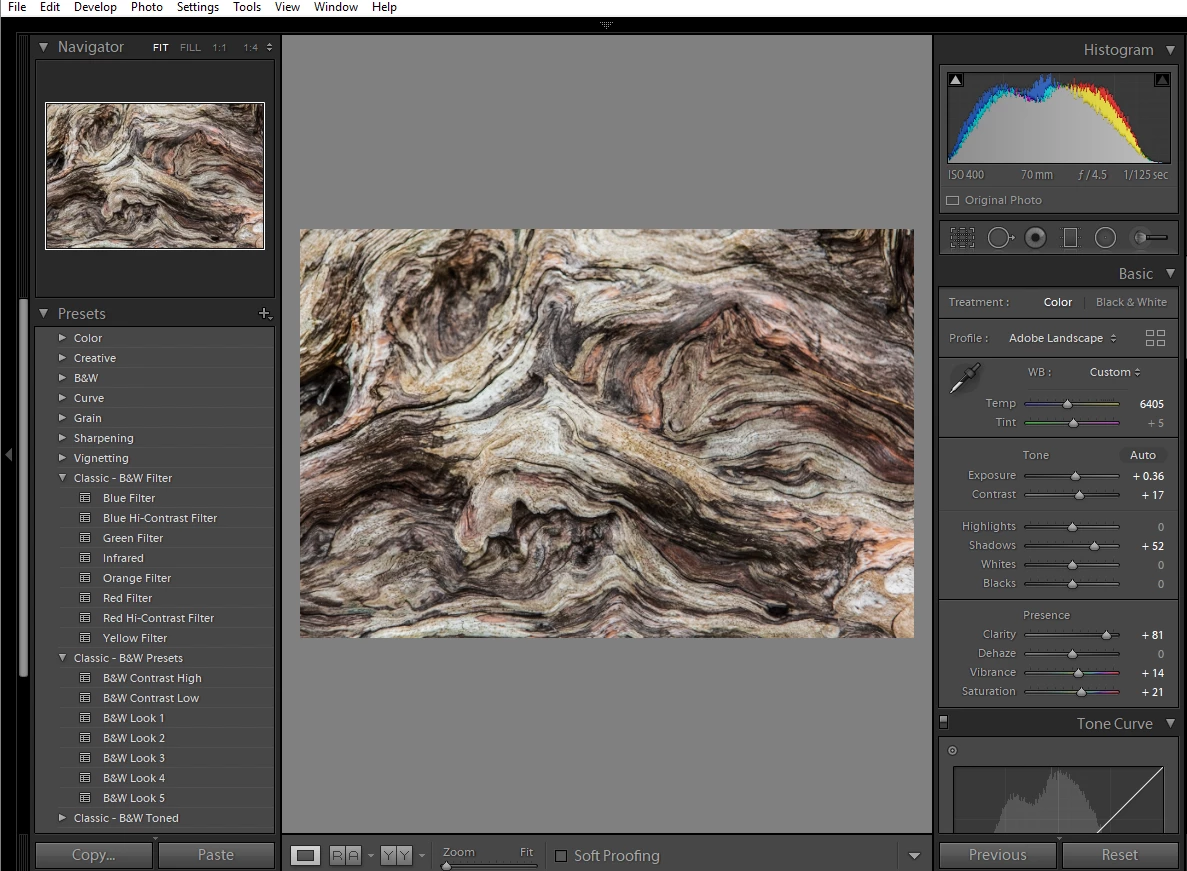
I'm open to any suggestions about how to fix this annoying problem. Thanks!
 AdChoices