
Known Participant
June 4, 2021
Answered

Color is messed up on export to jpeg

  • June 4, 2021
  • 3 replies
  • 1195 views

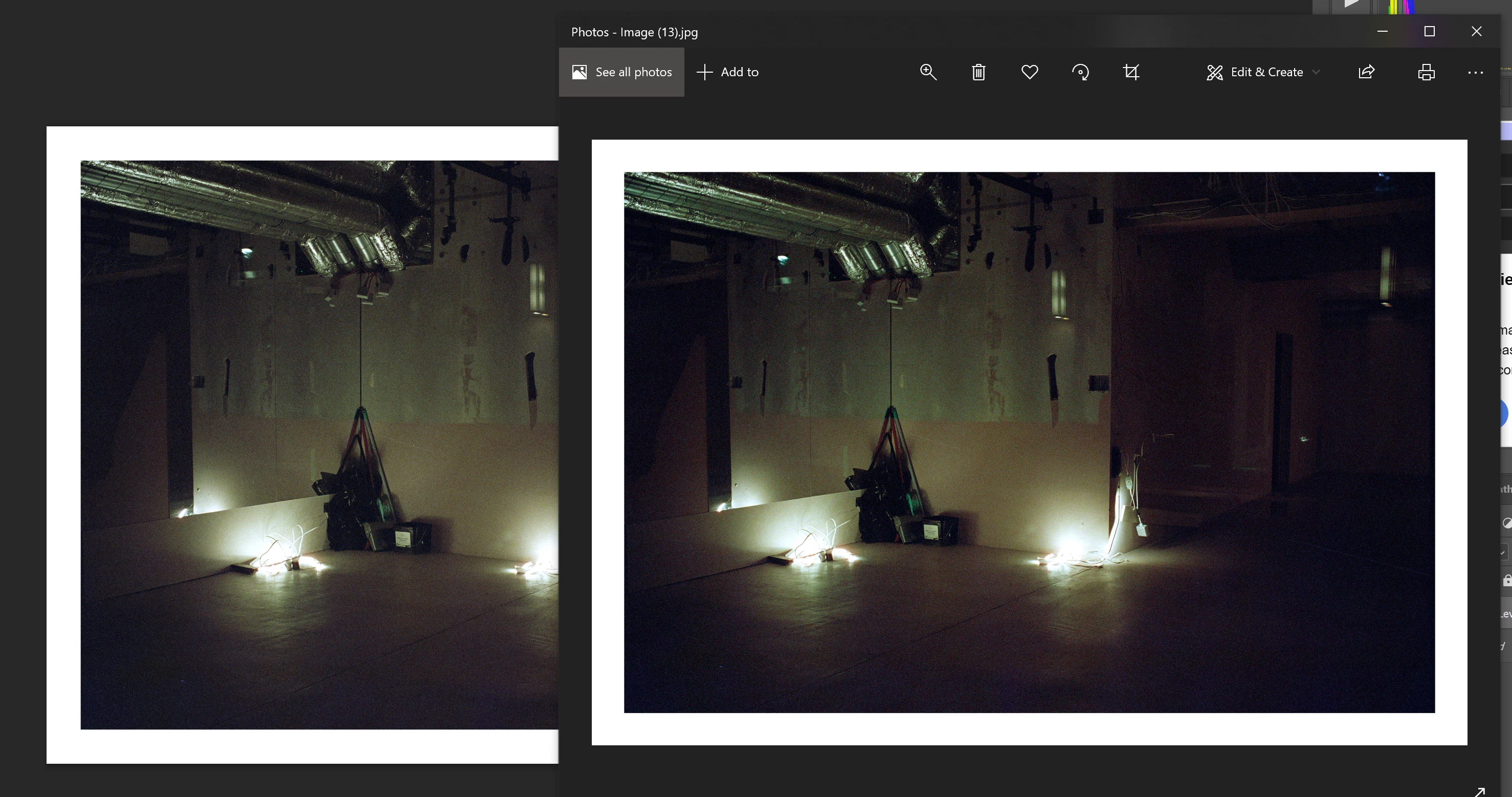
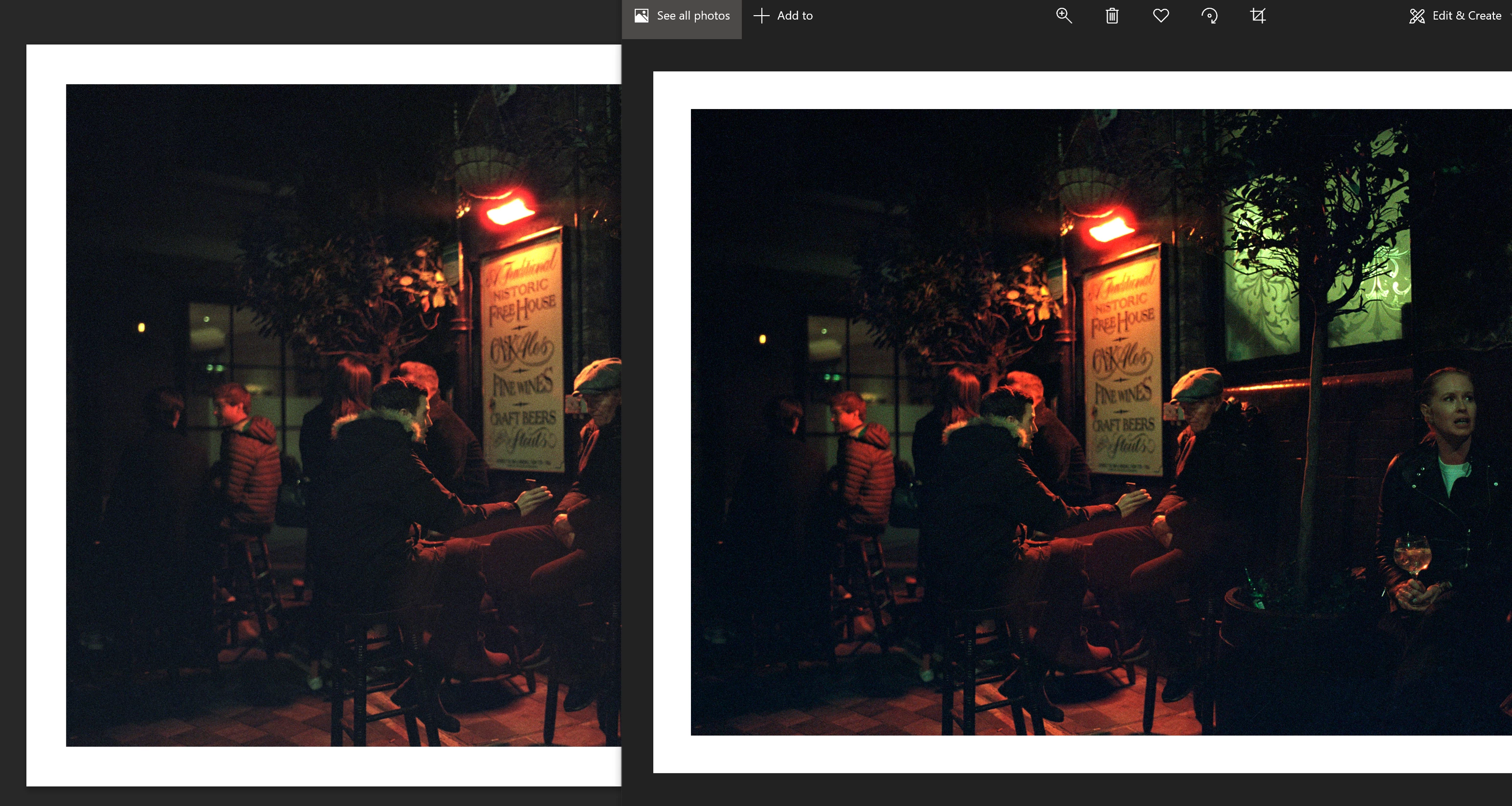
I attached a few examples, both are using sRGB in Photoshop (left side), and exported as sRGB jpegs with the profile embeded (I tried without embedding as well). 


As you can see the levels and saturation is quite different, I have no idea what's going on. Any ideas?
 

This topic has been closed for replies.
Correct answer D Fosse

Windows "Photos" is not color managed and ignores both the document profile and your monitor profile. It will never display correctly, ever, under any circumstances. How close it is depends on the monitor you're using.


Photoshop can always be trusted as long as you have an accurate monitor profile, which you should preferably make with a calibrator. If you rely on manufacturer profiles, these are often inaccurate or defective in various ways.


3 replies

Known Participant
June 6, 2021

Anyone else have ideas? Browsers should be displaying sRGB as I understand, however, exporting as sRGB w/ profile embedded is still doing nothing, the images are far too saturated.

D Fosse
Community Expert
Community Expert
June 6, 2021

We've seen many cases where Chrome's color management is broken. I don't know why. It's supposed to be fully color managed and display identically to Photoshop. But sometimes it doesn't.


I use Firefox, which has always been very reliable. The only catch is that you need to go into the settings and set color management to mode 1 instead of mode 2 which is default. Mode 2 color manages correctly as long as there is an embedded profile, but not if the profile is missing. Mode 1 assigns sRGB in all scenarios, so that it always displays everything correctly.


One thing to note, however, is that browsers generally don't have multi-display support. They will use the monitor profile for your main/primary display as set in the OS, even if it's on another screen.

Known Participant
June 6, 2021

Weird thanks! I'm really surprised devices and browsers are still in such a sad state for color management, maybe it's an outrageous expectation to see more or less similar colors and tones on devices these days but it's a bit shocking that Chrome doesn't even try haha

D Fosse
Community Expert
D FosseCommunity ExpertCorrect answer
Community Expert
June 4, 2021

Windows "Photos" is not color managed and ignores both the document profile and your monitor profile. It will never display correctly, ever, under any circumstances. How close it is depends on the monitor you're using.


Photoshop can always be trusted as long as you have an accurate monitor profile, which you should preferably make with a calibrator. If you rely on manufacturer profiles, these are often inaccurate or defective in various ways.


Known Participant
June 4, 2021

Interesting thanks! Good to know

Known Participant
June 4, 2021

I forgot to mention that they are TIFF scans from a Plustek scanner & Silverfast 8, if that's relevant.