Participating Frequently
June 29, 2021
Question

Color issue with black and white photos

  • June 29, 2021
  • 3 replies
  • 307 views

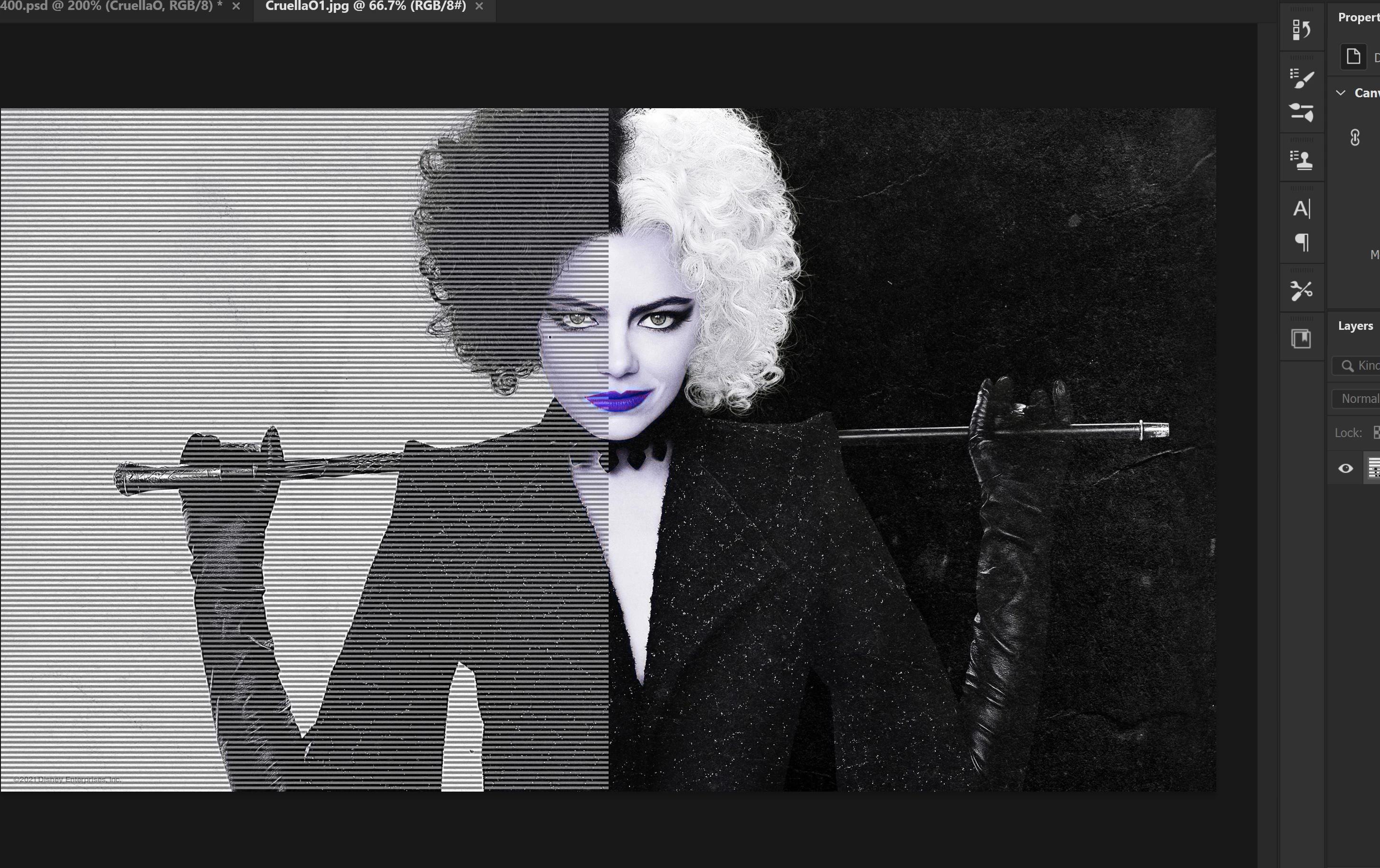
This is what happens when I open a photo which is dark (black & white).

Look at left side and lips!

Anyone can help me how to fix this?!

It's OK with other colors, just photos like this.
This topic has been closed for replies.

3 replies

Participating Frequently
June 30, 2021

I've found a way

Opening photo in MS Paint then just save it and open again in photoshop.

It takes time but works.

Participating Frequently
June 29, 2021

I checked again

it's not black & white only, all dark photos. go like this. Any idea?

c.pfaffenbichler
Community Expert
Community Expert
June 29, 2021

Does turning off »Use Graphics Processor« in the Performance Preferences (Photoshop > Preferences > Performance > Graphic Processor Settings) and restarting Photoshop have any bearing on the issue? 

davescm
Community Expert
Community Expert
June 29, 2021
Screenshot_(902).png

Looking at the layers panel, it looks like that effect is baked into the image. Can you post an image that is affected.

Dave

c.pfaffenbichler
Community Expert
Community Expert
June 29, 2021

The image is RGB so how would we know it actually is black & white and does not contain some color? 


Does turning off »Use Graphics Processor« in the Performance Preferences (Photoshop > Preferences > Performance > Graphic Processor Settings) and restarting Photoshop have any bearing on the issue?
