
Answered
Color Lookup Table Adjustment Layers Not Available
Hello,
Photoshop CC 2017.0.1
MacOS 10.12.2
New computer / Clean Install
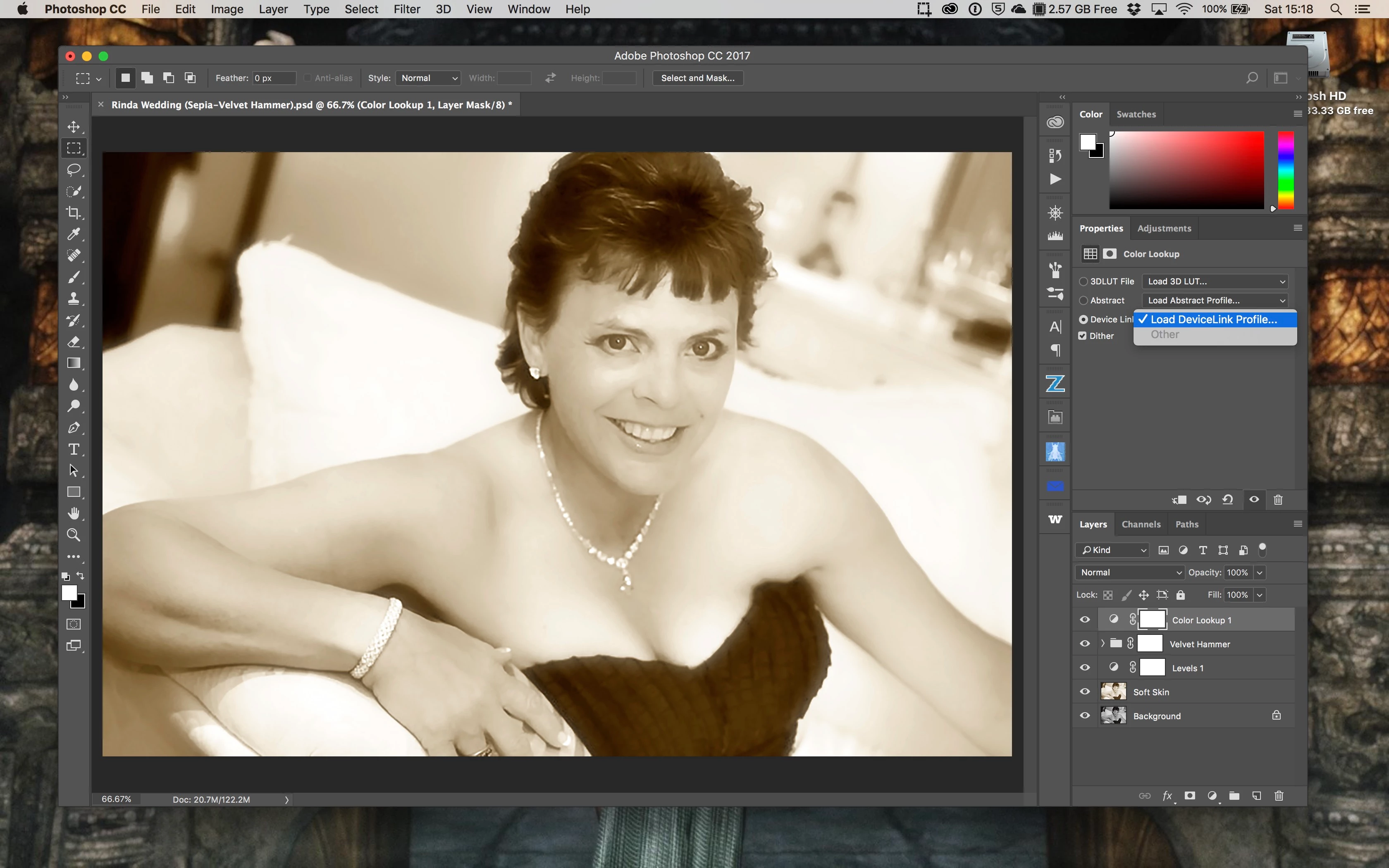
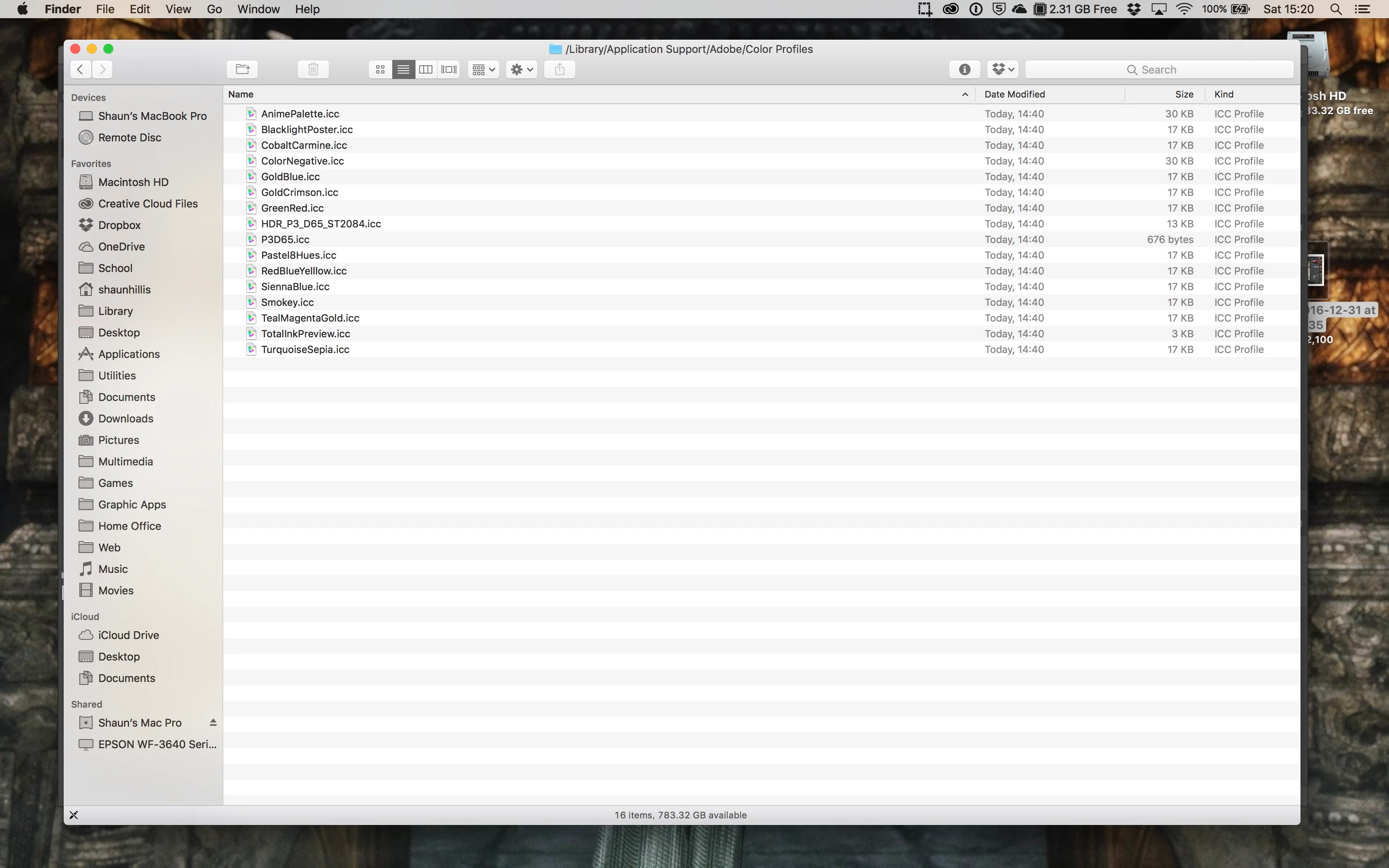
When I add a Color Lookup Table Adjustment Layer to my image I am not seeing the installed LUT's as choices for application. When I click on Device Link to apply an installed LUT the only options I have is to "Load DeviceLink Profile" and "other" which is greyed out. I've verified that there are LUTS installed (16) in > Library > Application Support > Adobe > Color Profiles however none of these are being displayed in Photoshop. I can load LUTS individually one at a time and they work fine.
I've uninstalled and reinstalled Photoshop with no change in behavior.
Any suggestions would be appreciated.
Respectfully,
Shaun
 AdChoices