
Color management - CMYK/RGB Values
Hi all. I am a budding graphic designer (print and web) and after combing through forums and articles, I have come to a basic understanding of color management. I've often had either web or print work - never both for the same client. For my print work, I usually work directly in CYMK or convert from RGB to CYMK with the profile as per the printer company I work with. So far, so good.
I am now creating a brand identity guide for a non-profit I'm managing.
We need also visuals pretty quickly (print and web).
I created a logo in RGB on PS/Illustrator, converted and saved as CYMK on a separate file.
Color profiles (I work in Europe):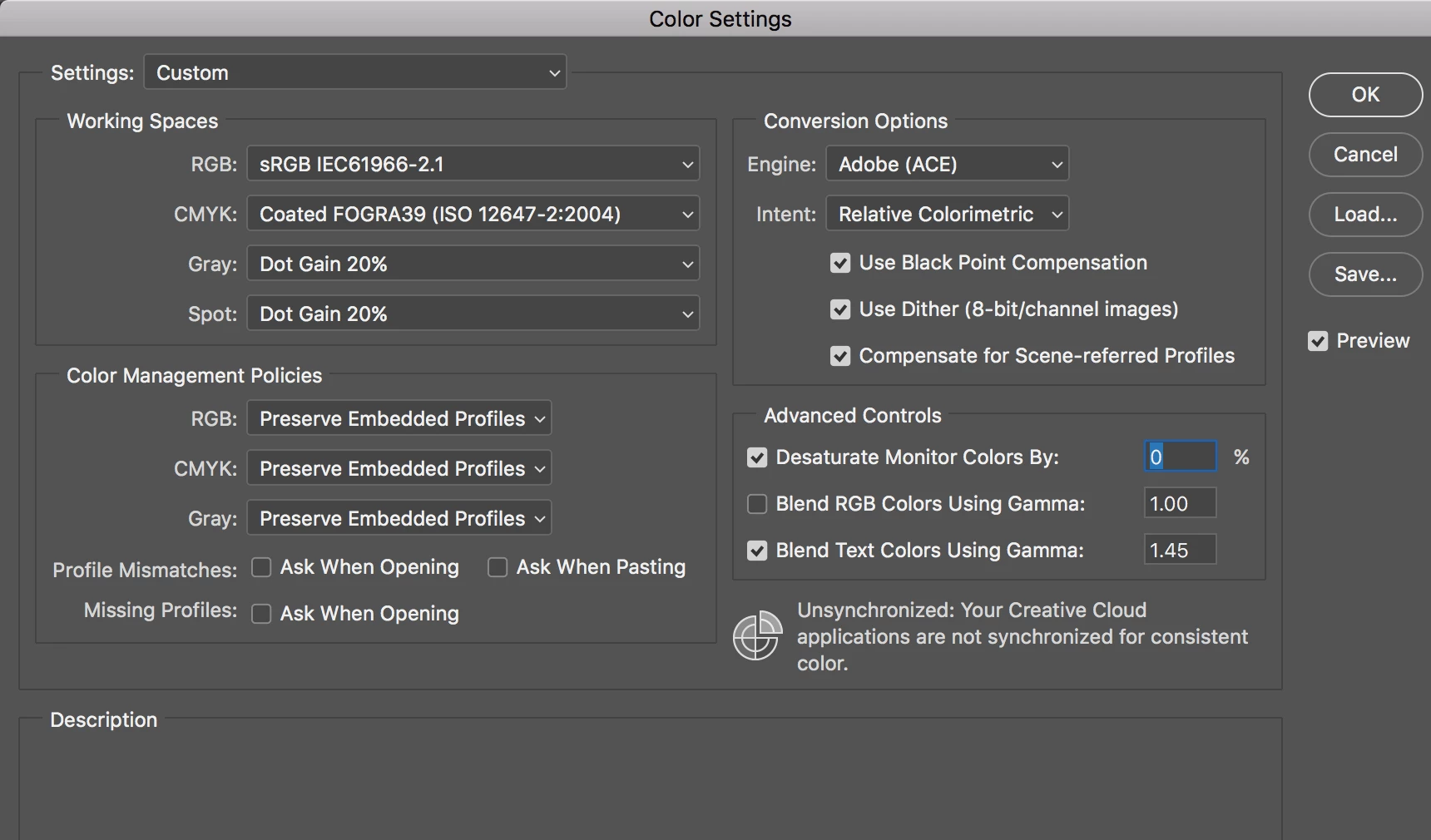
So, as I wanted to take note of the colors in HEX / RGB / CYMK (and Pantone if I can find a relatively close one),
I realized something was off.
I used a green color from another brand identity guide, and their guide says this:
CMYK 80/3/ 100/20 | RVB 60/ 138/46 | HEX #3C8A2E
My photoshop says this:
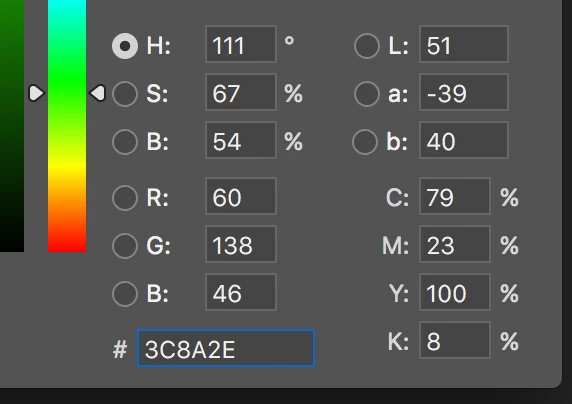
When I used the CMYK value from the brand identity guide, it was really far off.
I also used a blue, which I found on Pantone with the following values:
PANTONE 313 - RGB 0 146 188 | HEX 0092BC | CMYK 100 0 11 2
And on Photoshop, the values are these:
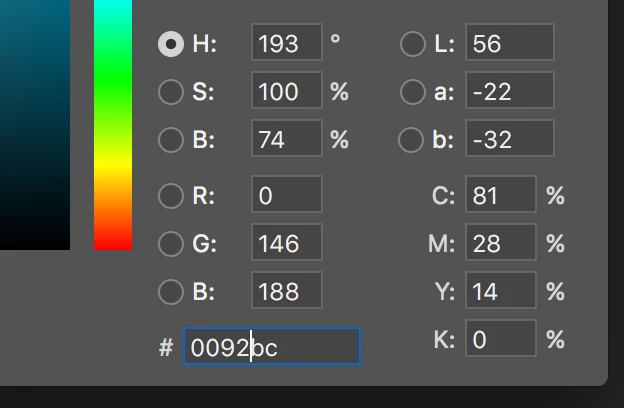
Again, when I used the CYMK values from Pantone, the color was really off from what I wanted.
The "right" colors are the HEX/RGB ones.
Working on a Macbook Pro 2015 (Retina). My monitor is not color-calibrated *yet* (working on it).
FINALLY... here are my questions:
- Right now, my files are on CYMK. Was I wrong to assume that since I was on the right color profile, it would convert the colors properly?
- Where did these other CYMK values come from?
- Which CYMK values do I keep?
- Assuming that the non-photoshop CYMK values are really what they're supposed to be on print, do I need to redo all my files in two different versions (web/print) - one with the RGB values, and one with the CYMK values?
- Is it because my monitor is not color-calibrated? I've done print with this computer, and it's worked pretty well.
Whoever saves my day, a huge thank you in advance!!!


 AdChoices