
Copy link to clipboard
Copied
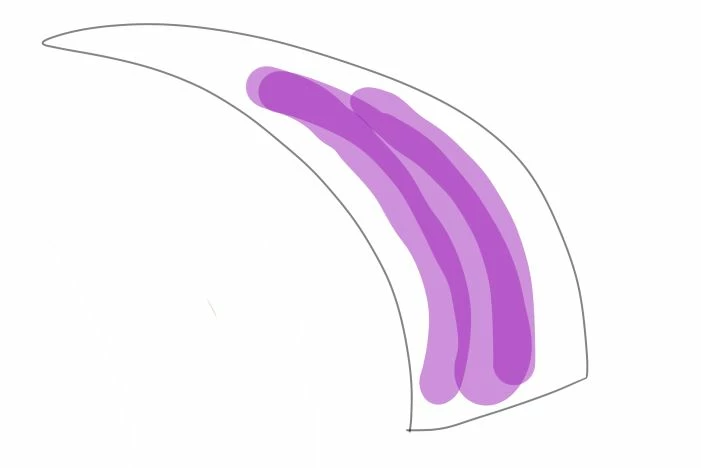
I am not really sure how else to put it, sorry I am new to digital art. I want to make a solid color in a space but when I lift my pen up and press it down again the colors stack and become darker/more opaque. How can I make it so an area is all one shade? Here I have three lines I drew independently. When the lines overlap they become darker. How do I prevent this?
Copy link to clipboard
Copied
Check the Blending mode in two places:
Set the Blending mode to Normal in both places. If that does not fix it, show a screen shot of both panels.
~ Jane
Copy link to clipboard
Copied
Hi Jane,
so I found the blend options in layer easily enough but I can't see anything relating to blend in the brush options.
Copy link to clipboard
Copied
Hi
Here is the Help file on Blending modes:
https://helpx.adobe.com/photoshop/using/blending-modes.html
The Blending Mode for the Brush tool is in the option bar. Set it to Normal.
The Blending Mode for Layers is in the options at the top of the panel. Set it to Normal.
Trevor could well be right about the Wet Edges, so check that.
Which brush do you have? The Brush tool or the Mixer Brush?
~ Jane
Copy link to clipboard
Copied
I'm guessing that you have Wet Edges checked in Brush Settings
Get ready! An upgraded Adobe Community experience is coming in January.
Learn more