
Question
color palette of 184 colors, but I want to limit it to only use 10 colors from the 184 colors i have
I am trying to convert my pixel art using a color palette of 184 colors, but I want to limit it to only 10 colors. I am using Adobe Photoshop CC 2014 in the Dutch language.
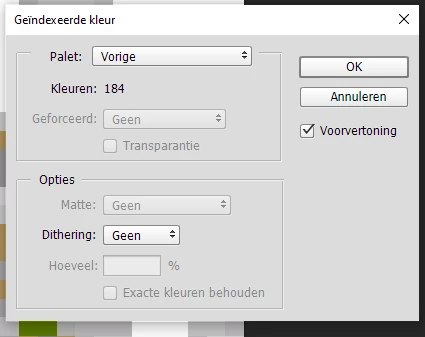
I have the color mode to RGB with a color depth of 8 bits per channel. I then tried to use the 'Indexed Color' option to select the 184-color palette and limit it to only 10 colors, And i dont know if it uses 10 colors?
i dont know where to put only use 10 colors from the 184 colors i put in check image where do i need to put the 10? Or i'm missing a big step?
 AdChoices