RAMWolff54
Inspiring
July 12, 2024
Answered

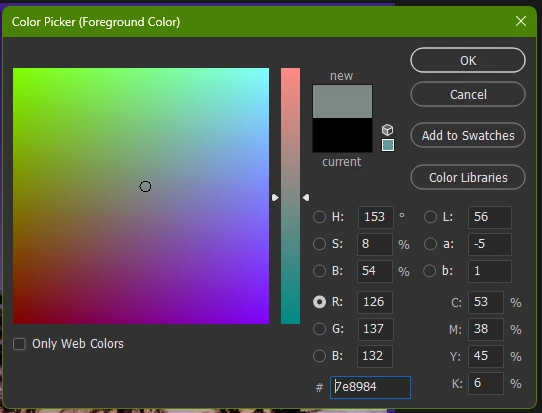
Color picker is not showing as I have seen in the past. Very confusing

  • July 12, 2024
  • 2 replies
  • 700 views

Hi, 

I guess a recent update must have changed the color picker layout.  It's very very confusing to me and I want the old one back. 

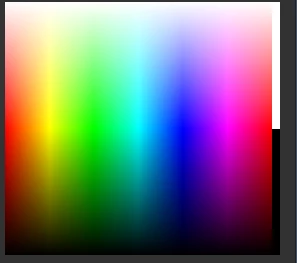
See the screen shots below.  First is the Color Panel, I remember the Color Picker being very similar to the Panel. 

Maybe I'm remembering incorrectly but I don't think so.  

Thanks for any help in understanding and maybe a tip on how to fix it or maybe I need to get used to it.  ...

Richard 


This topic has been closed for replies.
Correct answer Semaphoric

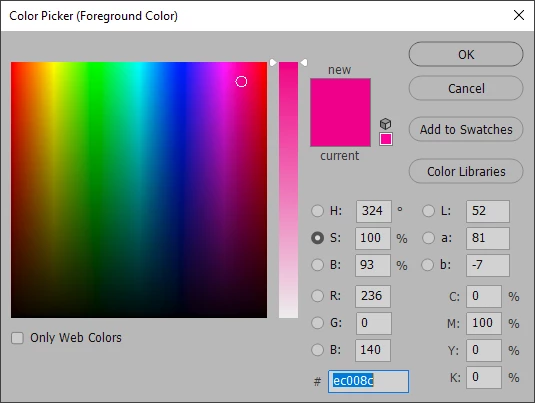
Try setting  the radio button to S in the HSB section:


2 replies

Semaphoric
Community Expert
SemaphoricCommunity ExpertCorrect answer
Community Expert
July 13, 2024

Try setting  the radio button to S in the HSB section:


RAMWolff54
Inspiring
July 21, 2024

Thank you both so much.  I'm sorry I didn't repond.  Even though I'm subscribed I didn't get an email notification.  All fixed. YAY!!

Semaphoric
Community Expert
Community Expert
July 21, 2024

Just look for the red bell icon  at the top of this  page.

pixxxelschubser
Community Expert
Community Expert
July 12, 2024

open the Hamburger menu of the Color Panel and change the setting