

Answered
Color Picker Problem
Hi,
I change by misteke the definition of the colors in the color picker window.
How can I change back - I think its the basic scale, so I can see the white (Light) & the Darks of the color that Choosed?
Thank You!

Hi,
I change by misteke the definition of the colors in the color picker window.
How can I change back - I think its the basic scale, so I can see the white (Light) & the Darks of the color that Choosed?
Thank You!
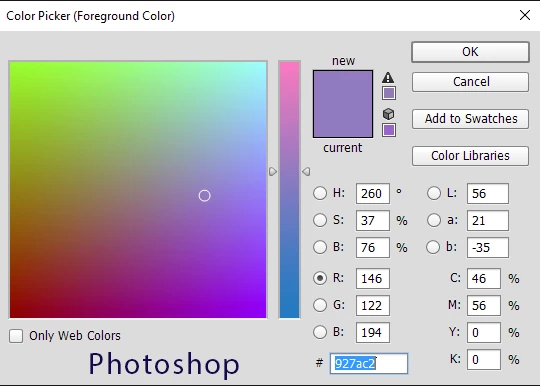
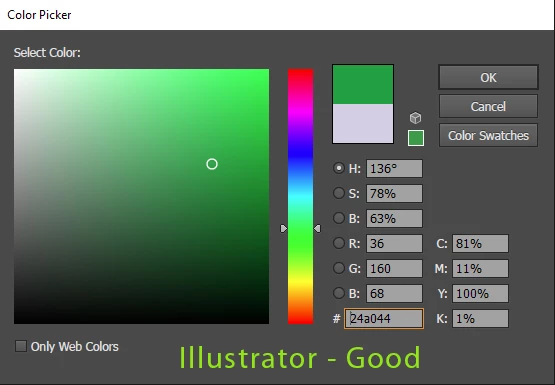
It is because you have clicked on the Red adjustment (R)
Click on the Hue (H) and it will restore to normal
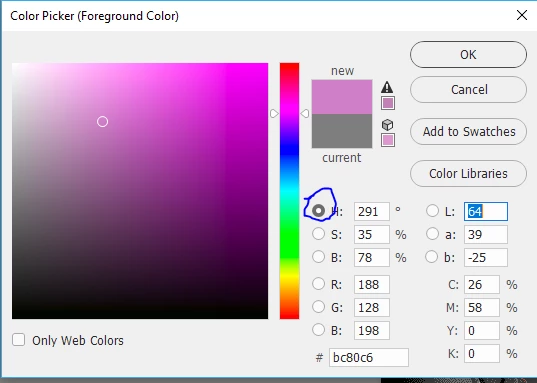
Dave
Already have an account? Login
Enter your E-mail address. We'll send you an e-mail with instructions to reset your password.
 AdChoices