
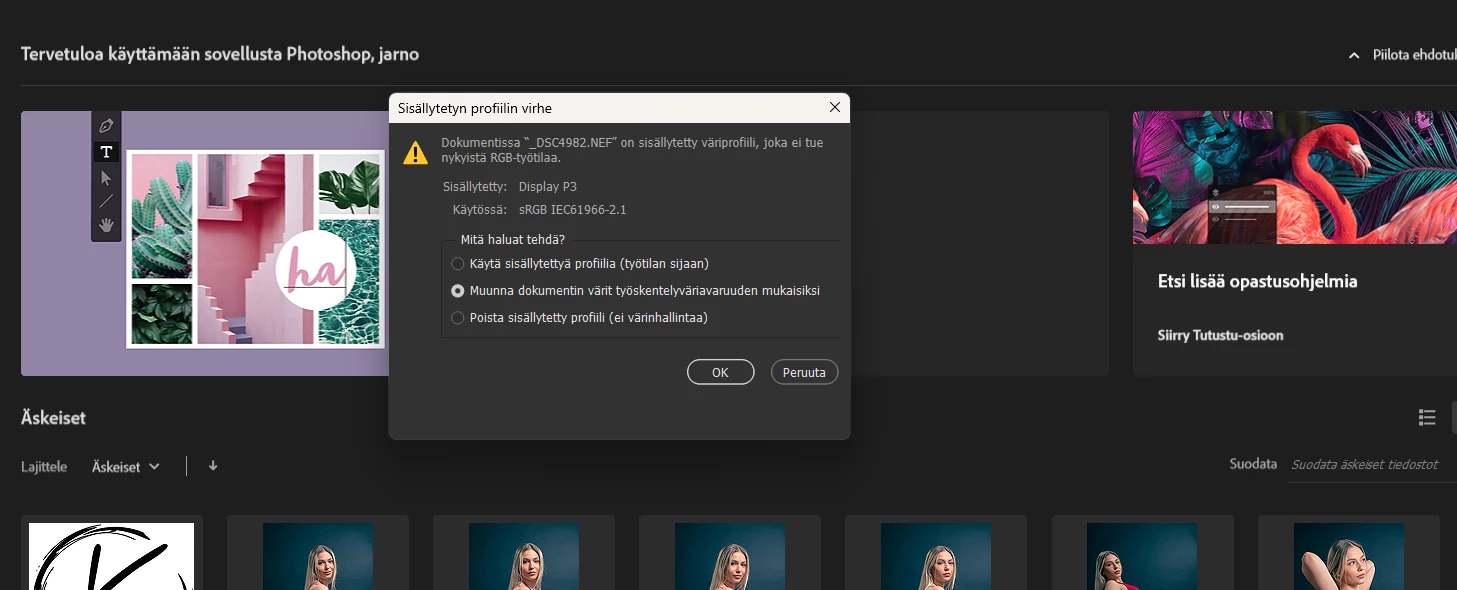
i have one problem and i don't know what to do... can someone kindly help me. what i have done wrong and how i can fix it? This panel pops up every time when i open photos, camera raw to Photoshop... In English it's something like changing document color space.
Dave is right. This is just information, there's nothing wrong.
But even so, this dialog tells you nothing useful. Just turn it off permanently. There is absolutely no reason the embedded document profile needs to match your working space. None whatsoever.
The default color management policy in Photoshop is to "preserve embedded profiles". I would strongly advise against changing this for any reason. With this policy, the embedded profile will always override your working space. That's the way Photoshop is designed to work, and this is the safe setting.
The other two options for policy are very risky if you don't know what you're doing. And if you know what you're doing, there won't be any reason to use them. "Convert to working space" will not give you any immediate surprises, but you risk damaging your files for no benefit.
In short - just go into color settings and turn off both "profile mismatch" warnings. There is no "mismatch" because they don't need to match. The only one worth keeping is "missing profile", which is a problem. But even that is much better kept track of here:
The dialogue is just a warning and is giving you a choice.
It is telling you that your document has a particular colour profile embedded within it (in this case Display P3). It is also saying that your selected default profile (set in colour settings) is sRGB IEC61966 -2.1
Either of the top two options will work but I always prefer the first.
The top option will open the document using the profile it was embedded with and display correctly. If you save it it will also be saved with that profile. That would be my first choice. You can always convert to another profile later if for example you are making a composite document using images from various sources with different profiles.
The second one will convert the document to your chosen standard RGB working space (in your case sRGB). This will work but there is a potential issue in that Display P3 can contain colours that exceed the gamut (i.e. the number of colours that can be displayed) in sRGB. So conversion may change some colours depending on what colour range is being used in the image. It would therefore be my second rather than first choice.
The third option will discard the profile. That is something that you never want to do as without a profile, the RGB values in your image become meaningless and colour will be displayed incorrectly.
For web-related stuff, I defer to Mozilla Developer's Network where color matching is a mixed bag of tricks. Therefore I always use sRGB for web images.
This color space stuff is really hard to understand and scary to adjust them so that the pictures I make don't look absolutely horrible e.g. #instagram or on my website
...don't look absolutely horrible e.g. #instagram or on my website