
Known Participant
May 24, 2024
Answered

Color Range confusion

  • May 24, 2024
  • 1 reply
  • 487 views

Hello everyone

I'm trying to deepen my understanding of the Color Range selection tool using the hue/sat adjustment layer for precise and targeted adjustments
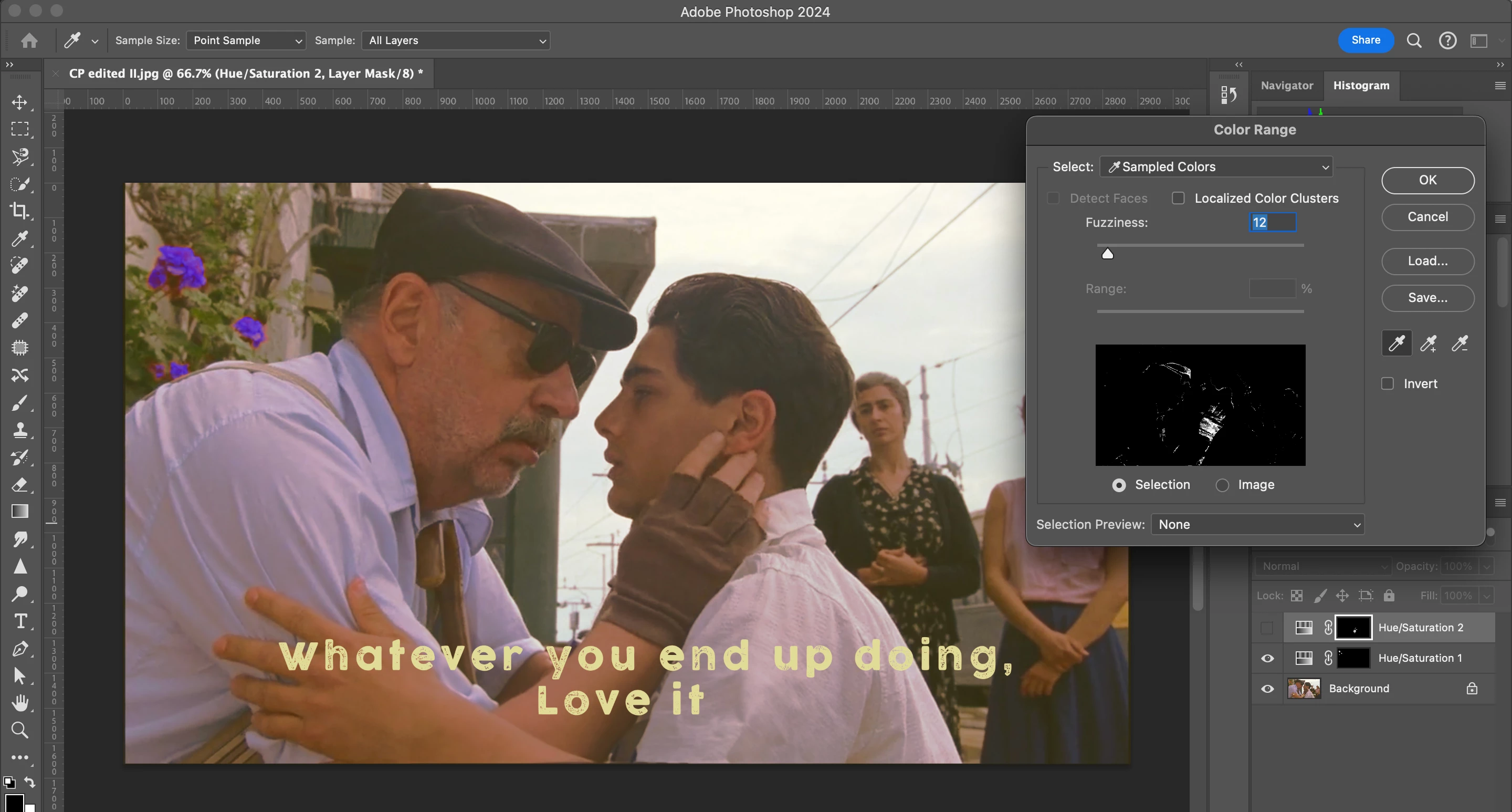
.  
I want to use it to target the color of the gloves which Alfredo is wearing. But using it, despite lowering the fuzziness, selects other areas. Since hue/sat uses a mask, I can mask out the other areas (And I believe that is a workaround too). But is there a direct way to limit it precisely to the spots?
As I did it for the flowers behind, the selection was simple for the color range tool, and the result was achieved easily, with little masking out other areas. 
I want to know if that is how it is done by masking out colors from unwanted areas>

This topic has been closed for replies.
Correct answer jane-e
quote

But is there a direct way to limit it precisely to the spots?

By @Adooby-doobie


Make a selection first, then Color Range will stay within the selected area.


You might also try the Object Selection tool. Set the options to Lasso (instead of Rectangle), then drag a loose selection around the glove.

https://helpx.adobe.com/photoshop/using/making-quick-selections.html


Jane


1 reply

jane-e
Community Expert
jane-eCommunity ExpertCorrect answer
Community Expert
May 24, 2024
quote

But is there a direct way to limit it precisely to the spots?

By @Adooby-doobie


Make a selection first, then Color Range will stay within the selected area.


You might also try the Object Selection tool. Set the options to Lasso (instead of Rectangle), then drag a loose selection around the glove.

https://helpx.adobe.com/photoshop/using/making-quick-selections.html


Jane


Known Participant
May 25, 2024

It worked! Thank you!

jane-e
Community Expert
Community Expert
May 25, 2024

You're welcome @Adooby-doobie , I'm glad it's working for you now.


Jane