Known Participant
August 15, 2024
Question

Color Range problem

  • August 15, 2024
  • 2 replies
  • 588 views

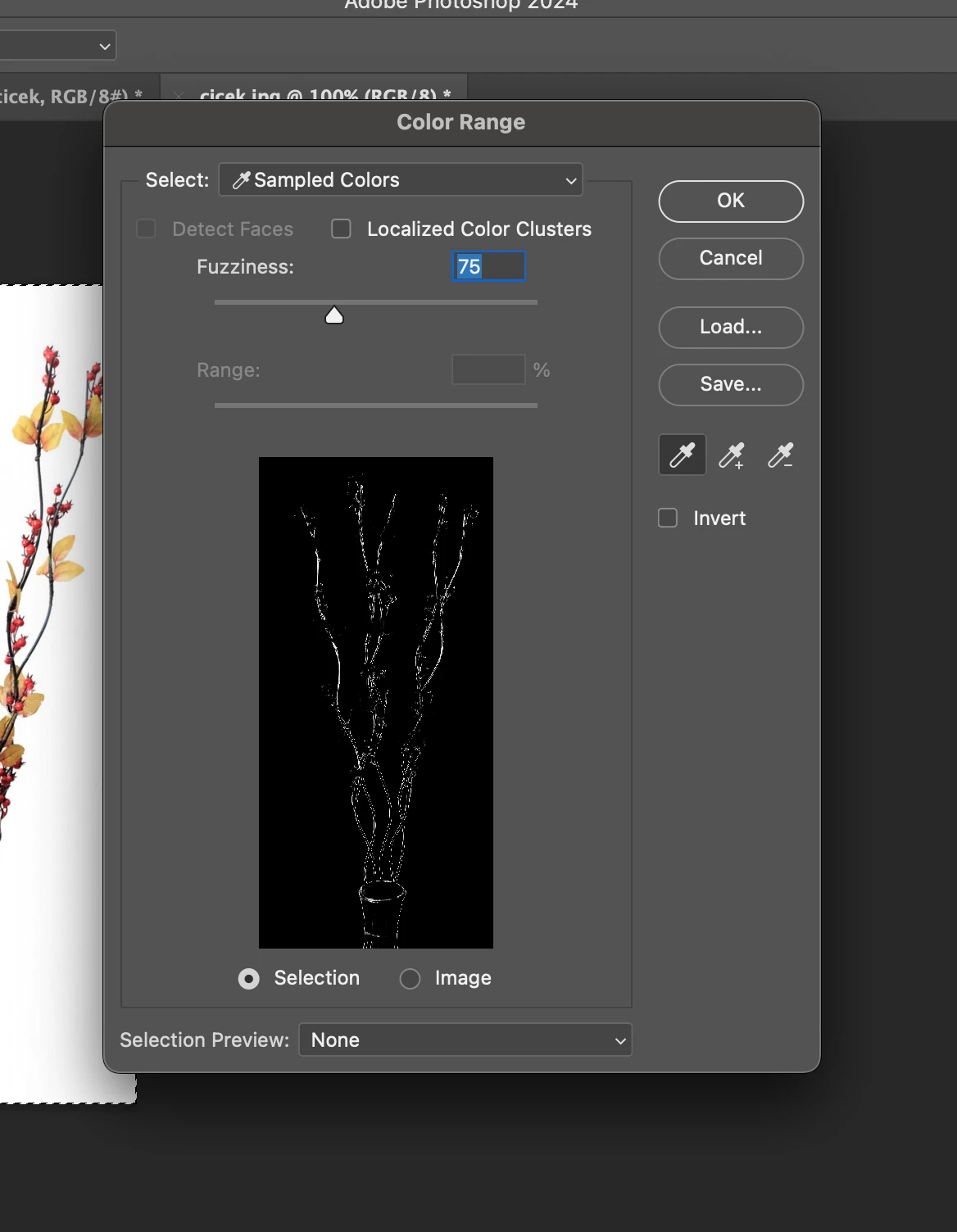
when i tried to use color range, it looks like that. as my teacher shows, it shouldnt suppose to be like that and i cant fix it. can you tell me what the problem is please?

    This topic has been closed for replies.

    2 replies

    c.pfaffenbichler
    Community Expert
    Community Expert
    August 16, 2024

    Could you please post screenshots with the pertinent Panels (Toolbar, Layers, Options Bar, …) visible? 

    y4sem1nAuthor
    Known Participant
    August 16, 2024

    of course. it looks like that 

    y4sem1nAuthor
    Known Participant
    August 17, 2024

    He means, at the top of Color Range, the Select menu says Sampled Colors, so that is what it’s displaying. The way you sample colors is to click the colors in the image you want to sample.


    If you haven’t sampled any colors, I do notice that it does have a sort of default selection. But if you want to use Sampled Colors then you should click to sample something. If you intended to select colors a different way, choose something different from the Select menu.


    i didn't know that, thanks so much. i selected subject from the seleciton and tried to use color range again but it still looks same. i dont understand why i cant use it.

    kglad
    Community Expert
    Community Expert
    August 15, 2024

    in the future, to find the best place to post your message, use the list here, https://community.adobe.com/

    p.s. i don't think the adobe website, and forums in particular, are easy to navigate, so don't spend a lot of time searching that forum list. do your best and we'll move the post (like this one has already been moved) if it helps you get responses.


    <"moved from using the community">