
Participating Frequently
May 18, 2018
Question

Color replacement tool doesnt match swatch color

  • May 18, 2018
  • 1 reply
  • 8021 views

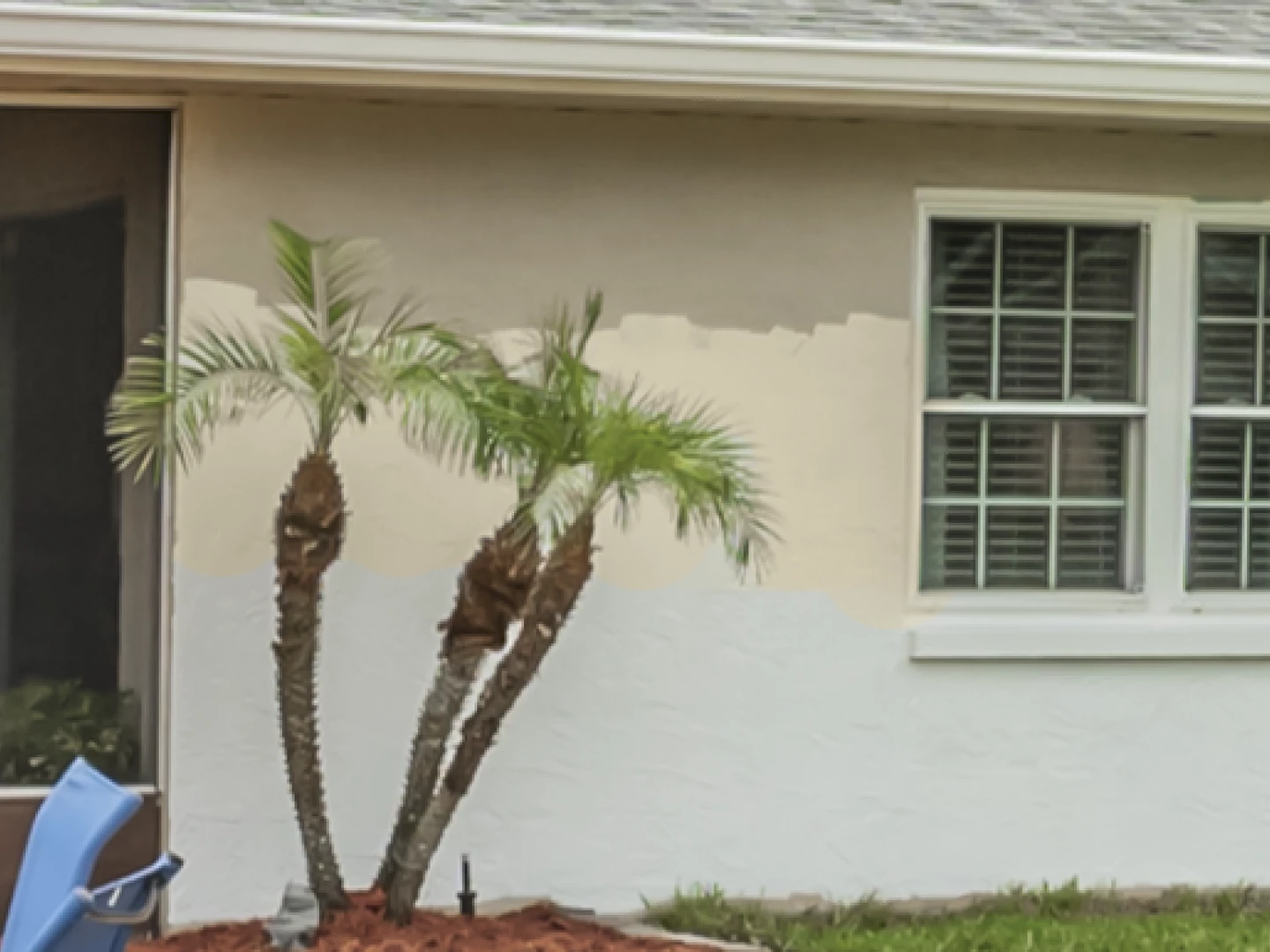
Im trying to match the paint color of a wall that was half painted. I use the eyedropper on the color i want and begin painting with the color replacement tool. The color is not even close. Its way too bright. The same happens when i paint with a regular brush on a layer set to color blending mode.
    This topic has been closed for replies.

    1 reply

    davescm
    Community Expert
    Community Expert
    May 18, 2018

    Hi

    A couple of things to look at :

    1.If you are using multiple layers (including adjustment layers) your eyedropper tool may be selecting the wrong layer. Select the eyedropper tool and go to the options bar. Under Sample there is a drop down box to select from

    If using multiple layers (think composite) with adjustment layers above it - Use "Current and below"

    2. Colour replacement usually works in Colour mode. In that mode it paints the Hue and Saturation of the brush color but leaves the luminosity of the color it is replacing intact. The viewed colour can therefor look lighter or darker depending on that previous luminosity

    Dave

    Participating Frequently
    May 20, 2018

    I only have one layer. How then do i get it the match?

    Participating Frequently
    May 20, 2018

    What color do you want the wall to match? The top the middle or the bottom?

    Dave


    The top is what im trying to match. The middle is the color that showed up as i started painting. The forground swatch color matches perfectly. If i draw with a normal brush the color matches, but i loose the texture, of course. This is all on one layer. If i create a new layer and draw on that layer with a normal brush, the color matches, but as soon as i change the blending mode to Color to preserve the texture, the same thing happens as when i use the color replacement tool. It turns really bright.