Inspiring
February 6, 2025
Answered

Color Replacement Tool not working

  • February 6, 2025
  • 7 replies
  • 710 views

I'm trying to change from F3F3F3 to FFFFFF on part of an image layer, but it does nothing when using the Color Replacement Tool.


What gives?



Correct answer c.pfaffenbichler

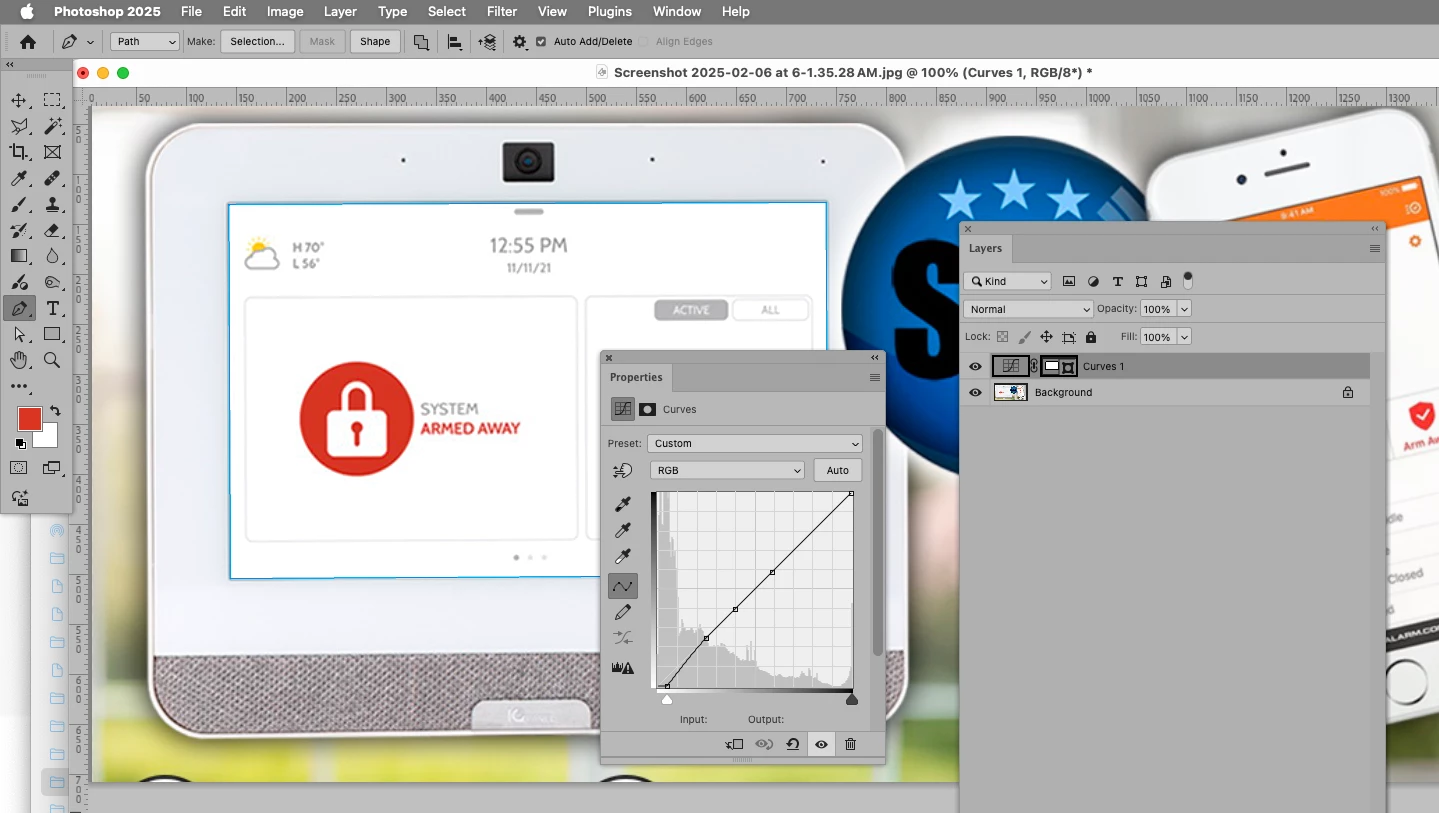
I recommend using a Curves Layer. 

7 replies

davescm
Community Expert
Community Expert
February 6, 2025

In answer to your original question colour replacement relies on a colour component in the pixels concerned. The values you give are pure grey and white, so no colour element to them. That is why c.pfaffenbichler's suggestion to use a curve is both correct in this instance, and more controllable in others.

Dave

c.pfaffenbichler
Community Expert
c.pfaffenbichlerCommunity ExpertCorrect answer
Community Expert
February 6, 2025

I recommend using a Curves Layer. 

SSL-ADTAuthor
Inspiring
February 13, 2025

Yes, I'm currently watching a thorough tutorial on Youtube. It indeed sounds like the right tool for the job on hand. 


The lady on the video mentions that one can mask away part of the image so that when making changes it doesn't affect that area. But, she doesn't explain how to do the masking.


Thanks,


-Ron


c.pfaffenbichler
Community Expert
Community Expert
February 15, 2025

You can make a Selection and apply that as a Layer Mask to the Adjustment Layer (or if it already has one fill or paint the regions you do it to not apply with black). 

Vector Masks are another option, one can create Paths with the Pen Tool, Rectangle Tool, … and use those as a Vector Mask. 


SSL-ADTAuthor
Inspiring
February 6, 2025

This part:


c.pfaffenbichler
Community Expert
Community Expert
February 6, 2025

I am not sure which parts you mean. 


I would recommend using a Curves Layer with the appropriate Vector Mask or Layer Mask. 

SSL-ADTAuthor
Inspiring
February 6, 2025

That's what I think would improve the image, but I'm sure other type of touchup might be better. I feel like that monitor screen looks a bit dull, especially since it is coming from a large high-resolution image.

SSL-ADTAuthor
Inspiring
February 6, 2025

I simply want to alter the monitor background screen color from F3F3F3 to FFFFFF and keep the rest screen content intact (unchanged). 


c.pfaffenbichler
Community Expert
Community Expert
February 6, 2025

The Color Replacement Tool is, in my opinion, useless for serious work and best avoided altogether. 

Could you please post screenshots the pertinent Panels (Toolbar, Layers, Options Bar, …) visible? 


»Color« can have several meanings; the two colors you mentioned are technically non-colors and differ only in luminance, editing which the Color Replacement Tool is not intended for.