

Color sampler getting wrong color
When I click the eyedropper and drag it onto a solid color in Safari, the color comes into the Photoshop foreground noticably lighter and more saturated. Restarting Photoshop didn’t help.
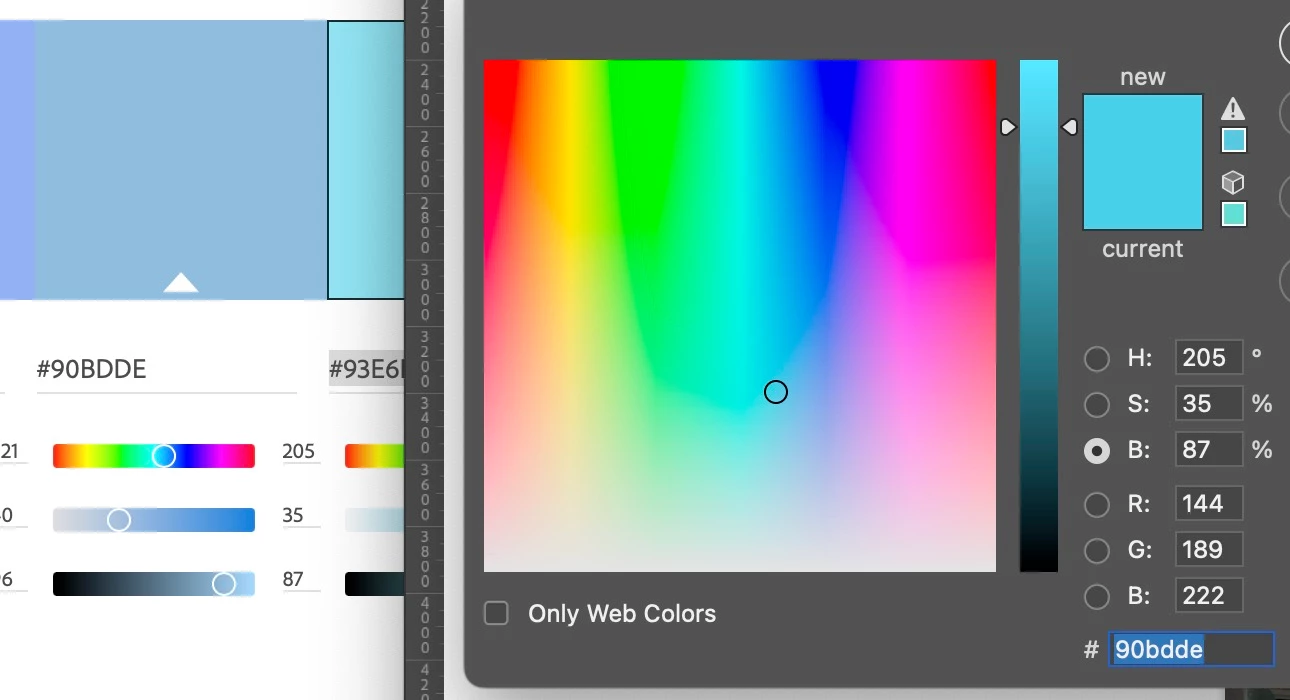
I’m trying to capture a color from a swatch on the Adobe Color website. The Mac color sampling tool, "Sip," says the color on the Adobe site is 90BDDE (agreeing with what the web page says), and it says the one in the Photoshop foreground is 94B8D8.
When I sample a color from an image in Photoshop, it also comes into the color picker much lighter and more saturated.
Here's a screenshot, where you can see the difference between two colors with the same hex code:
Environment:
M1 MacBook Air, macOS Ventura 13.4.1
Current versions of Photoshop and Safari
EIZO CS 2740 display
Photoshop:
ProPhoto RBG color space (same problem with Adobe RBG)
Point sampling with the tool. Solid swatches on the Adobe Color site.
 AdChoices