ariro7
If you are viewing Lightroom and Photoshop on the same external screen then you may like to try this:
Mac: Dual monitor issues in Photoshop
Here is my workaround for MacBook users:
Set both Display screens to use the master display profile (normally the external display) in the System preferences / color pane
- that fixes many dual screen appearance issues, but of course the MacBook screen is now inaccurate. so it's only a workaround 'til Adobe can fix this issue.
Setting your MacBook (in system preferences displays/color to use the external display profile), it not destructive, you can easily switch back
Open System Preferences: Displays/color
see the icon there - at the left of row 2?
Click it.
SCREENSHOT:
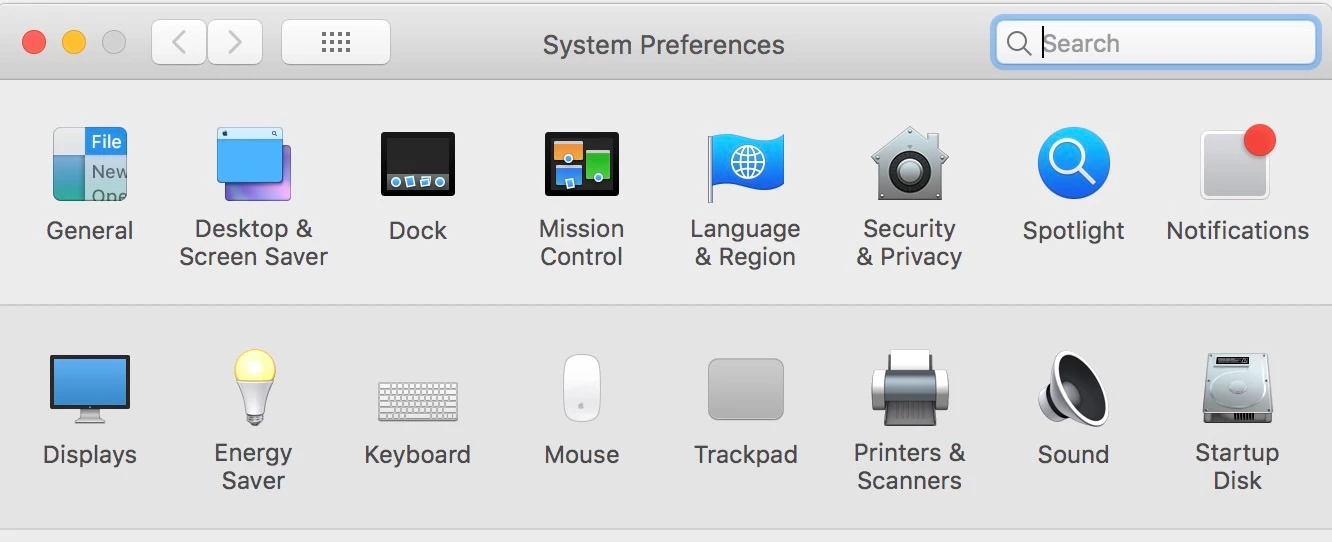
you'll now see 2 dialog boxes, one on each screen, if you set each to the 'color' tab, they'll show the selected display screen ICC profile for that screen along with a list of others that are available.
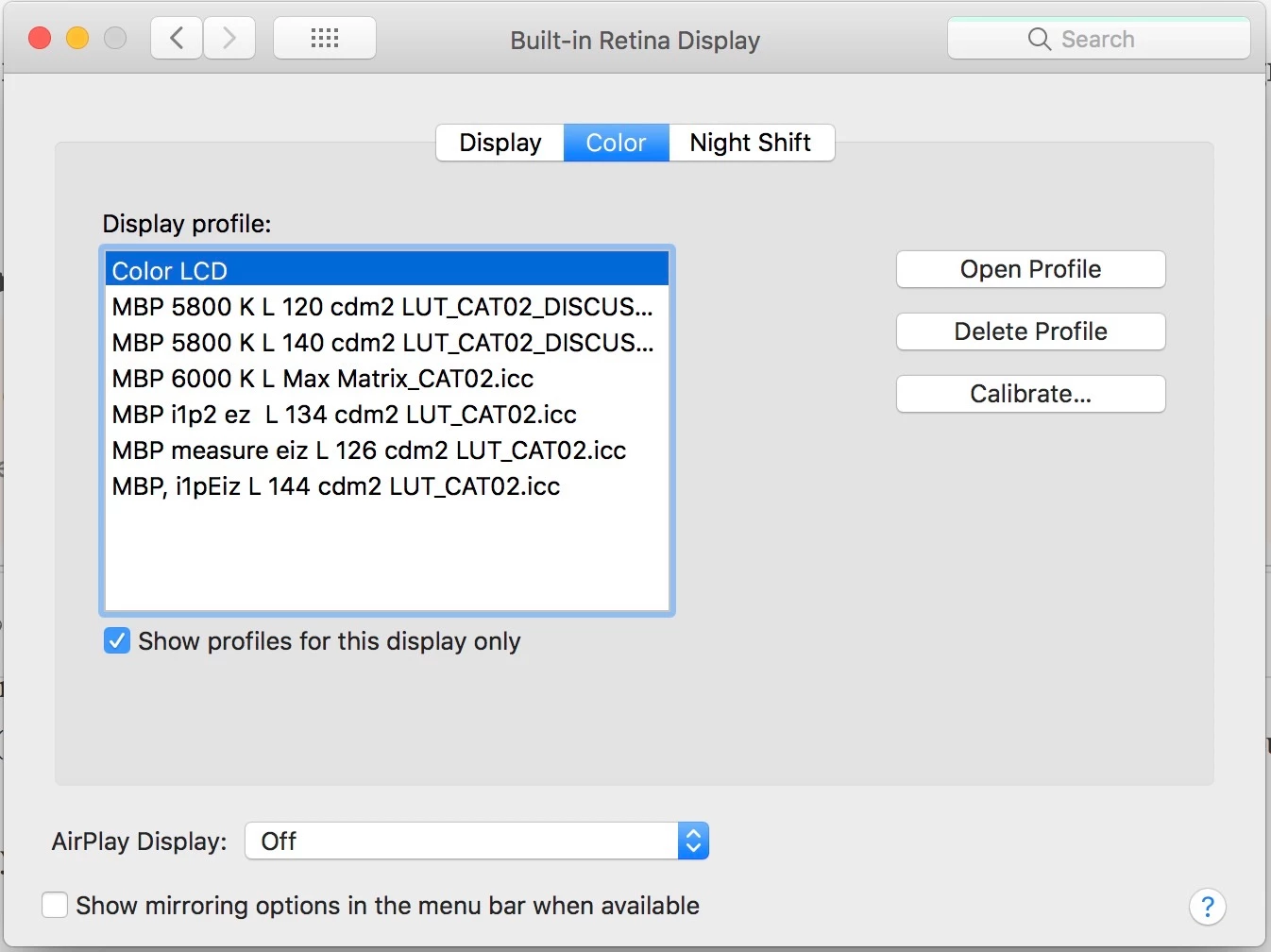
[you may need to uncheck "show profiles for this display only"]
Simply check the name of the profile that’s being used on the external display in the dropdown list and select that from the list on your MacBook.
Done.
You may need to restart Photoshop.
To change the MacBook back, should you wish to, perhaps for stand alone use, simply select the original display screen ICC profile again on the MacBook - it's probably called "colorLCD"
I have a few test profiles here in the screen-shot below, ignore those, you also can see the original "color LCD", that’s' a display screen ICC profile that Apple made automatically for my Macbook
SCREENSHOT:
I hope this helps
neil barstow, colourmanagement net :: adobe forum volunteer
google me "neil barstow colourmanagement" for lots of free articles on colour management
[please only use the blue reply button at the top of the page, this maintains the original thread title and chronological order of posts]


 AdChoices