Participant
April 22, 2021
Answered
Color Setting Bug
- April 22, 2021
- 1 reply
- 287 views

It's a defective monitor profile. Don't change anything in Photoshop's color settings! That's not where the problem is.
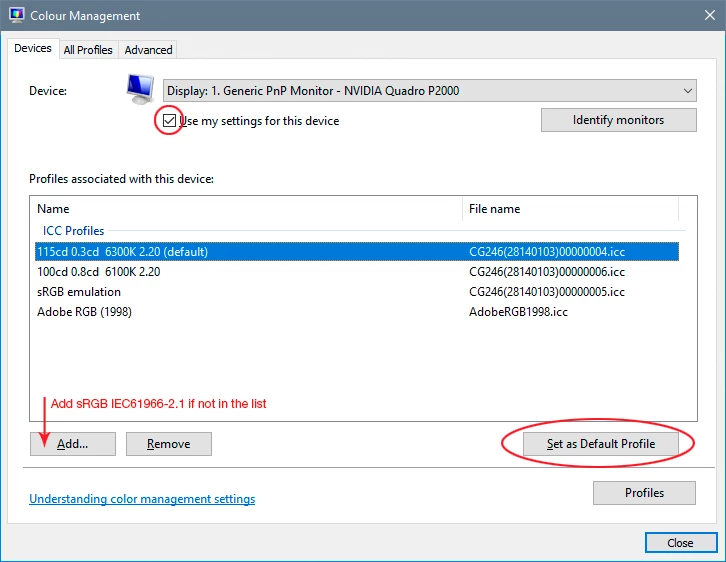
Replace your current monitor profile with sRGB IEC61966-2.1 for now. The proper way to deal with it is to use a calibrator to make a new profile, but if you don't have one, sRGB will often be close enough.
If you're not using a calibrator, you may get manufacturer profiles distributed and installed through Windows Update. These profiles are very often bad in different ways.
Relaunch Photoshop when done, it loads the monitor profile at application startup.
Already have an account? Login
Enter your E-mail address. We'll send you an e-mail with instructions to reset your password.
 AdChoices