

Color Shift on Export, Color Profile, or Monitor Calibration Issues
Hello. I recently re-installed Photoshop to my Windows PC using a BenQ EX3210U monitor. The colors from what I'm seeing via the monitor look great, so I can continue to edit as usual. Once I started to export my edited photo, uploaded to both Dropbox and OneDrive, the photo looks very washed out losing most of it's saturation and contrast. Below are some screenshots of what I'm seeing in Photoshop. Is what I'm experiencing a color profile or monitor issue? After looking at all I can do within Photoshop and Windows 11 settings, I do believe it could be a monitor issue as it has never been calibrated.
After doing some rearch on Google, I checked Color Management within Windows and the ICC Profile was blank at first until I added the sRGB 2.1 seen below.
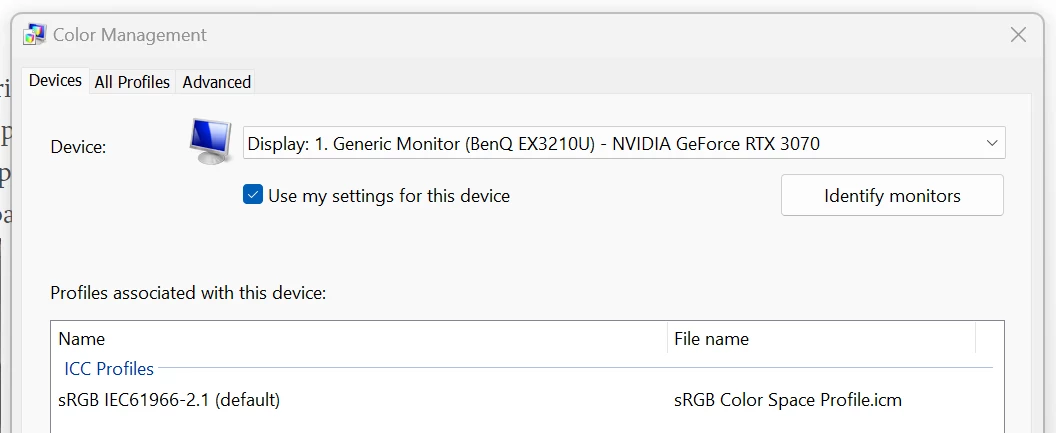
Below are the Color Settings I seen in Photoshop. I made no changes so these settings were the same before I noticed I had an issue.
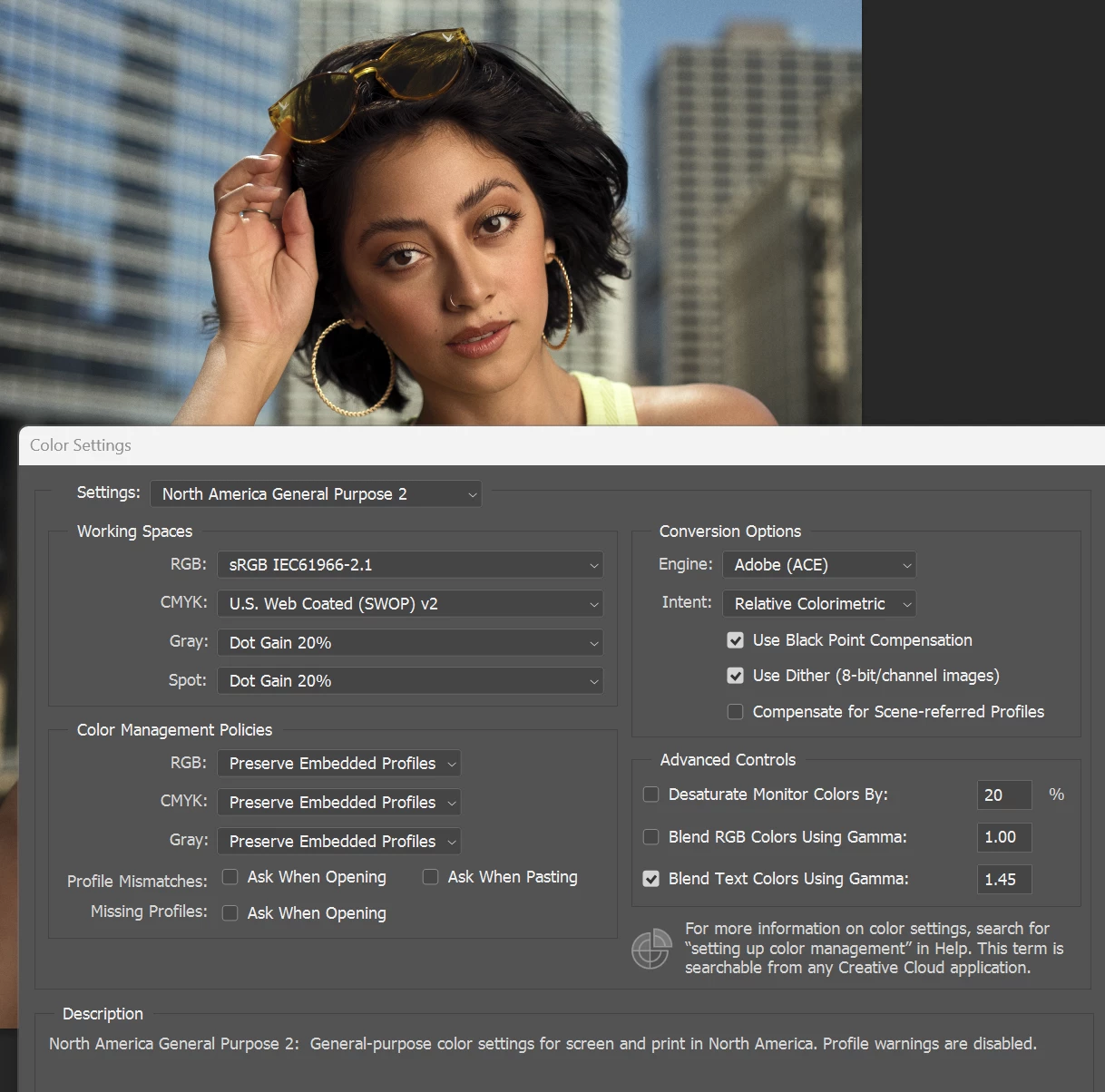
Below are some picture examples of what others are viewing. Now to me the below picture looks fine but when I view this on my iPhone it's very washed out, no saturation, contrast, etc. Other are seeing what I see on my phone as well.

Any guidance would be appreciated. Thanks.
 AdChoices