
Participating Frequently
August 9, 2021
Answered

color variation

  • August 9, 2021
  • 1 reply
  • 1620 views

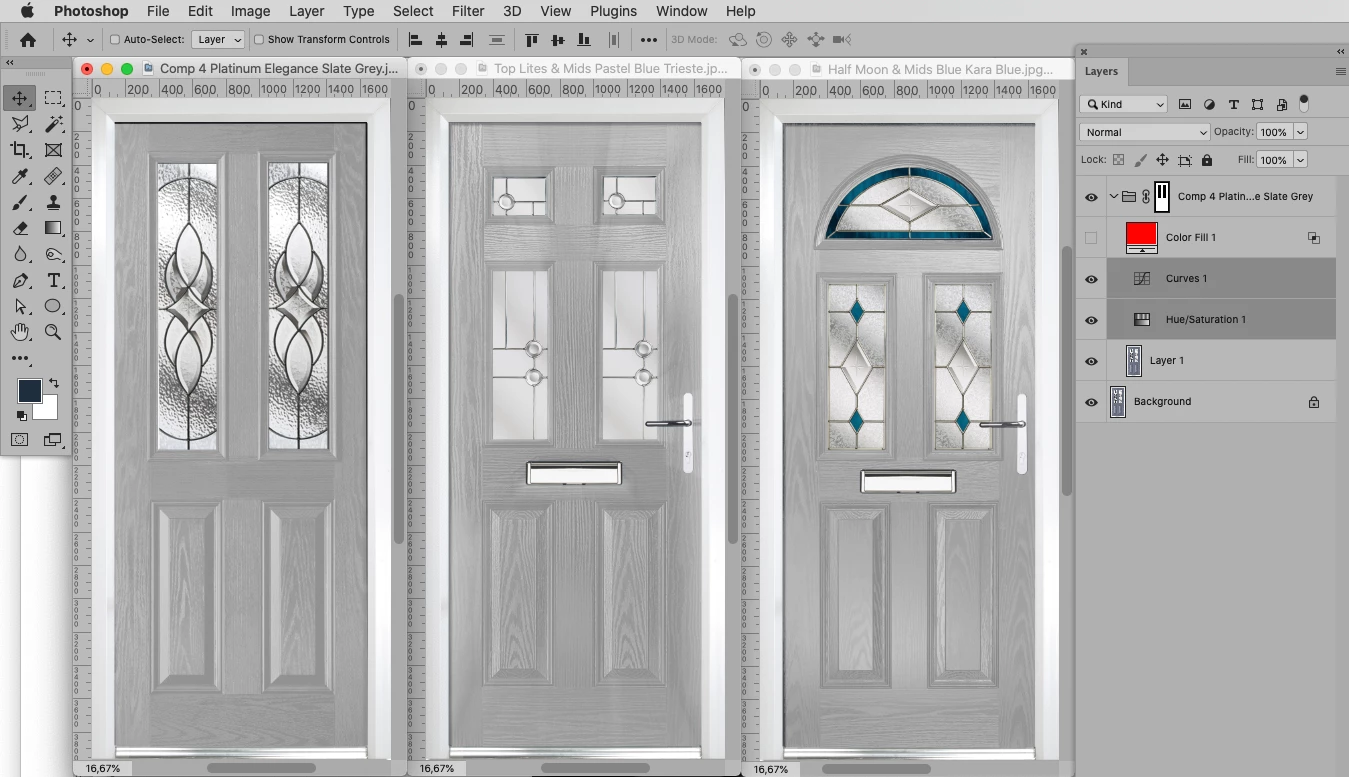
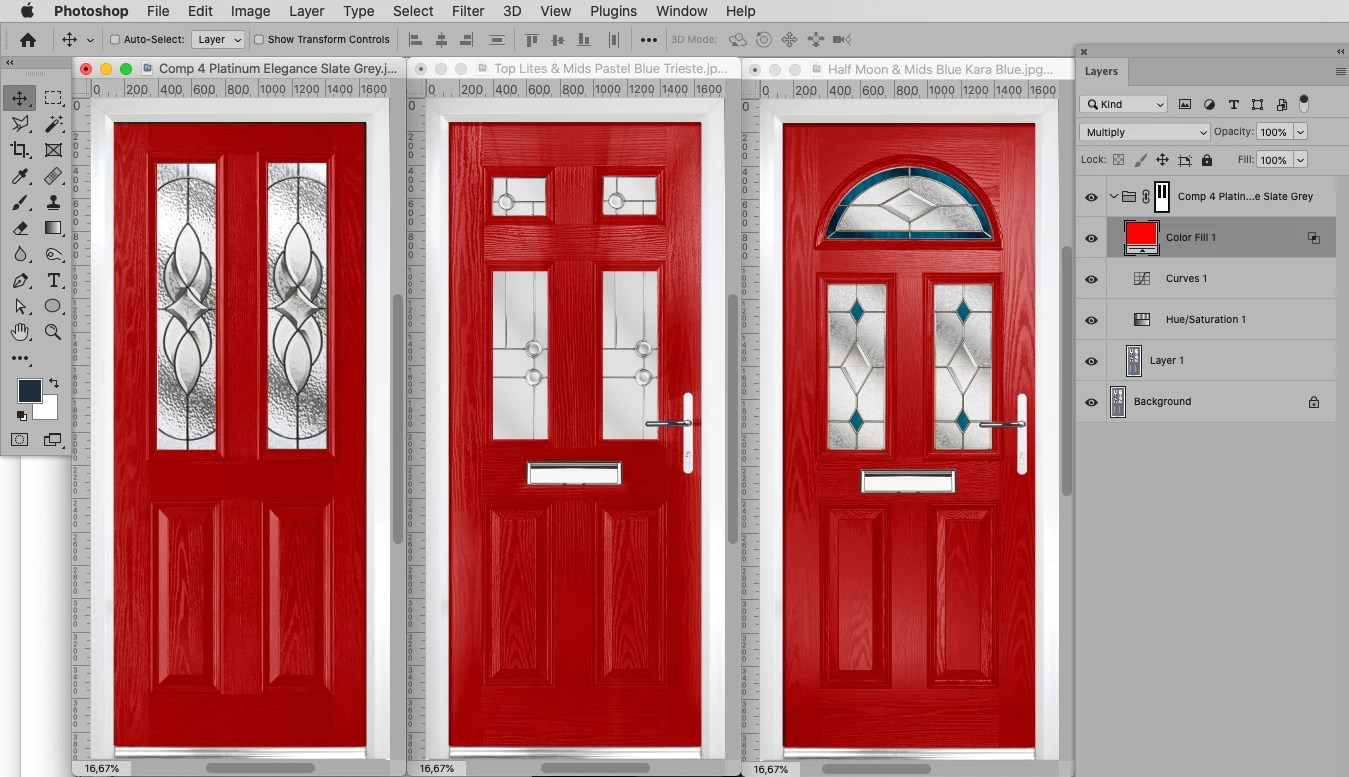
I'm creating an ecommerce website for entrance doors and I need to create loads of different colors from a handful of door images, because the base image is different for each style of door, how do I get exactly the same color for each style?
 

Correct answer c.pfaffenbichler

A crude test: 

1 reply

c.pfaffenbichler
Community Expert
Community Expert
August 9, 2021

Please post images (at least a couple of sample images). 

Fes5CCC2Author
Participating Frequently
August 9, 2021

Please see images attached.

c.pfaffenbichler
Community Expert
Community Expert
August 9, 2021

Hi c.pfaffenbichler,


Fantastic!! excatly what I was after. I should have explained that I am very new to photoshop....How would I start what you have recommended above?  


You need 

• a Layer Mask of the area that is intended to vary in color. 

Then you can use 

• Adjustment Layers to remove the Color (Hue/Saturation or Black & White for example) and 

• make them similar in brightness and ideally also in detail (Curves or Levels for example). 

After that you can use 

• Solid Color Layers or Adjustment Layers to colorize the door. 


It If the colors are all fairly similar in brightness it should not be that bad; but if you need to create very light and very dark color-variations those may need additional finagling to save at least some of the details and wood-structure.