Participant
August 7, 2017
Answered

Coloring

  • August 7, 2017
  • 4 replies
  • 533 views

Hey! I just wanted to know how i color

this:
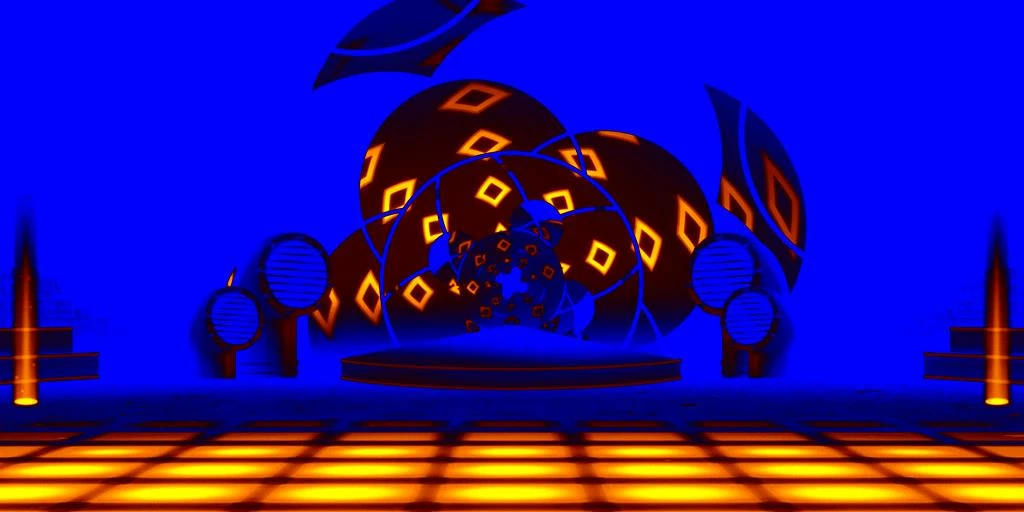
to that:
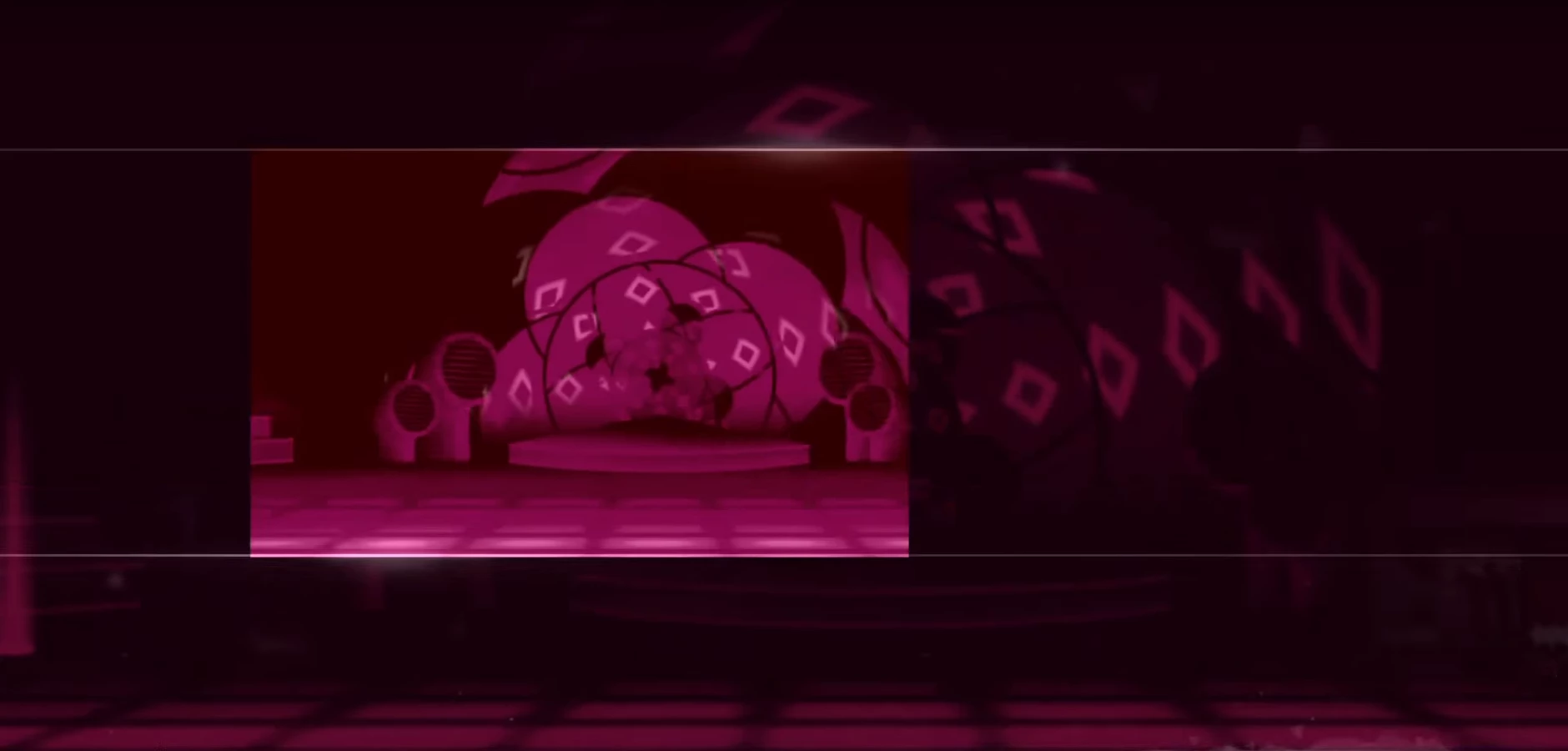
Thank you!

This topic has been closed for replies.
Correct answer jodyt90027726

Hi, you could try the following: Add a new layer to the first image, and fill the layer with the following color: #810037 - then set the blend mode of this layer to "color"

Hope this is what you're looking for

4 replies

Norman Sanders
Legend
August 7, 2017

After changing the Mode to Lab Color and Edit > Fill with the Blending Mode set to Color (the overall dark pink) almost all the adjustments were made in the L channel via Curves, by first inverting the curve and then making the adjustments. The only other adjustment was made by placing a light pink layer below the image layer and using Blend If to lighten diamond shapes. Then made a composite of the image, returned to RGB Color to tweak local contrast. The curve shown below is the very first of several adjustmentss of the L channel. No selections or masks used.

Benjamin Root
Legend
August 7, 2017

There is no simple solution to get exactly the second example. As you can see, the tonal values are much different. Adding a color to the entire image, as Jody suggests, works very well in some cases. This image, however, will need to be done selectively. In other words, make a selection of each part and change the color.

davescm
Community Expert
Community Expert
August 7, 2017

Just a thought on an alternative approach.

You could position the second image above the first

Then clone /paint the gaps. The vanishing point filter helps

Dave

jodyt90027726Correct answer
Participant
August 7, 2017

Hi, you could try the following: Add a new layer to the first image, and fill the layer with the following color: #810037 - then set the blend mode of this layer to "color"

Hope this is what you're looking for

Participant
August 7, 2017

Thank you for the help! But like that, the dark eras on the picture are lighter on the one in ps (and vise verca)

Participant
August 7, 2017

Hello?