
Participant
December 6, 2024
Question

Colors in photoshop are desaturated

  • December 6, 2024
  • 1 reply
  • 358 views

I've noticed that other people have posted similar problems to mine a few years ago, but I didn't have this issue up until a few months ago.  I first noticed something was wrong when the color wheel looked very desaturated in my monitor. I usually use photoshop to draw on my xp pen tablet but now I want to do some graphic design so using a bigger screen is more comfortable but, the colors look super desaturated. When I export them they look how they're supposed to look, same thing with my phone, chrome AND the photoshop home page, but when i'm working on a canvas I can't see the true colors. I've tried every setting in "proof setup". Can anyone help me with

this?


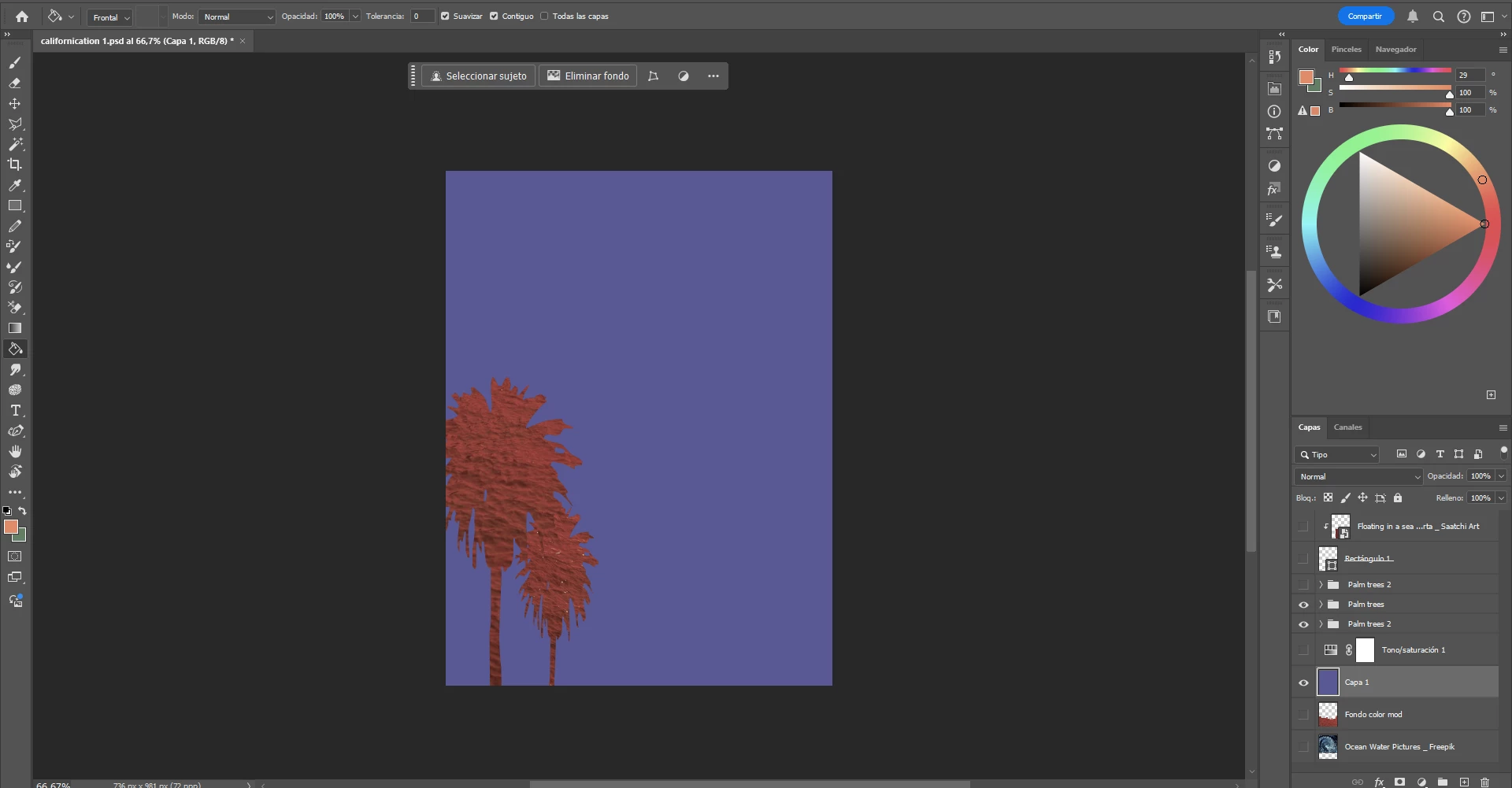
This is a screenshort of what the colors look in the workspace. Desaturated
 

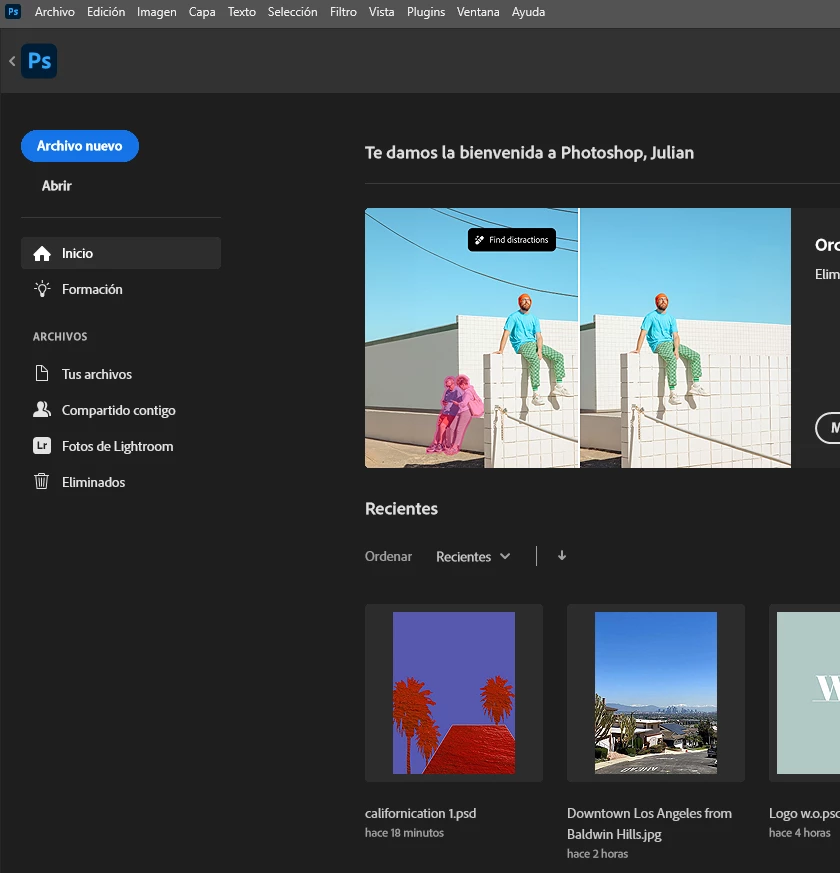
This is what the colors look like in photoshop home: Saturated
 

And this is what they look like in photos, phone, chorme etc.

 

1 reply

D Fosse
Community Expert
Community Expert
December 6, 2024

That's either a defective monitor profile, or just the wrong one.


How is your monitor profiled - are you using a calibrator? What monitor profile is set up as default for this screen in Windows?


If the monitor profile is inorrect, Photoshop will display incorrectly. But the Home screen isn't color managed at all, so it's not affected by this. Also, other applications that aren't color managed will be unaffected.


Some aspects of the Photoshop interface are color managed and others are not. The image always is, of course, but also the Color panel and other panels with color display. So when that looks wrong, you know the monitor profile is the problem.

Julian227Author
Participant
February 12, 2025

Thanks for the reply. I'm using the calibrated monitor profile "sRGB display profile with display hardware configuration date derived from calibration" and the other profile I have is "sRGB IEC61966-2.1". If they are the problem is there any way to obtain another monitor profile and add it to my configurations?

This happened on its own, it didn't used to be like this

NB, colourmanagement
Community Expert
Community Expert
February 21, 2025

@Julian227 The right way to obtain an accurate monitor profile is to use an onscreen sensor and software to make a calibration and profile for your own system. There are various options from Calibrite for this. 


I hope this helps

neil barstow colourmanagement - adobe forum volunteer,

colourmanagement consultant & co-author of 'getting colour right'

See my free articles on colourmanagement online

Help others by clicking "Correct Answer" if the question is answered.

Found the answer elsewhere? Share it here. "Upvote" is for useful posts