
Question
Colors look all wrong in downloaded mockup from Adobe Stock
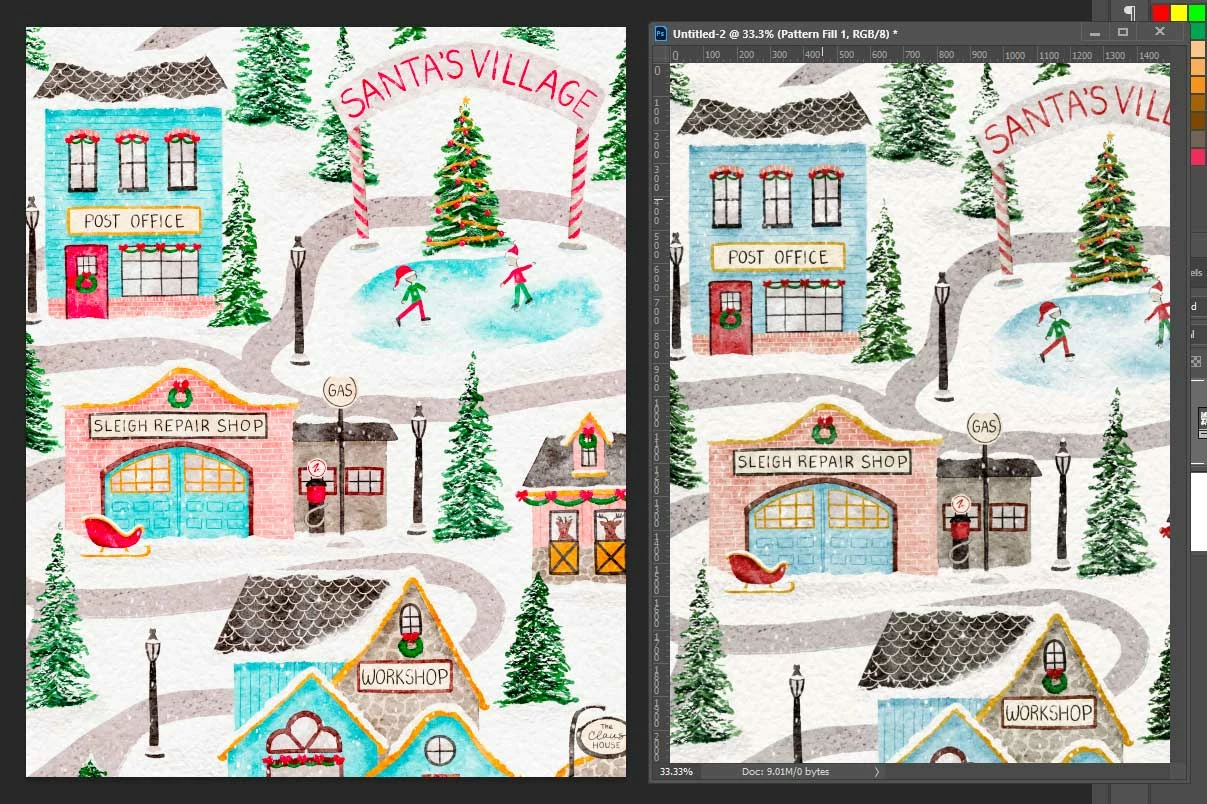
Hello! I just downloaded a mock-up template from Adobe Stock, and when I add my pattern file to it, it completely changes the colors of the pattern. I added my pattern file to a new blank file, and it looks just fine. The one on the right is what it's supposed to look like; the one on the left is how the colors are coming up in the mock-up. Can anyone help? I don't know much about color profiles besides standard RGB vs CMYK, but both files appear to be the same profile. I've worked with lots of mock-ups and have never run into this issue! Kind of wishing I could return this one.
 AdChoices