



Question
Colors look different between Photoshop 7.0 and newest Photoshop
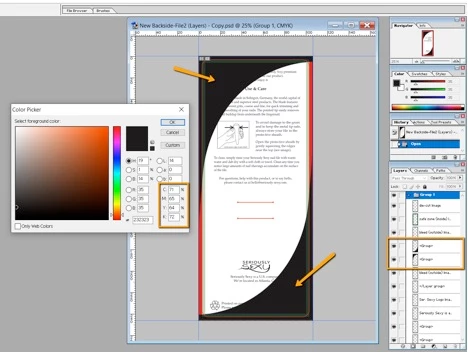
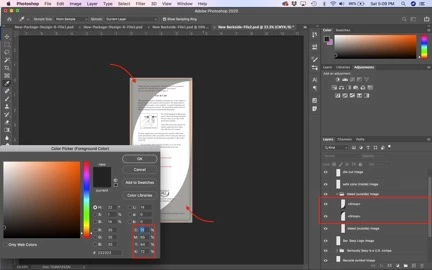
So, my client requires me to send the back of a packaging product in a PSD file with all layers attacted, however, when I send over the file, we found that the colors of the corners look completely different even though the color picker shows the exact same values. I have the newest Photoshop version and he has Photoshop 7.0 version. I have no filters on my end of the corners and the opacity is 100%. I've also made the file "Maximum Compatibility" before I saved it.
Client's side
My Side
Does anyone know why does Photoshop do this?
 AdChoices