

JRStudios
Participant
April 30, 2024
Question

Colors pixelate when resizing images

  • April 30, 2024
  • 3 replies
  • 1219 views

Hello everybody.


I have a reoccurring problem that I was hoping someone could help with. 


I'm currently working on a project and decided that it was too big but every time I try to resize the image there is some pixelation which is understandable but the issue is that it also affects the colors. 


Before resizing 

After 
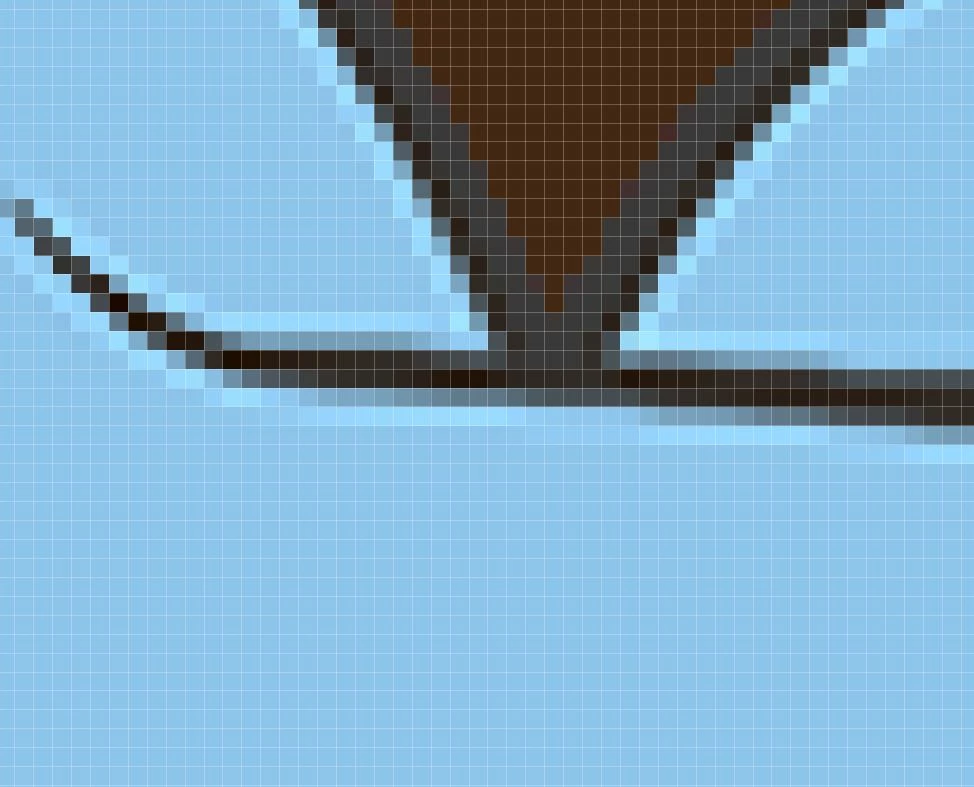
As you can see the greys turn to black and there's a lighter color surrounding. 


Not really sure how to solve this problem so if anyone has any ideas please let me know.


Thanks!


This topic has been closed for replies.

3 replies

Trevor.Dennis
Community Expert
Community Expert
May 1, 2024

There's a trick you can use to remove halos — although obviously better to avoid them in the first place.


Anyway, make a new layer, and se it to Darken, and use the clone tool.

I've used a mask above the guide to show before and after.

You can see that the clone tool has covered the black pixels

But if I set the layer to Darken, they only show over the lighter halo tones.  It's a good tip for removing CAs 

JRStudios
JRStudiosAuthor
Participant
May 1, 2024

Hey!

Thanks for the tips but as for covering up the black pixels that isn't going to work. As you can see from the horizontal line the black isn't added around the grey but rather it's replacing it. If I cover it up it will take away parts of the image that are supposed to be there.


Thanks to the power of Ctrl+Z it's not too late to prevent it from happening but the million dollar question is how?

Trevor.Dennis
Community Expert
Community Expert
May 2, 2024

The cloning is done on a new layer set to Darken, and is entirely non-destructive.  None of the darker tones are compromised.

Semaphoric
Community Expert
Community Expert
April 30, 2024

What type of Resample method are you using?

Stephen Marsh
Community Expert
Community Expert
May 1, 2024
quote

What type of Resample method are you using?


By @Semaphoric


Agreed!


@JRStudios - use bicubic smoother or bilinear to avoid in-built sharpening halos. If the content isn't photorealistic you could also try the newer preserve details or preserve details 2 algorithms (generally for upsizing)... Or you can combine various methods.


Always keep a separate copy of the original, there's no getting those original pixels back.


JRStudios
JRStudiosAuthor
Participant
May 1, 2024

Thanks for the advice but I'm afraid I don't know what that means means lol.


I'm using photoshop and I've tried a few ways to resize like going to image - image size. Also tried to Free Transform the layers and using the Crop Tool to reduce the artboard accordingly but it still creates the black pixels. 


And no the picture isn't photorealistic. It's a cartoon drawing I personally created.

Michael Bullo
Community Expert
Community Expert
April 30, 2024

Can you please provide specific details for the resizing method you are using?

JRStudios
JRStudiosAuthor
Participant
May 1, 2024

I went to image - image size - and reduced the dimensions 

I also tried free transforming it which had lesser color problems but still some.


This is on photoshop