
Answered
Colour Changing when copying image
When i try to copy image from browser to photoshop,image colour changes automatically,right one is browser image and left one is photoshop image
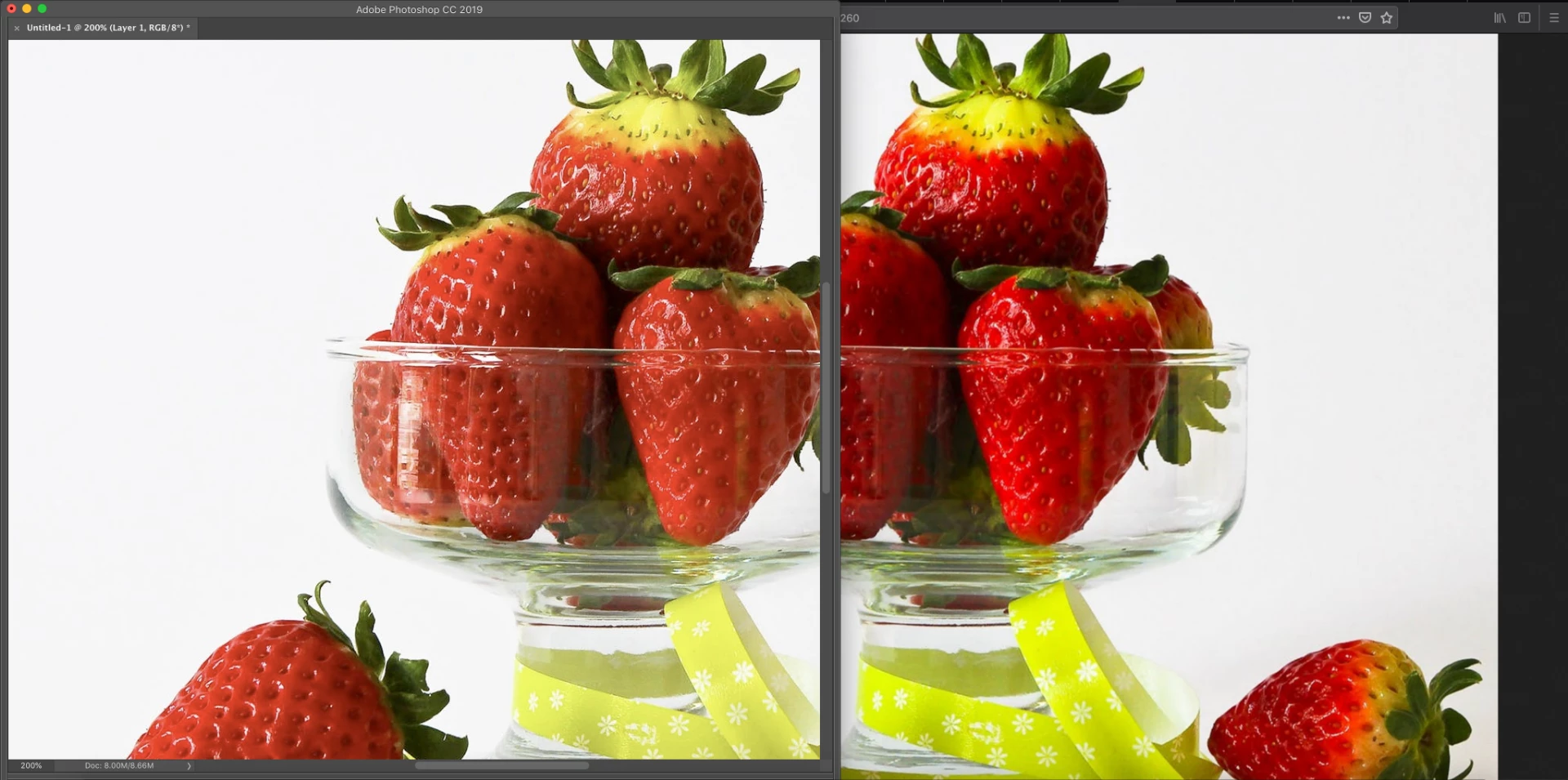

When i try to copy image from browser to photoshop,image colour changes automatically,right one is browser image and left one is photoshop image
That means the images have different native color spaces, but at least one of them lacks a color profile to identify that color space.
A lot of images on the web are untagged (lack an embedded color profile). Always assign sRGB to these files before proceeding. If you paste an untagged web image into, say, an Adobe RGB file, you get this. With an embedded profile, it will get correctly converted during the paste and the color is maintained.
The same thing happens if your Photoshop document is untagged.
Bottom line: never, ever, work with untagged material in Photoshop. This is what happens.
Already have an account? Login
Enter your E-mail address. We'll send you an e-mail with instructions to reset your password.
 AdChoices