Krish TechnoLabs
Participant
March 15, 2019
Answered

Colour Changing when copying image

  • March 15, 2019
  • 1 reply
  • 5245 views

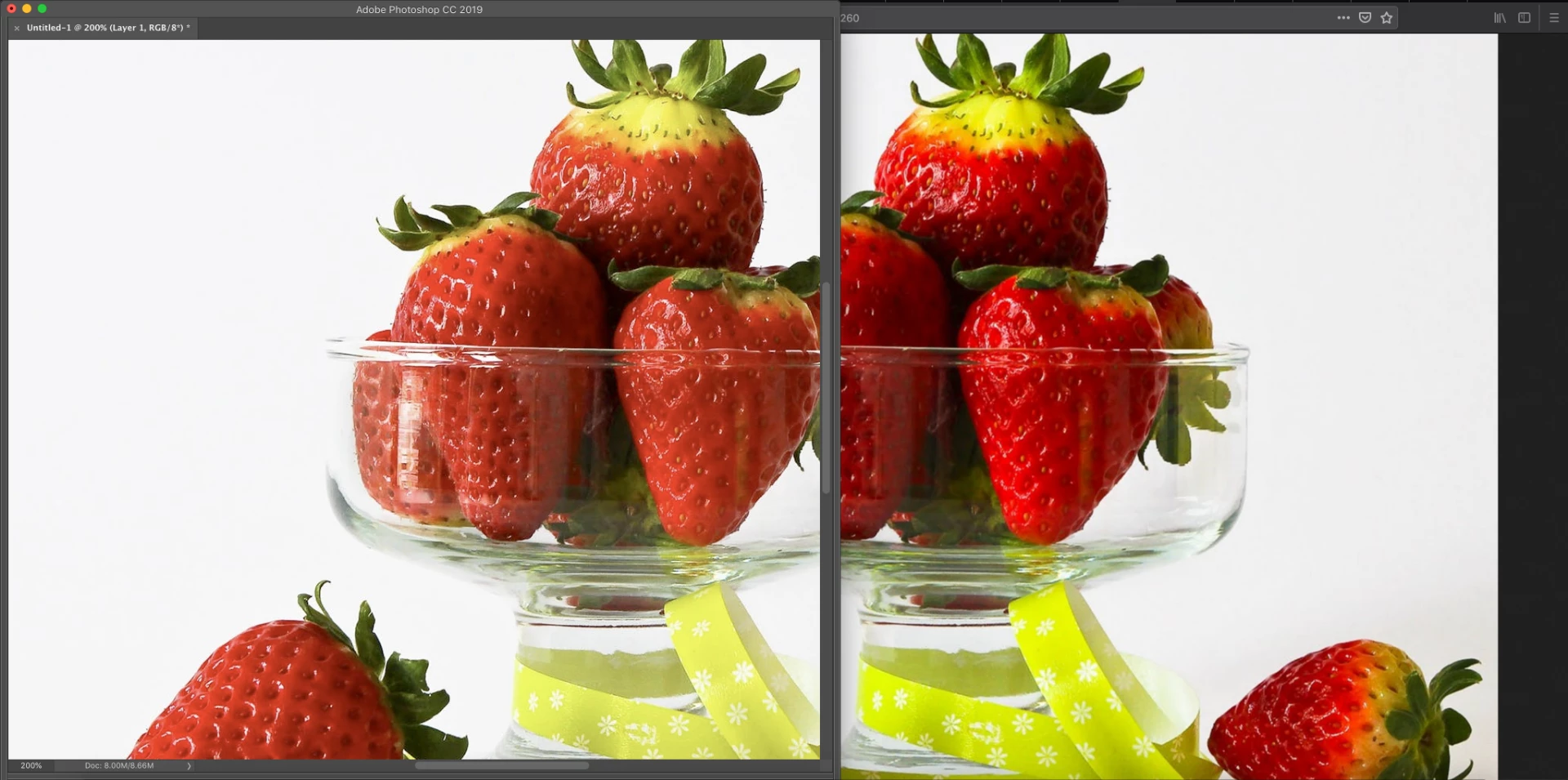
When i try to copy image from browser to photoshop,image colour changes automatically,right one is browser image and left one is photoshop image

This topic has been closed for replies.
Correct answer D Fosse

That means the images have different native color spaces, but at least one of them lacks a color profile to identify that color space.

A lot of images on the web are untagged (lack an embedded color profile). Always assign sRGB to these files before proceeding. If you paste an untagged web image into, say, an Adobe RGB file, you get this. With an embedded profile, it will get correctly converted during the paste and the color is maintained.

The same thing happens if your Photoshop document is untagged.

Bottom line: never, ever, work with untagged material in Photoshop. This is what happens.

1 reply

D Fosse
Community Expert
D FosseCommunity ExpertCorrect answer
Community Expert
March 15, 2019

That means the images have different native color spaces, but at least one of them lacks a color profile to identify that color space.

A lot of images on the web are untagged (lack an embedded color profile). Always assign sRGB to these files before proceeding. If you paste an untagged web image into, say, an Adobe RGB file, you get this. With an embedded profile, it will get correctly converted during the paste and the color is maintained.

The same thing happens if your Photoshop document is untagged.

Bottom line: never, ever, work with untagged material in Photoshop. This is what happens.

Inspiring
July 15, 2022

Hello, I have purchased an image on Adobe stock.  Should those be untagged? 


Anyhow, I'm selecting part of a single image purchased on stock.adobe.com and I'm pasting it onto the same image, just a bit lower than the selected area.  The pasted portion has a darker tint.  Why?

NB, colourmanagement
Community Expert
Community Expert
July 17, 2022

Actually, that image I found on a manufacturer's website, not Adobe Stock, my mistake.

How can I determine if it has a profile?  I have converted the image file found on the web to a .PSDC file.  As it stands the image mode is RGB.  Why doesn't it copy and paste properly?


"Why doesn't it copy and paste properly?"

You need to give us more info on what you mean by that phrase?

Is the colour wrong?

Perhaps include screenshots placed inline in the message, NOT as attachments ideally.


I hope this helps
neil barstow, colourmanagement net :: adobe forum volunteer:: co-author: 'getting colour right'
google me "neil barstow colourmanagement" for lots of free articles on colour management