
Participating Frequently
October 5, 2017
Pregunta

Colour in PSD file changed when going back to PSD file months later

  • October 5, 2017
  • 4 respuestas
  • 720 visualizaciones

This is the second time i'm facing this issue. The first time i thought i misclicked some settings and i had to re-edit a whole set of images.

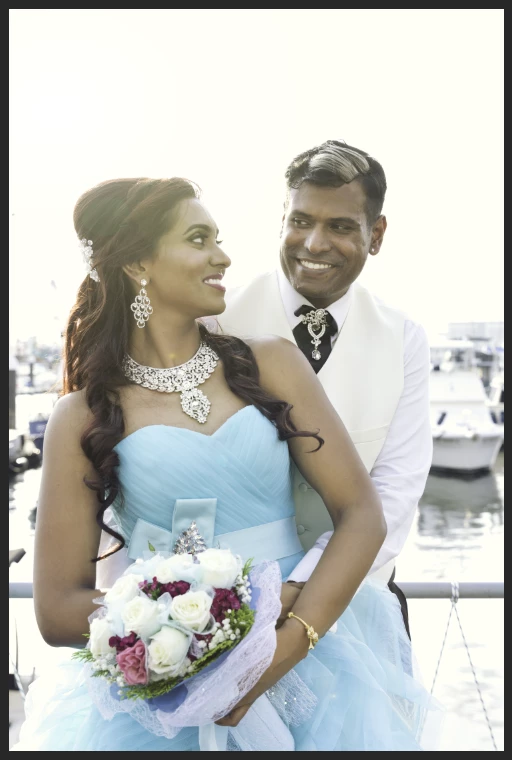
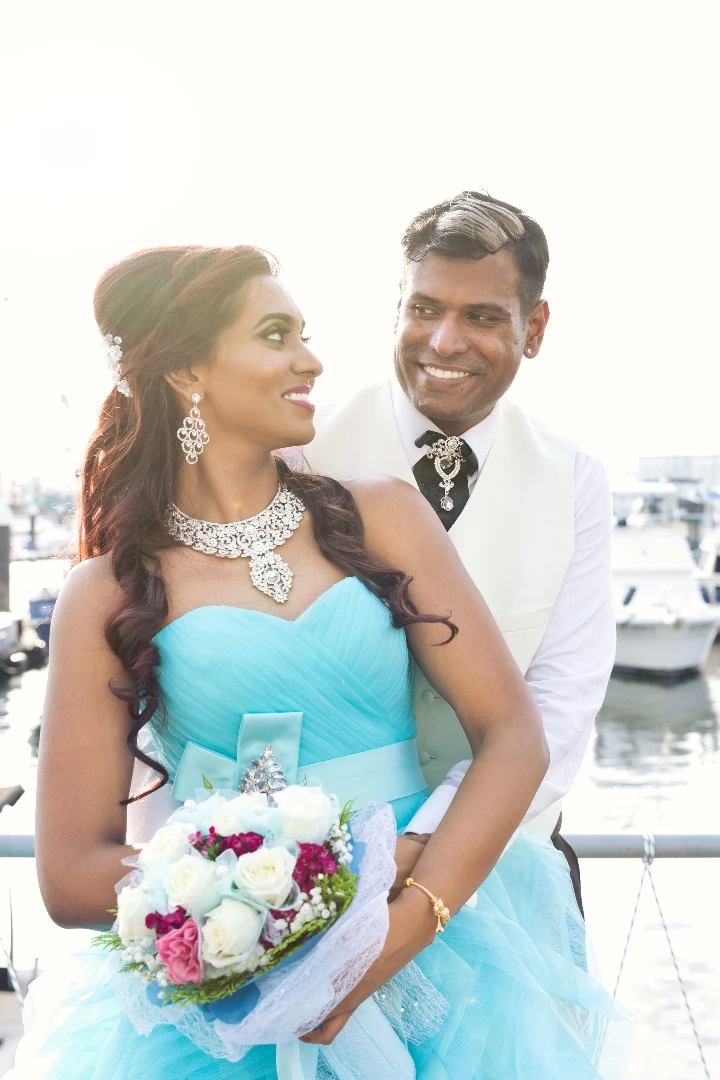
On the left is what I see in photoshop now after opening the PSD files for the first time in a few months since i last saved it. On the right is the JPEG copy it was saved as. I'm quite certain the colours on the right image was what i was seeing in photoshop the last time i saved this PSD file. I've tried converting and assigning colour profiles but nothing i do will allow me to get back to the original colours.
Este tema ha sido cerrado para respuestas.

4 respuestas

D Fosse
Community Expert
Community Expert
October 5, 2017

Well, I don't know how it happened - but the "dull" version is a ProPhoto file, with ProPhoto numbers, displayed in sRGB. This is how that looks.

If sRGB is what you need, convert to sRGB, don't assign. And as Dave pointed out, make sure the profile is embedded in the file.

Participating Frequently
October 5, 2017

Hi everyone i appreciate all the replies and help.

I've also found out that i've unknowingly made TIFF copies of the files apart from the PSD originals. I'm not quite sure why this affects the original PSD file's colour but everything on the TIFF files seemed to be working fine.

c.pfaffenbichler
Community Expert
Community Expert
October 5, 2017

Did you embed the profile in the tifs?

Participating Frequently
October 5, 2017

That may be the issue as i unknowingly saved them previously.
On a side note, i tried saving another PSD file as a tif and this is the dialogue box on the "save as" panel.

Meaning i can choose to embed "ProPhotoRGB".

D Fosse
Community Expert
Community Expert
October 5, 2017

This is what a ProPhoto file looks like when it is viewed without color management, or the profile has been stripped with sRGB as working RGB.

Set everything in PS Color Settings back to defaults. You have changed some settings here without realizing what you did. Generally, don't touch anything in color settings unless you know what you're doing.

Your original is created in ProPhoto. Assign that profile if it has been stripped or changed. It will then display correctly in Photoshop, as long as color management is working properly.

That said, I would recommend that you avoid ProPhoto and stick with sRGB until you know more about color management.

davescm
Community Expert
Community Expert
October 5, 2017

To add one more thing to the excellent advice above - always save (or export)  the file with the embed ICC profile checked

In save :

In export :

In save for web legacy:

Dave

c.pfaffenbichler
Community Expert
Community Expert
October 5, 2017

What are the Edit > Colour Settings?

Does the psd image have an embedded Profile?

Please set the Status Bar to »Document Profile« and post more meaningful screenshots including pertinent Panels (like Layers for example).