
Participant
July 10, 2025
Question

Colour inconsistencies between file types.

  • July 10, 2025
  • 2 replies
  • 235 views

Hello! 

I've been having some wild inconsistencies with different files in my Photoshop for a while now. 

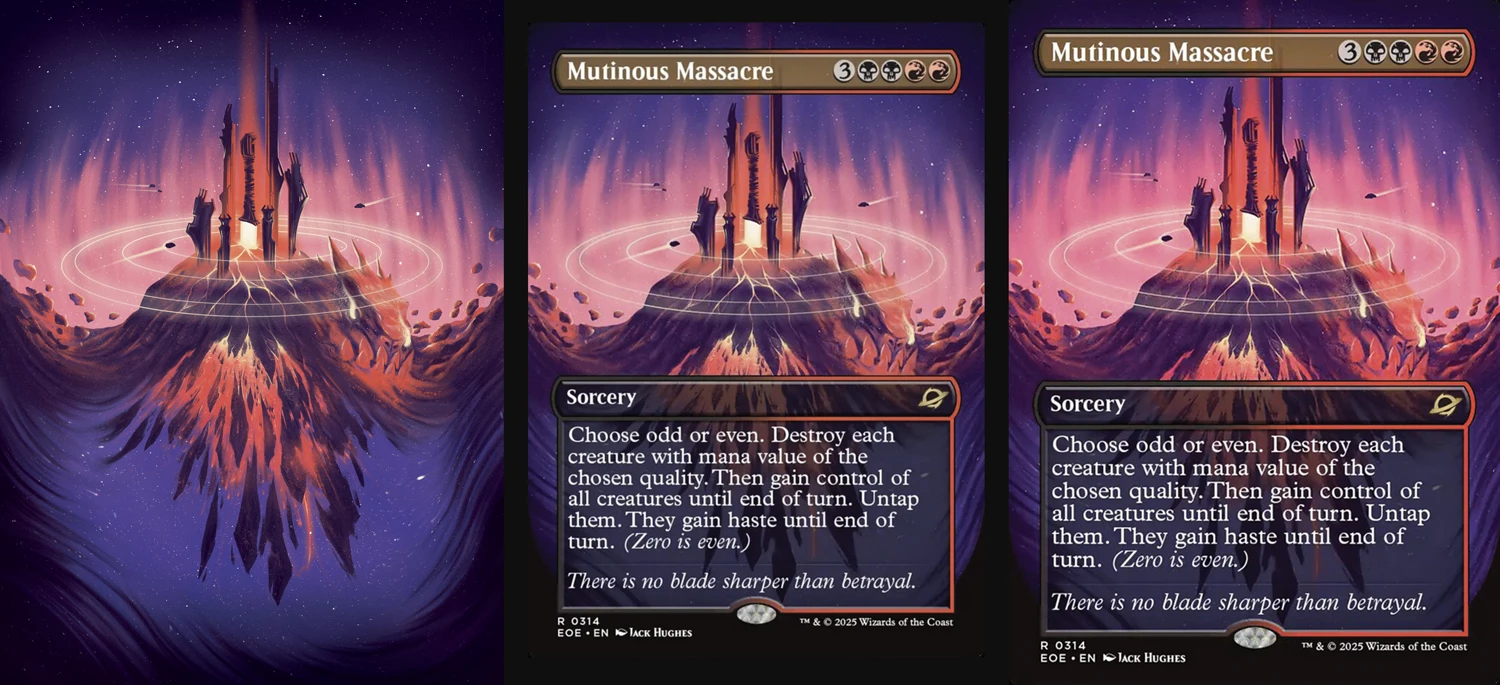
Looking at the example below -

The image to the left is the original illustration open in Photoshop

The image in the middle is the image used in-situ, captured via screengrab from the website on my iMac in Chrome

The image to the right is if I save the image from the website (rather than screengrab( and open it in Photoshop (the file is a jpeg) 


Now if I save the image and open it in Preview it's the same, it's only when opening it in Photoshop does it suddenly saturate the colours
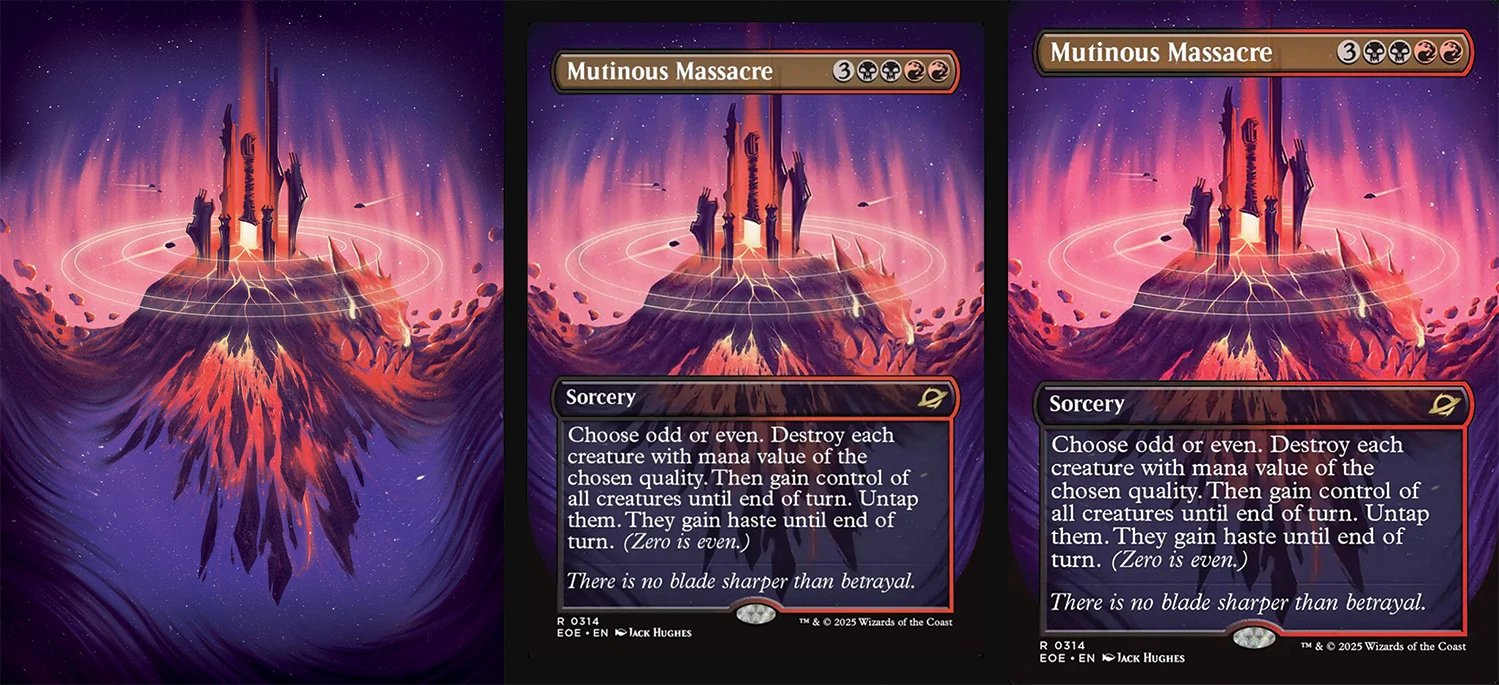


What's also weird is the above example is saved via Export As and the below example is saved via Save for Web (convert to sRGB makes no difference) and that desaturates the colours. Can anyone explain what is going on with my Photoshop / iMac display settings? 
 

2 replies

Stephen Marsh
Community Expert
Community Expert
July 10, 2025

Please provide a screenshot of your color settings so that the working spaces and policies are known.

Claire H.
Community Manager
Community Manager
July 10, 2025

Hi @jackh92314557, Welcome to the Photoshop Community Forum! Thanks for reaching out with the details of the issue you're seeing with exporting. What you're seeing is likely due to Photoshop's handling of color profiles. Photoshop is color-managed and expects images to have embedded profiles. If a JPEG is exported without one, Photoshop may interpret the colors differently, often leading to saturation shifts.


Let's try something to fix it:

1. Before exporting, go to Edit > Convert to Profile and convert to sRGB IEC61966-2.1.

2. When exporting, use Export As and make sure "Embed Color Profile" is checked.

3. In Edit > Color Settings, set: RGB Working Space:
- sRGB IEC61966-2.1
- Color Management Policies: Preserve Embedded Profiles


Preview and browsers may display images differently if profiles are missing or stripped, which explains the inconsistencies. If this doesn't help, let us know, and we can try to troubleshoot the issue. I hope this helps!^CH