

Colour Shifted in Photoshop after LR import
Hi fellow photoshop users,
I have searched everywhere and I can't figure out what is going with my photoshop cc 2018. I am pulling my hair out and the issue has made editing photos almost impossible due to inaccuracy of colour
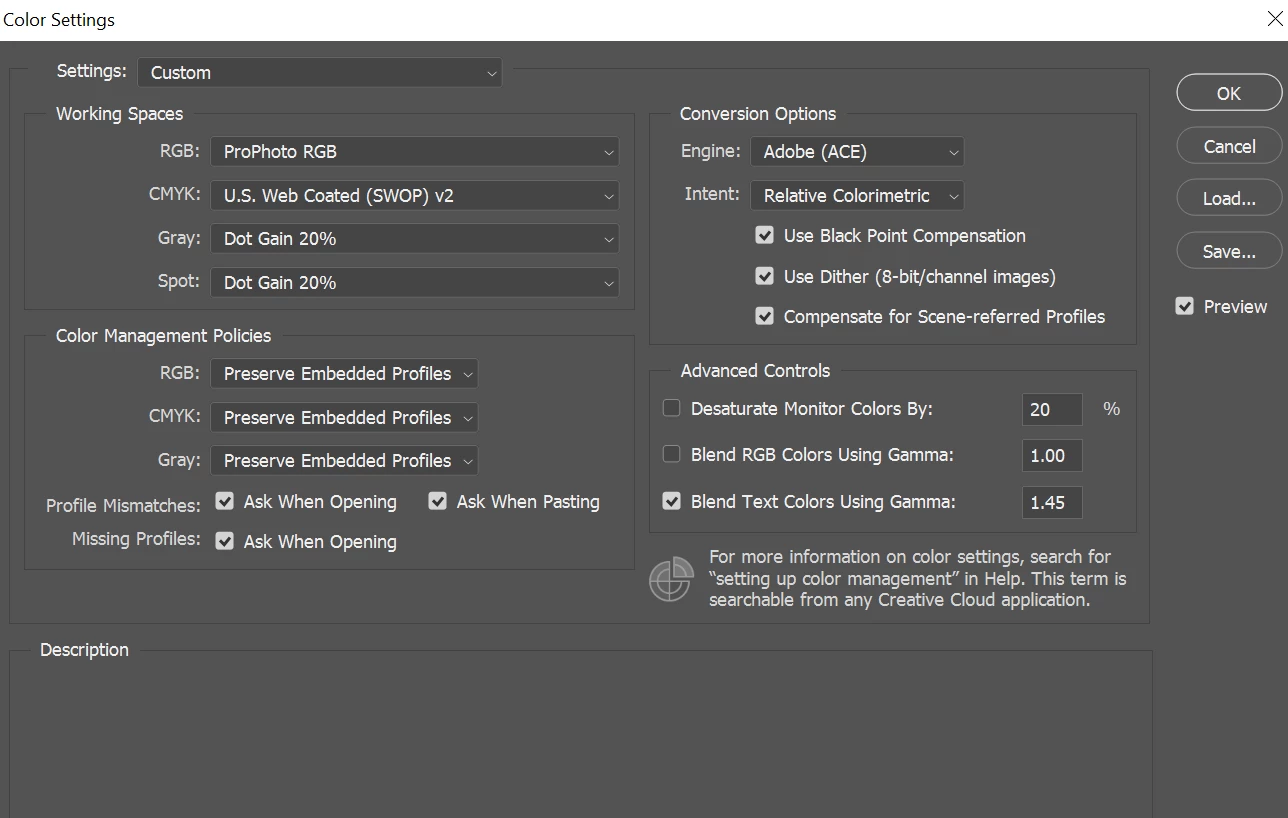
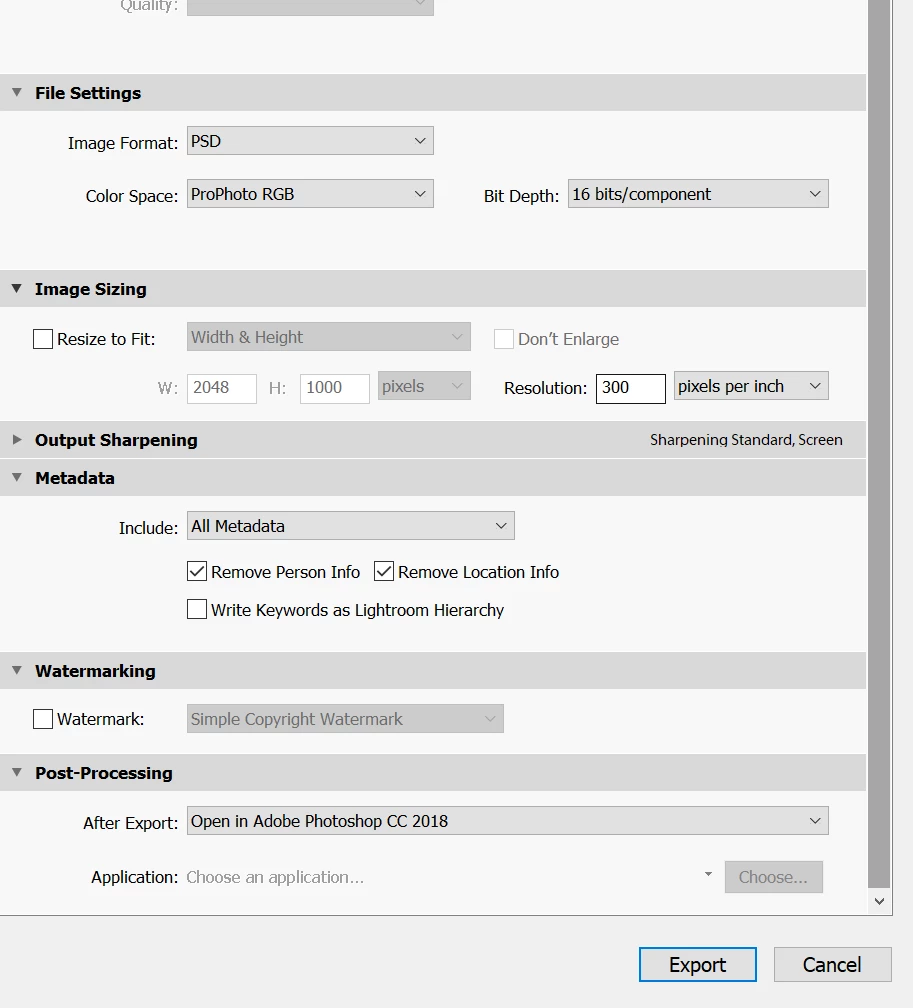
I edit in the prophoto colour space in both LR CC classic and PS 2018. However when I export my raw files as PSD 16 bit to colour grade in PS I note that the colours seem to shift. I can't figure out why. To me it seams like the yellows become more green and the black point shifts towards grey. I also loose detail and clarity in the image with the shift. I also note this colour shift occurring when I import from Capture One Version 11 to photoshop, so I suspect something is wrong with photoshop.
Pleas refer to link for example of my issue: https://imgur.com/a/V9bmh
I am running the latest version of Windows 10 with ryzen 1700x and ATI Radeon R9 200 with 16 gigs of ram. All software is up to date. I also have recently began calibrating my screen using Spyder5 express version.
I would really appreciate any suggestions. I've attached a photo to highlight my dilemma.
Kind regards
HS
 AdChoices