Exit
  • Global community
    • Language:
      • Deutsch
      • English
      • EspaƱol
      • FranƧais
      • PortuguĆŖs
  • ę—„ęœ¬čŖžć‚³ćƒŸćƒ„ćƒ‹ćƒ†ć‚£
  • ķ•œźµ­ ģ»¤ė®¤ė‹ˆķ‹°
1

Colour with the same code not matching: Photoshop vs any other colorpicker
New Here ,
Oct 23, 2023 Oct 23, 2023

Screenshot 2023-10-23 at 14.32.49.png

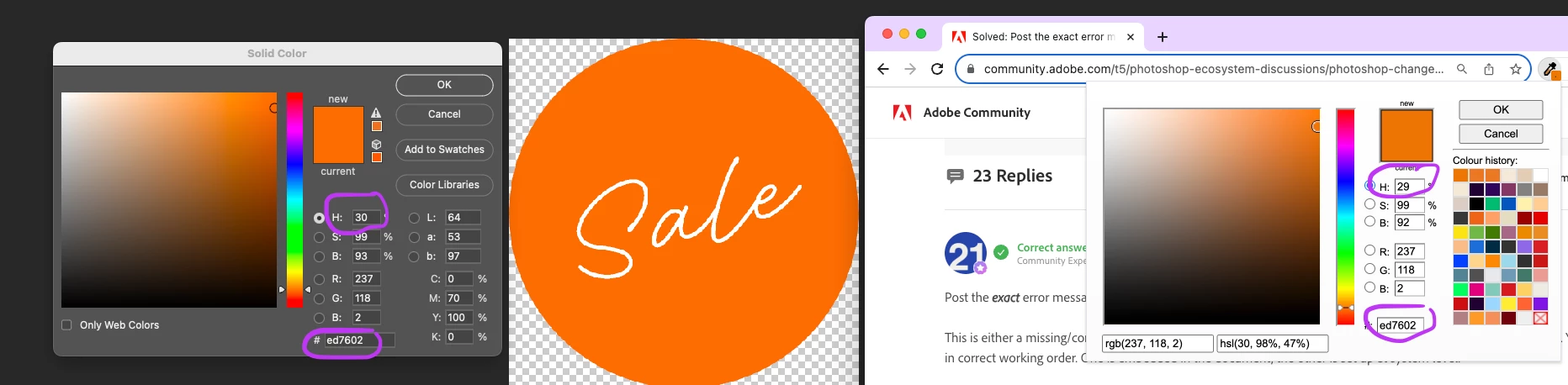
I don't know what is going on with Photoshop color picker.

I've never had this issue before but now is happening all the time.

I use an online colour picker to select a colour from and image online (here an example, but I've tried with many colour pickers, same issue).

The colour I pick with the  online colour pickers is always the same code and it matches the original color I'm trying to replicate.

When I copy-paste the color code in photoshop, Photoshop is always changing the colour to a different shade, even if the colour code is the same. I tried to change the values manually and Photoshop keep changing them to whatever it decide. 

Below my colour setting
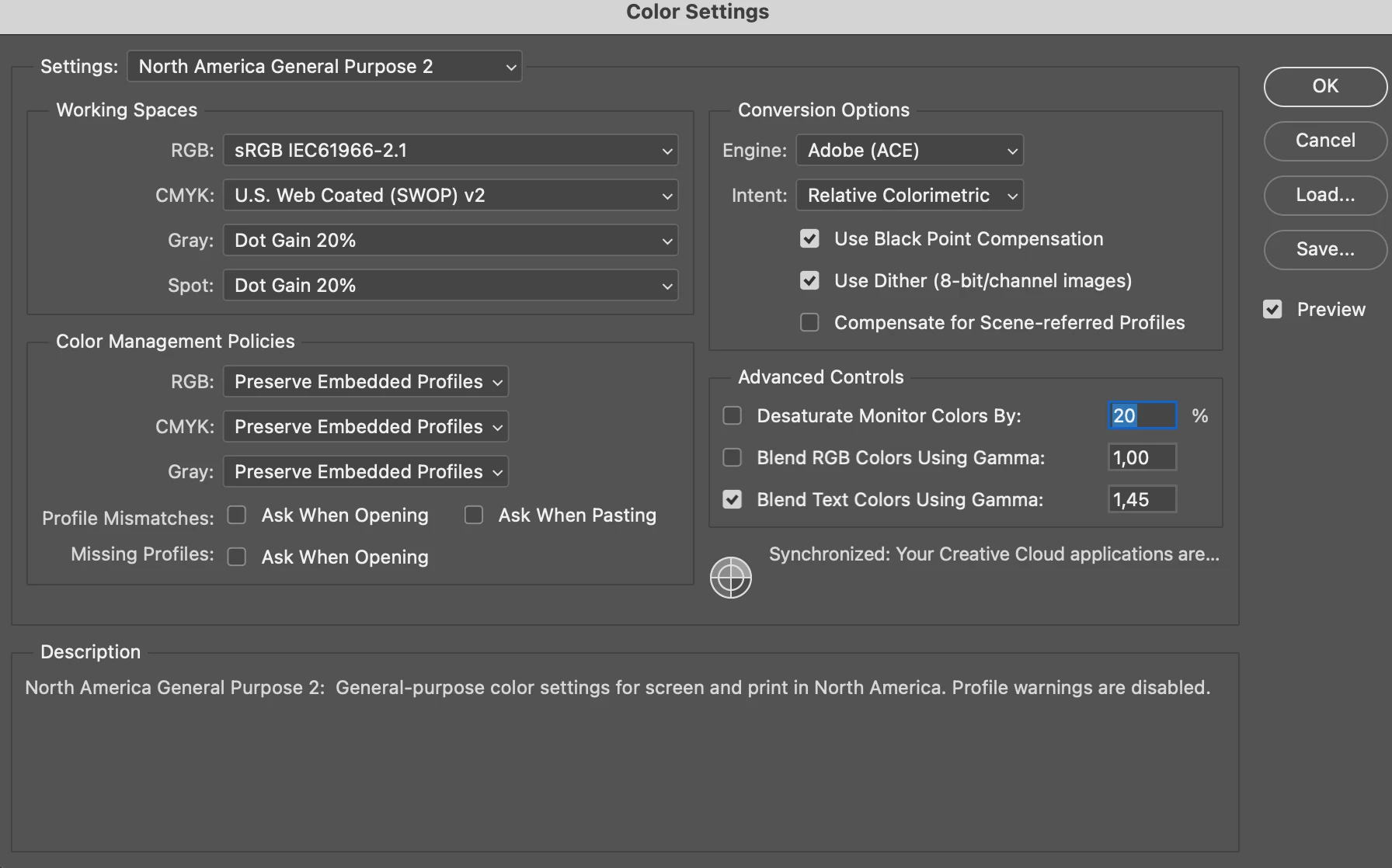
Elisa29708401ggzv_0-1698061388526.png 

Elisa29708401ggzv_1-1698061526803.png

What could be the problem? I can't work with this. For context, I don't have the same problem with any other tool I'm using (Figma or Illustrator for example)


TOPICS
macOS , Web
1.8K
Translate
Report
Community guidelines
Be kind and respectful, give credit to the original source of content, and search for duplicates before posting. Learn more
community guidelines
Adobe
Community Expert ,
Oct 23, 2023 Oct 23, 2023
LATEST

Contrary to common belief, hex numbers do not represent specific colors.


A color is defined when you define what color space the numbers refer to. Numbers are color space specific.


Hex is just base 16 notation for standard RGB numbers, instead of base 10.


These are the same hex numbers in sRGB and Adobe RGB:

color-space_2.pngcolor-space_3.png

By convention, hex usually refers to sRGB. However, hex is most often used without any color management at all. Then the numbers refer to whatever your monitor decides to display those numbers as; in other words, completely random.


Keep tabs on your color spaces, and everything will match. What color management does is to take your monitor out of the equation, and define the numbers as actual colors.

Translate
Report
Community guidelines
Be kind and respectful, give credit to the original source of content, and search for duplicates before posting. Learn more
community guidelines