
Colours in photoshop seem to have a big issue after update
Images of any colourspace and filetype are looking very off in colours in photoshop.
I have tested on multiple devices, browsers etc and only in photoshop are the colours so off. For context, I'm woking on a series of images that I am very familiar with, have used for many yeats, printed, and used in browsers etc. So I am pretty sure that the incorrect colours are in photoshop.
I have tried to change the Edit > color settings, but the difference is very minimal.
I have tried the same images in Adobe After Effects, and although looking a little washed out, they are closer than the difference experienced in photoshop.
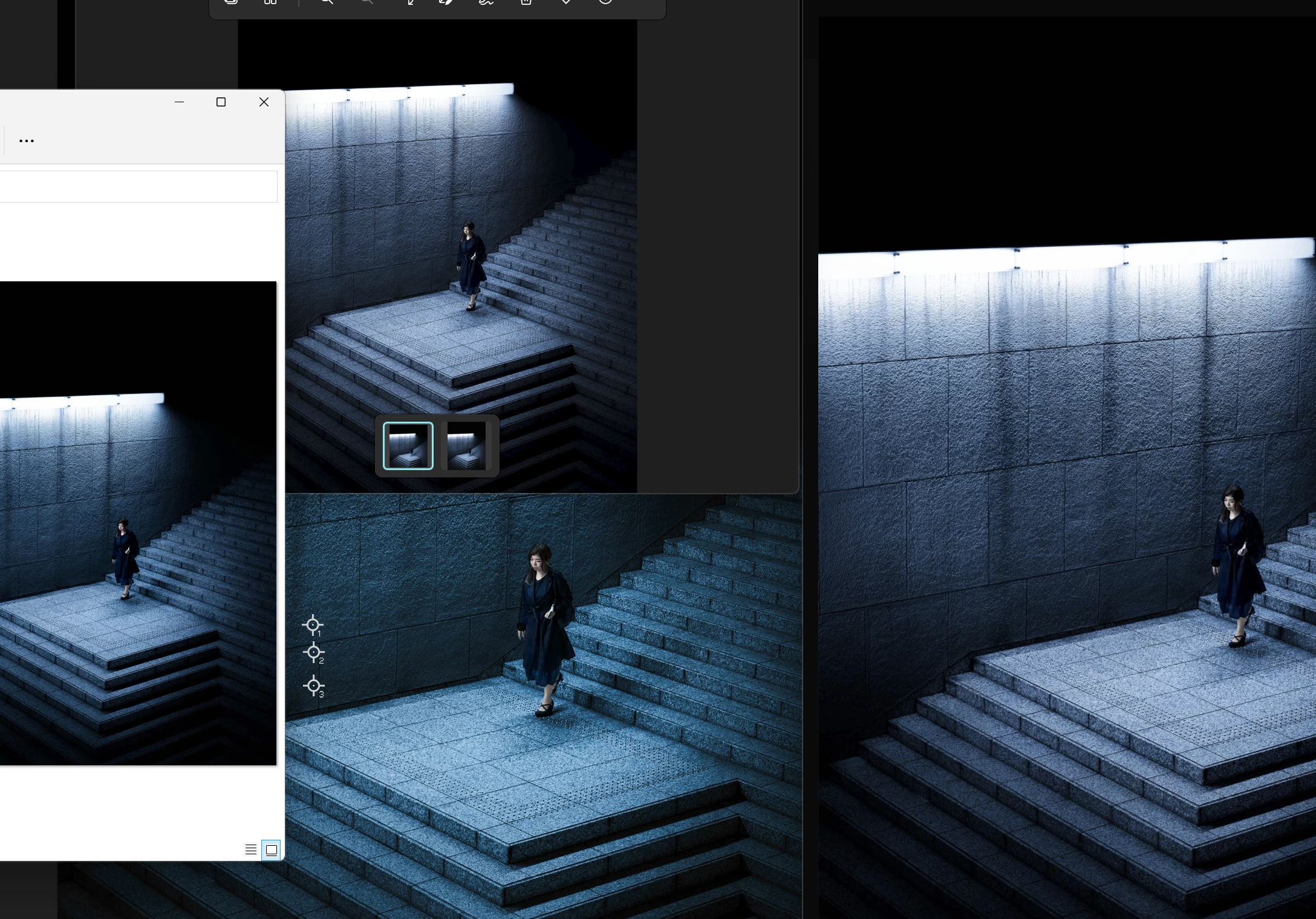
A screenshots is attached of the same image displayed in windows explorer, chrome browser, window image viewer and photoshop. The green one is photoshop. everything is srgb 8 bit. but my prophoto, adobe rgb etc working spaces also look all green. Even taking this screenshot into photoshop makes it even more green.
Any help greatly apprecated
 AdChoices