
Participating Frequently
March 17, 2021
Answered

command+option+shift+t does not work the way it should

  • March 17, 2021
  • 1 reply
  • 2728 views

Hi, I am a newbie to photoshop and I was looking at a video tutorial that covers making a multicolored sunburst background. In this video, the person is using the command+option+shift+t shortcut to quickly replicate the rays and in the video when she uses it, this command creates new layers automatically. However, when I tried this shortcut it just creates copies of the rays with the correct transformation on the same layer. I was wondering how I could edit the command so that it creates a new layer automatically every time I use it on my mac?
 

This topic has been closed for replies.
Correct answer c.pfaffenbichler

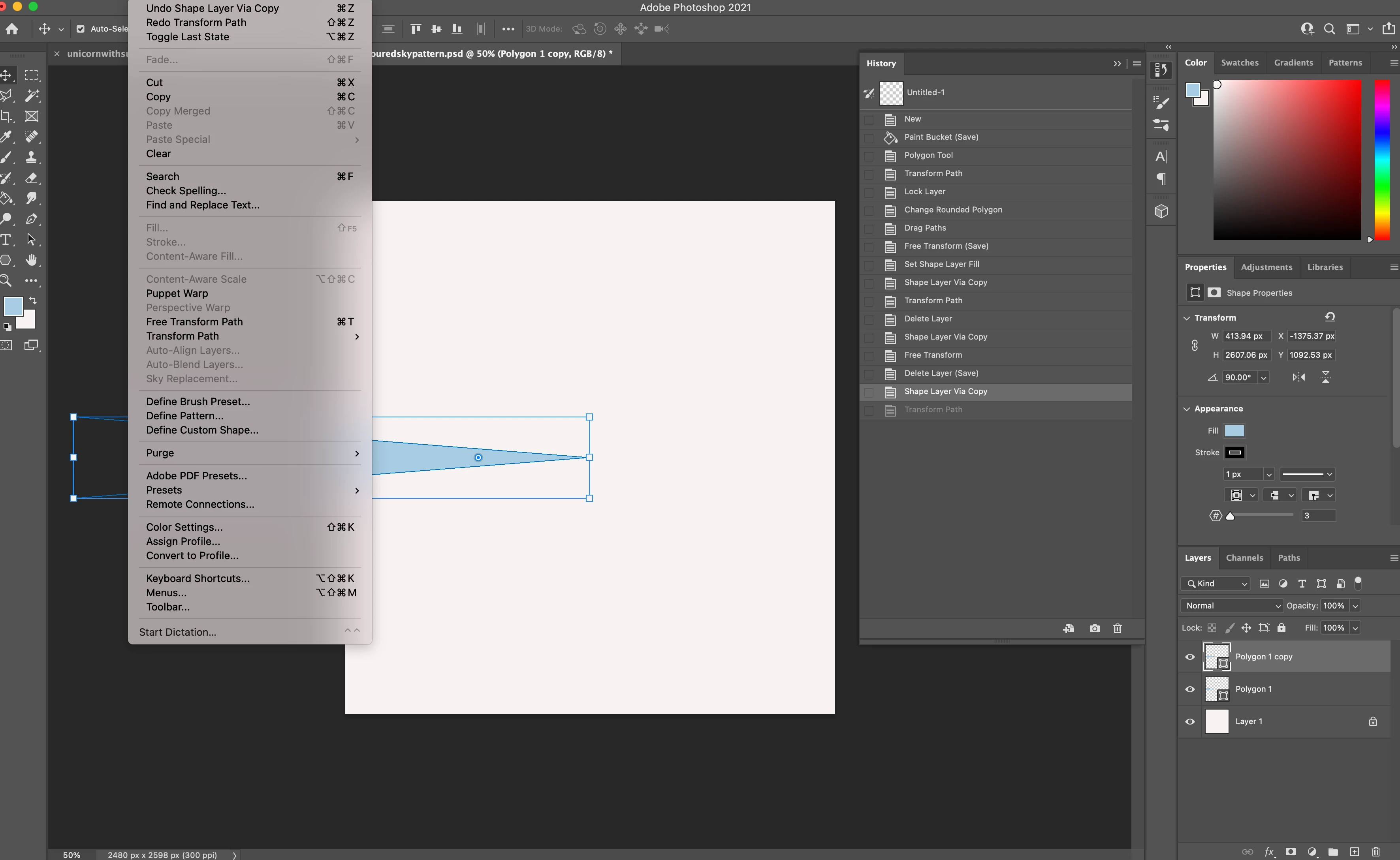
Yes, you are right! I could not find the free transform under edit as I only have the following options which are all related to path. Where could I find free transform in this version of photoshop?


Try switching to the Move Tool again. 

1 reply

c.pfaffenbichler
Community Expert
Community Expert
March 17, 2021

Could you please post screenshots with the pertinent Panels (Toolbar, Layers, Options Bar, …) visible? 


Did you transform the first copy before applying Transform Again (+ shift)? 

Participating Frequently
March 17, 2021

Hi, thank you for the quick reply! Here is the screenshot and a link to the youtube video that I followed if needed.


https://www.youtube.com/watch?v=TxbljL4gwQc


Participating Frequently
March 17, 2021

No Layer is selected so what did you do after duplicating the Shape Layer and transforming it? 


Here is another screenshot as I am working on it right now and now the command+shift+option+t does not work at all.