


Participant
July 12, 2021
Answered
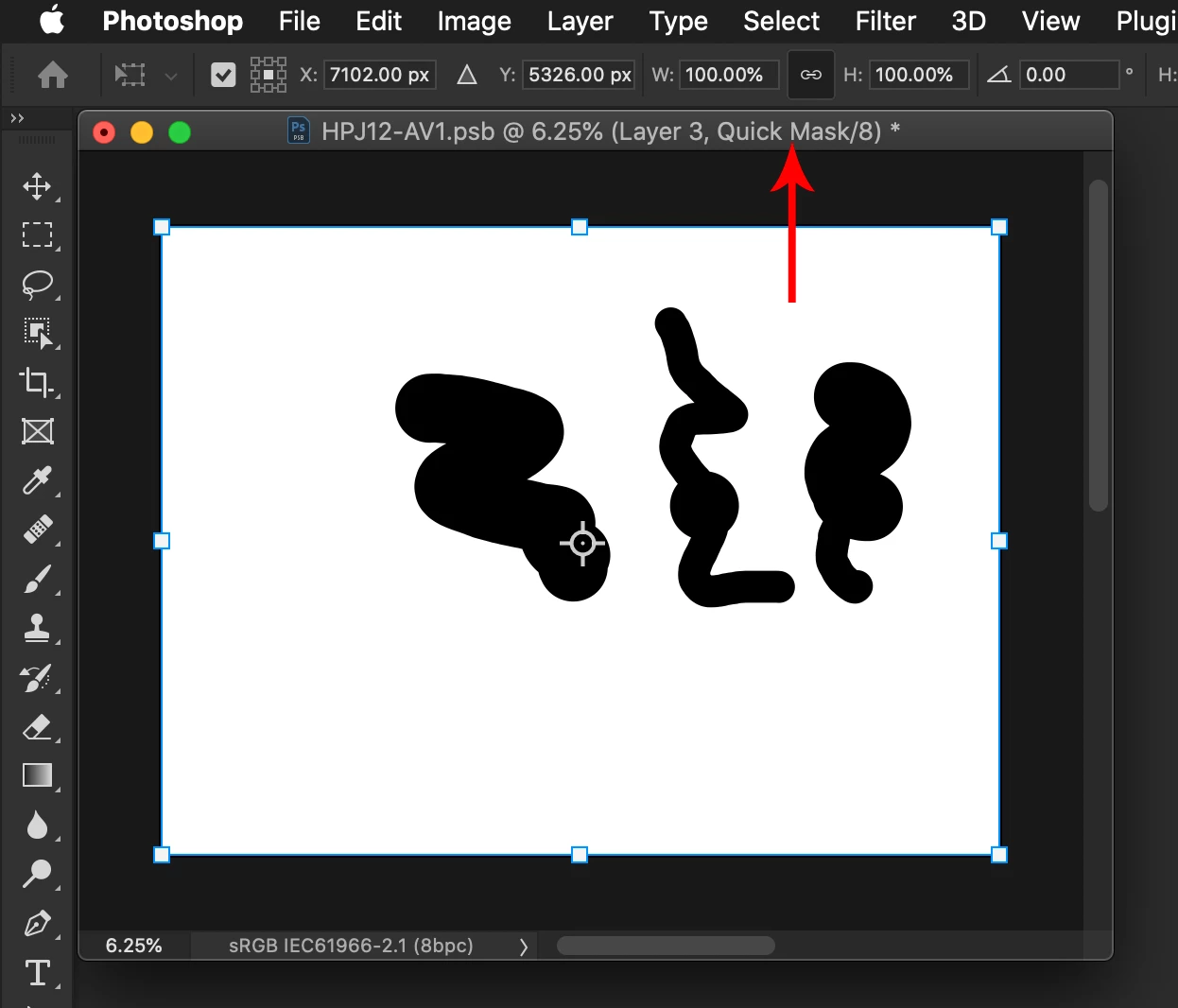
Command-T (Transform) bounding box is entire canvas, not intended shape.
- July 12, 2021
- 3 replies
- 1460 views
Photoshop 22.4.2 MacOS running on Catalina 10.15.7.
Often, when I select something that needs to be transformed, then press "Command-T" (for transform), the bounding box does not surround the item I chose, but instead the entire canvas. I don't know why it happens sometimes and then goes away.
I just painted a shape onto the screen using a brush. Then I pressed "Command-T" and the bounding box was surrounding only the shape. Then I clicked out and back into Photoshop (by clicking on the Desktop) and also off the layer, then re-selected the layer. Then when I pressed Command-T, the bounding box was the entire canvas.
Can this be fixed?
 AdChoices