
cassiam71626489
Participant
March 27, 2018
Question

Como aumentar a visualização da tela?

  • March 27, 2018
  • 2 replies
  • 548 views

Bom dia,

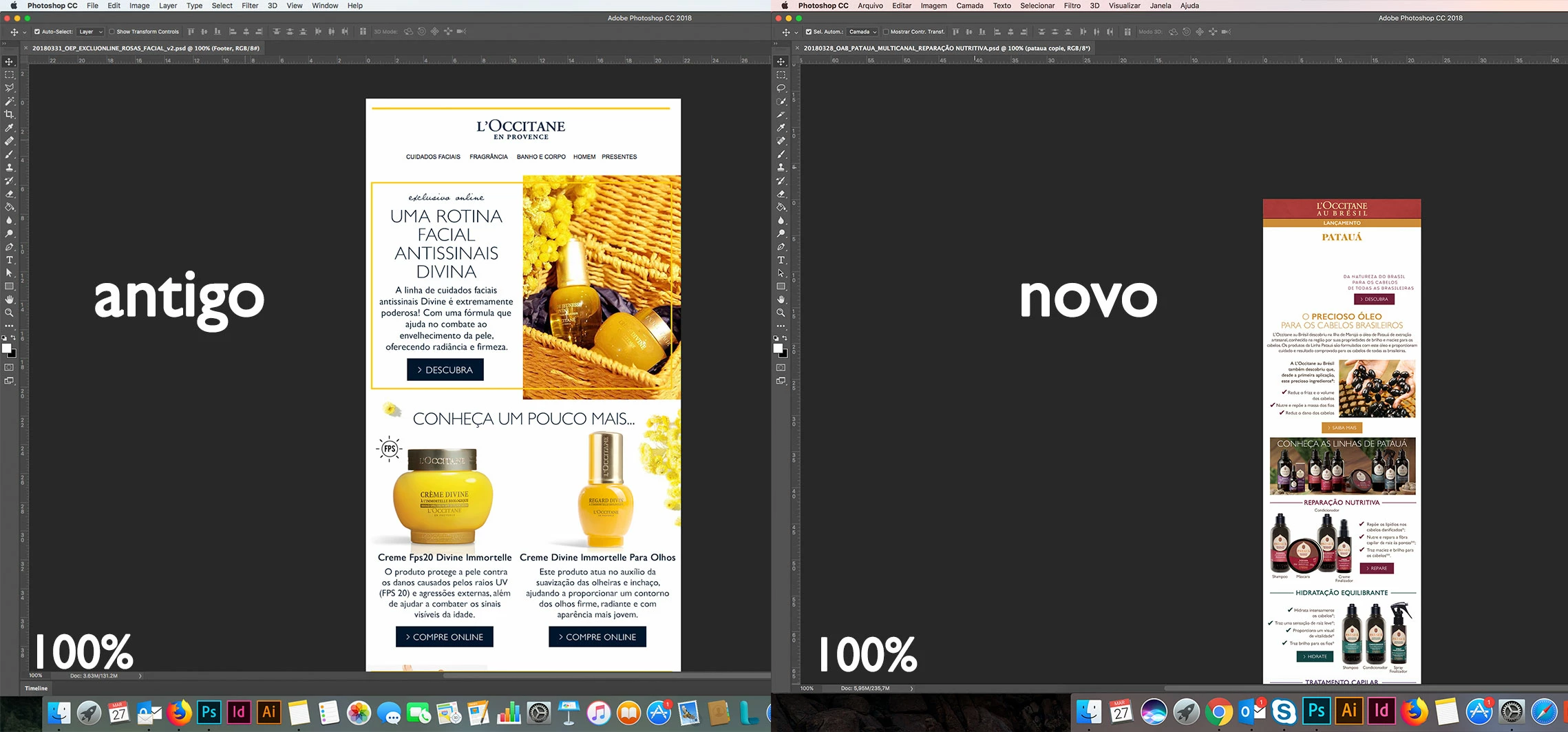
Mudei de computador e a visualização da minha tela ficou diferente.

O 100% da tela antiga, o arquivo ficava maior. Já o 100% do novo, a visualização é muito pequena, mostrando quase o arquivo inteiro.

Alguém consegue me ajudar a descobrir como aumentar a visualização?

Obrigada
This topic has been closed for replies.

2 replies

c.pfaffenbichler
Community Expert
Community Expert
March 27, 2018

You probably purchased a hidpi monitor, so one screen-pixel is now smaller than on your old screen. (edited)

You could use View > 200% if you prefer that.

HiDPI and Retina Display support FAQ for Photoshop

cassiam71626489
Participant
March 27, 2018

com a visualização de 200%, o arquivo fica pixelado

c.pfaffenbichler
Community Expert
Community Expert
March 27, 2018

Photoshop’s View > 100% is intended to represent on image pixel by one screen pixel.

If you choose to use a larger magnification then a resulting pixelation is to be expected.

Norman Sanders
Legend
March 27, 2018

if you are referring to an iMac with Retina display, this will present a larger image in Photoshop:

  • Quit the app if it's open.
  • In the Finder, choose Applications folder
  • In the Applications folder that opens, choose the Adobe Photoshop CC 2018 folder and inside that folder click the Adobe Photoshop CC 2018.app icon so it's highlighted. 
  • Choose Get Info from the File menu.
  • Place a checkmark next to "Open in Low Resolution"
    Open in Low Resolution