
Answered
Content Aware Checkbox Missing
Hello,
Currently on Photoshop 25.9.1 on a Mac M1. When using the Crop Tool on an unlocked layer I do not have the 'content aware' checkbox available, but rather a 'fill' dialog box. I have toggled 'Enable Narrow Options Bar' in preferences on and off and the only change with that setting is an icon or text dialog box for 'Delete Cropped Pixels.' For reference, I am trying to straighten photos using this technique. Any help appreciated. Thank you!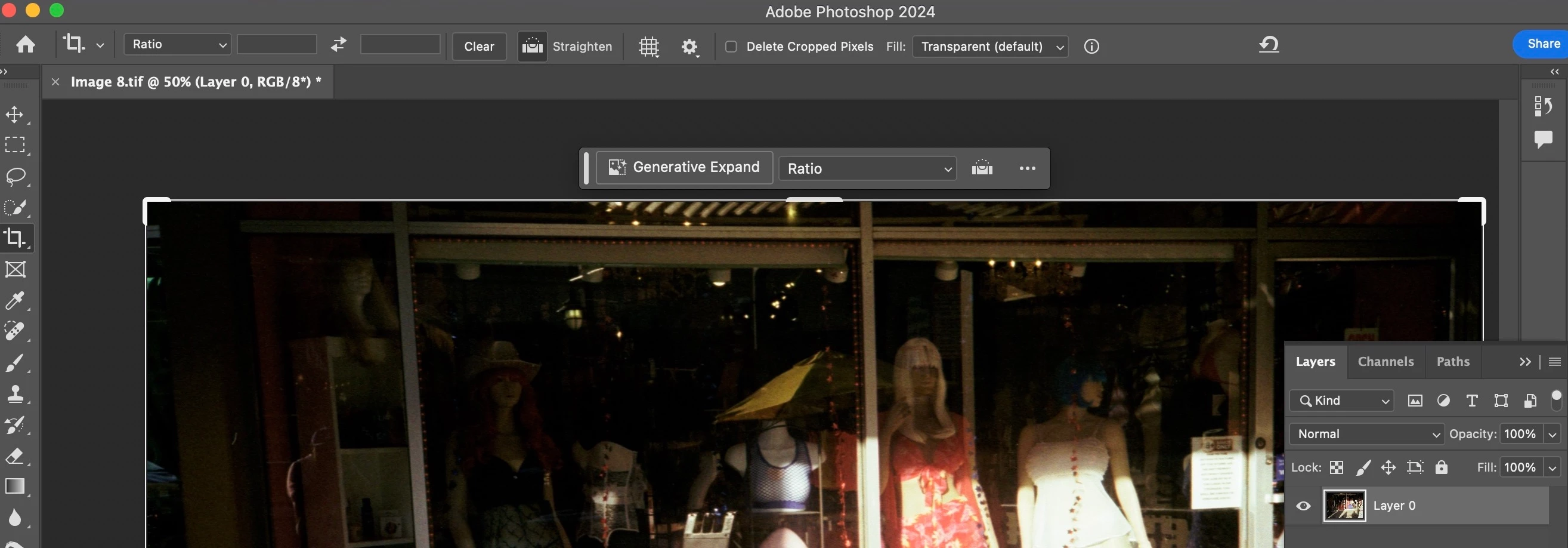

 AdChoices