
Participant
May 1, 2024
Question

Content Aware Fill Blurring [removing watermark]

  • May 1, 2024
  • 4 replies
  • 2429 views

I tried using Content Aware Fill to remove a watermark and got a messy blurred image. I'm looking for either a way to make this tool more effective or another tool for a better option.
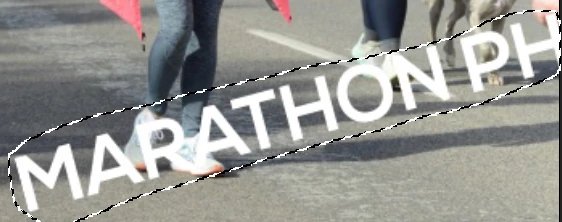
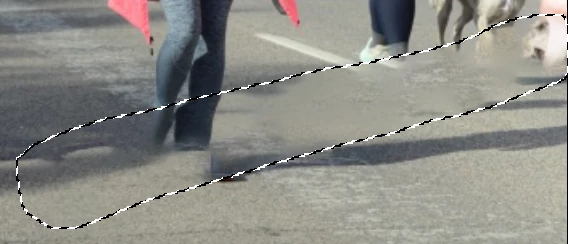


("Removing watermark" added to subject by moderator)


4 replies

Legend
May 1, 2024

I'm not sure we should be promoting the removal of watermarks here.

c.pfaffenbichler
Community Expert
Community Expert
May 2, 2024
quote

I'm not sure we should be promoting the removal of watermarks here.

We should not. 


But there may be cases where an image’s original creator lost the layered file and the task is ultimately pretty similar to removing certain photographed elements (for example stickers on a window) … so I think there can be ambiguity. 

jane-e
Community Expert
Community Expert
May 1, 2024


quote

I'm looking for ... for a better option.

By @ChayBlay


Marathon Photo added the watermark to prevent you from using the photo without purchasing it. When you purchase from them, they will provide a photo without the watermark.


Jane


c.pfaffenbichler
Community Expert
Community Expert
May 1, 2024

Actually removing watermarks is a red flag on this Forum, so please clarify: 

Do you have the rights to use the image? 

If so why don’t you have access to the layered/uncomposed/… image? 

Trevor.Dennis
Community Expert
Community Expert
May 1, 2024

You are wildly optimistic if you think CAF is going to fix that. The just isn't enough information for it to assess the image and decide what needs to be added. Generative Fill and the Remove tool make a stab of it, but still get it wrong.