
Inspiring
November 23, 2022
Question

Content Aware Fill omits color corrections

  • November 23, 2022
  • 1 reply
  • 2997 views

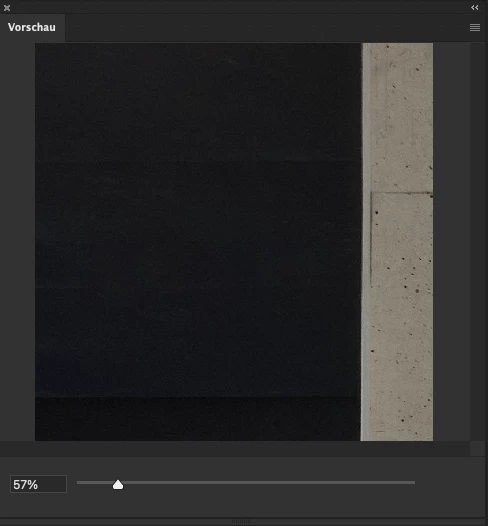
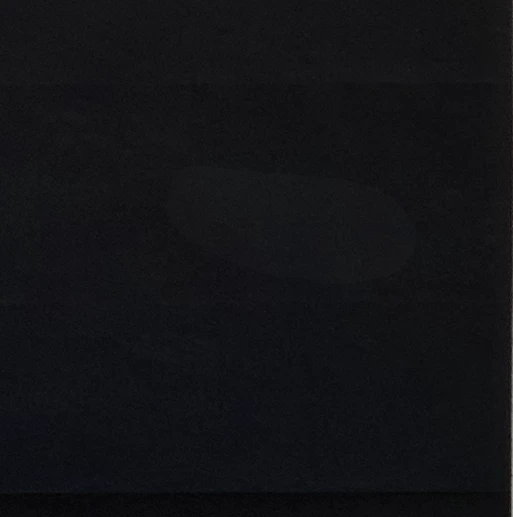
This just happened recently. Yesterday it worked well. I try to use Content aware fill on a new transparent layer. Attached you see my settings. Now, content aware doesn't integrate the color correction into the filling.  The preview looks fine, but the result changes. If I reduce everything on one layer and do the same, it works without any problems. But the biggest benefit out of this content aware is, that I don't need to reduce my layers normally. I'm using these hundreds of times every day. 


Thanks in advanced Marco 


Settings:
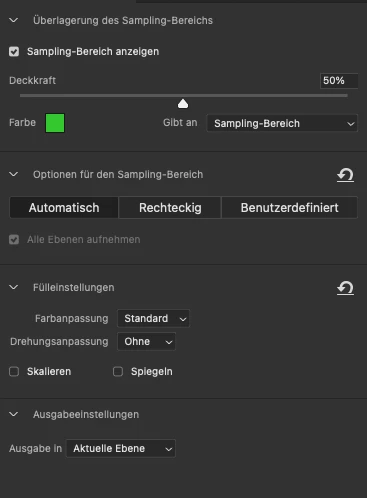
Preview:
Result:
This topic has been closed for replies.

1 reply

J E L
Community Expert
Community Expert
November 23, 2022

Hi @photocope I am sorry you don't have any replies yet. I can't duplicate the issue with the same settings (Windows 10, Photoshop 24.0.1 Release). You say you are trying to use Content Aware Fill on a new transparent layer? Is the new transparent layer being generated automatically after you apply the fill?


If something worked yesterday, but not today, and you haven't made any other system changes, try restoring your preferences using this manual method: https://helpx.adobe.com/photoshop/using/preferences.html#Manually


Let us know if you are still having the same issue after this.


photocopeAuthor
Inspiring
November 23, 2022

Thanks for your reply. The issue just appears if there are some color corrections layers. Seems like content aware doesn't recognize the color layers anymore and just fill pixels. 


1: random picture with 2 color correction layers. Transparent layer is empty.

2: Content aware fill. All layers

3: The result

4: Now it's getting interesting. When I turn the color correction layers off, the content aware filling match. Means the content aware filling doesn't fill with the color correction information for some reasons. 

I will try so reset my PS settings tomorrow. 


Thanks a lot for your effort. Marco 

photocopeAuthor
Inspiring
November 24, 2022

Since I can't duplicate the issue, it must be particular to macOS or your specific M1 Max configuration. Did you play around with turning off and on settings like Deactivate Native Canvas and uncheck the Graphics processer in Performance? I'm grasping right now but hopefully some other mac users will chime in with ideas for you. Fingers crossed. I know how frustrating it is to get hung up on something like this.


I tried that as well, but no improvement. I also just recognized that i can't check or uncheck the marked option. Since that the problem appeared. 

Thank you so much for your kind support.